Apple Computer Data Recovery

Advanced Enterprise & Forensic Protocols: Apple Computer Data Recovery
Recovering data from Apple computers—including the MacBook Pro, MacBook Air, iMac, and Mac Studio—presents a highly complex landscape in modern digital forensics. Over the past decade, Apple has fundamentally re-engineered personal computing architecture, shifting from modular, removable storage to tightly integrated, hardware-encrypted ecosystems.
At Seattle Data Recovery, we treat Apple data loss not as a simple software challenge, but as an advanced structural hardware problem. Standard retail data recovery software is structurally locked out of modern Mac architectures. Our laboratory deploys specialized hardware diagnostic tools, low-level firmware emulators, and micro-soldering infrastructure tailored explicitly for Apple's proprietary APFS (Apple File System) and security co-processors.
The Three Architectural Eras of Apple Data Recovery
To safely retrieve your data, our engineers categorize Apple computers into three distinct engineering eras, each requiring a completely unique recovery protocol:
1. The Modern Apple Silicon Era (M-Series Macs: 2020–Present)
In modern MacBook Pros, Airs, and Mac Studios, there is no physical "hard drive" or removable SSD module inside the machine. The storage consists of raw NAND flash memory chips soldered directly onto the main logic board.
- The Cryptographic Wall: Every single sector written to these chips is automatically encrypted using an aggressive, hardware-bound AES-256 key generated directly inside the Apple M-series processor. "Chip-off" recovery (desoldering the memory chips to read them externally) is completely impossible. If you separate the NAND chips from the specific CPU they were paired with at the factory, the data permanently becomes randomized, undecryptable code.
- The Seattle Data Recovery Protocol: If your M-series Mac is completely dead due to a liquid spill, drop, or power surge, our micro-soldering engineers must perform component-level motherboard restoration. Under high-powered microscopes, we isolate and replace shorted capacitors, blown power rails, or fried Power Management ICs (PMICs). The singular engineering goal is to repair the original motherboard to a stable, temporary state so that the CPU can successfully initialize, decrypt its own NAND storage, and allow a full forensic image to be extracted.
2. The Intel T2 Security Era (2018–2020)
During this transition period, Macs still used Intel processors, but Apple introduced the proprietary T2 Security Chip to handle the machine's secure boot and hardware-level encryption. Like modern Apple Silicon Macs, the flash storage chips are soldered directly to the logic board.
- The Recovery Protocol: If the motherboard suffers a catastrophic failure that cannot be repaired using standard component replacement, our engineers must perform a delicate Cryptographic Chip Transplant. We must cleanly desolder the original CPU, the T2 chip, and the original NAND flash storage chips, reball them, and transplant the entire interconnected group onto a matching, functional donor logic board to restore the encryption path.
3. The Legacy Intel Era (Pre-2018)
Older MacBooks and iMacs utilize either traditional mechanical hard drives, proprietary removable Apple SSD "blades," or hybrid Fusion Drives (which digitally bridge a mechanical drive and a flash drive together).
- The Recovery Protocol:
- Removable SSDs: We extract the proprietary Apple SSD blade and place it into specialized hardware imagers (like the DeepSpar or PC-3000) that can directly manage degrading flash sectors and native Apple communication protocols.
- Mechanical / Fusion Drives: If an older iMac or MacBook Pro is clicking or beeping, the mechanical drive has suffered a physical head crash or a seized motor. These units are safely moved to our ISO 5 Cleanroom for physical mechanical repair and donor part replacement.
Critical Protocol for Failed Apple Computers
If your Mac suddenly flashes a Folder with a Question Mark, presents an encryption login loop, or completely refuses to power on, your immediate actions dictate the survival rate of your data:
- Stop Continuous Power-Cycling: If a Mac is failing or overheating, repeatedly holding down the power button to force reboots stresses unstable flash memory cells or failing power rails. If an internal component is shorted, continuous electricity can cause a thermal event that permanently cooks the nearby NAND chips.
- Avoid Target Disk Mode on Damaged Hardware: Share Mode or Target Disk Mode are useful for healthy machines, but if your Mac is failing due to degrading storage sectors, forcing it to host a high-speed data stream will quickly cause the storage controller to permanently lock up.
- Say No to Built-In "First Aid" Repairs: If your Mac's file system structure is unstable, running Disk Utility's First Aid or terminal commands like
fsckwill force aggressive write commands onto the volume. On an already failing APFS container, this can corrupt the master file system indexes, rendering data unrecoverable.
- Details
- Written by: Seattle Data Recovery
- Category: Apple Computer Data Recovery
Recovery Some Data: Recovering Data from Apple M3 Macs
Built on an industry-leading 3-nanometer process technology, the Apple M3 family of chips represents the pinnacle of hardware-level encryption and component density. For legal teams, law enforcement, and enterprises facing data loss on an M3 MacBook Pro or iMac due to liquid destruction or fire damage, the recovery window is incredibly narrow. The 3nm architecture means the transistors and power traces inside the M3 SoC are microscopic, leaving virtually zero room for error during hardware stabilization.
The M3 platform features an advanced iteration of Apple's secure boot chain. The file vault encryption keys are deeply intertwined with the physical state of the hardware. If a water-damaged M3 logic board experiences a short circuit that blows the lines connecting the M3 processor to its storage bus, the data becomes permanently locked. Chip-off extraction is entirely unviable because there is no commercial reader in existence that can replicate the M3’s proprietary hardware decryption matrix.
Recovering data from a failed M3 device demands an elite cleanroom environment equipped with localized chemical fume extraction and micro-milling machinery. Technicians must delicately clean the logic board using specialized solvents to remove corrosive battery oxide without disturbing the fragile 3nm components. Through precision microsoldering and trace jump-wiring under a microscope, engineers systematically rebuild the corrupted data paths. Once the underlying hardware framework is stabilized, specialized forensic tools interact with the M3 system architecture to bypass the damaged peripheral logic and extract the raw, authenticated data blocks directly to a secure environment.
- Details
- Written by: Seattle Data Recovery
- Category: Apple Computer Data Recovery
The Apple M2 Max features a massive 96GB unified memory capacity and a highly sensitive power rail infrastructure designed to throttle energy dynamically. When an M2 Max logic board experiences severe water or liquid intrusion, the sudden shift in electrical resistance across the main power rails can cause the PMICs to permanently lock up, preventing the machine from ever entering DFU (Device Firmware Update) mode.
Because data extraction requires the M2 Max Secure Enclave to be fully functional, technicians cannot simply swap the NAND chips. Instead, forensic cleanroom operations focus on isolating the M2 Max chip's internal power domains.
Using ultra-fine micro-probes and oscilloscopes, engineers inject external, stabilized voltages directly into the CPU, RAM, and Secure Enclave power rails. This bypasses the board's destroyed native power-delivery system, allowing the chip to boot safely into a state where its cryptographic volume can be mirrored.
- Details
- Written by: Seattle Data Recovery
- Category: Apple Computer Data Recovery
The Apple M1 Pro architecture introduced a highly complex, multi-channel architecture to Apple’s laptop line, featuring a 256-bit memory bus and dual NAND channel configurations. Found in the baseline 14-inch and 16-inch MacBook Pro models, this chip operates as a parallel hardware storage manager.
When liquid penetrates an M1 Pro logic board, it frequently bridges the gap between the high-voltage backlight rails and the low-voltage data lines feeding the NAND array. Because the M1 Pro stripes data across multiple physical storage chips simultaneously, a single corroded trace on one NAND chip will corrupt the entire cryptographic file system.
Forensic recovery requires cleanroom technicians to map the specific power management integrated circuit (PMIC) lines. Under a stereomicroscope, micro-soldering specialists must manually run jumper wires to bypass corroded internal PCB vias, ensuring that the M1 Pro SoC can initialize both NAND channels simultaneously to complete its hardware-level AES-256 decryption handshake.
- Details
- Written by: Seattle Data Recovery
- Category: Apple Computer Data Recovery
The Apple A8 architecture inside the iPhone 6 and 6 Plus represents a turning point in mobile forensics, marking the widespread enforcement of hardware-encrypted storage tied directly to the CPU. If an iPhone 6 suffers severe liquid damage, a simple "chip-off" extraction of the NAND flash memory is unviable. The raw data on the NAND chip is encrypted using a unique hardware key embedded inside the A8 processor.
To successfully recover court-admissible evidence, cleanroom technicians must perform board-level restoration. In cases of advanced corrosion, engineers execute a "CPU and NAND transplant." Using precise BGA rework stations under a stereomicroscope, technicians desolder the A8 CPU, the NAND flash, and the EEPROM (containing the baseboard calibration data) from the destroyed logic board. These three paired components are then micro-soldered onto a known-working, donor logic board. Once the underlying hardware framework is rebuilt, forensic software can securely access the unencrypted operating system.
- Details
- Written by: Seattle Data Recovery
- Category: Apple Computer Data Recovery
The Apple A13 Bionic platform inside the iPhone 11, 11 Pro, and 11 Pro Max brought tightened hardware security, tying the TrueDepth camera array and the screen's logic directly to the secure boot chain. Liquid damage in these devices frequently targets the upper proximity sensor flex cable, which handles Face ID.
Because a short circuit in the Face ID array can cause the A13 chip to experience a kernel panic loop during boot, forensic extraction requires meticulous component isolation. Cleanroom technicians must completely strip the logic board of all non-essential peripheral flex cables. Under 40x microscopic magnification, engineers inject stabilized voltage lines directly into the A13’s core power rails while leaving the shorted sensor lines unpowered, tricking the Secure Enclave into a stable environment where it can accept the user's passcode and decrypt the file system.
Subcategories
iMac
Advanced Engineering Protocols: Recovering Lost Data from Apple iMac Systems
Recovering data from a failed Apple iMac depends heavily on the model year and the specific storage architecture used inside the machine. Over the last decade, Apple transitioned from traditional mechanical hard drives to complex Fusion Drives, and eventually to modern Apple Silicon M-series logic boards with integrated flash memory.
At Seattle Data Recovery, we treat iMac data loss at a hardware level. Standard software scans often fail or cause further degradation to unstable Apple hardware. Our laboratory deploys specialized hardware imaging systems and micro-soldering protocols tailored specifically to Apple’s proprietary file systems (APFS and HFS+) and security architectures.
The Three Architecture Eras of iMac Data Recovery
To safely retrieve your files, our engineers must first identify which storage tier your iMac utilizes:
1. Modern Apple Silicon Era (iMac M1, M3, and Newer)
- The Architecture: In modern iMacs, there is no separate hard drive or SSD module to remove. The storage consists of raw NAND flash memory chips soldered directly onto the main logic board. Furthermore, all data is automatically encrypted by the hardware keys bound directly inside the Apple M-series processor.
- The Recovery Protocol: "Chip-off" extraction is impossible because removing the memory chips separates them from the cryptographic keys in the CPU, rendering the data scrambled code. If your iMac is completely dead due to a liquid spill or a power surge, Seattle Data Recovery must perform component-level motherboard repair. Under specialized magnification, our micro-soldering engineers isolate and replace shorted capacitors, blown power rails, or damaged Power Management ICs (PMICs). The goal is to restore stable power to the logic board just long enough for the system to initialize, decrypt its own storage, and allow a full data extraction.
2. The Intel T2 Security Era (iMac Retina 5K 27-inch, 2020)
- The Architecture: These models feature Intel processors but utilize Apple's proprietary T2 Security Chip. The SSD chips are soldered directly to the motherboard, and the T2 chip handles all hardware-level encryption.
- The Recovery Protocol: Similar to Apple Silicon models, if the logic board dies, the data is locked away. Our technicians utilize dedicated hardware diagnostic tools to interface with the board's internal data lines. If the primary logic board is too severely fractured to repair, we must perform a delicate transplant—moving the CPU, the T2 chip, and the original NAND chips over to a matching donor board to safely decrypt the volume.
3. The Intel Mechanical & Fusion Drive Era (iMac Models 2012–2019)
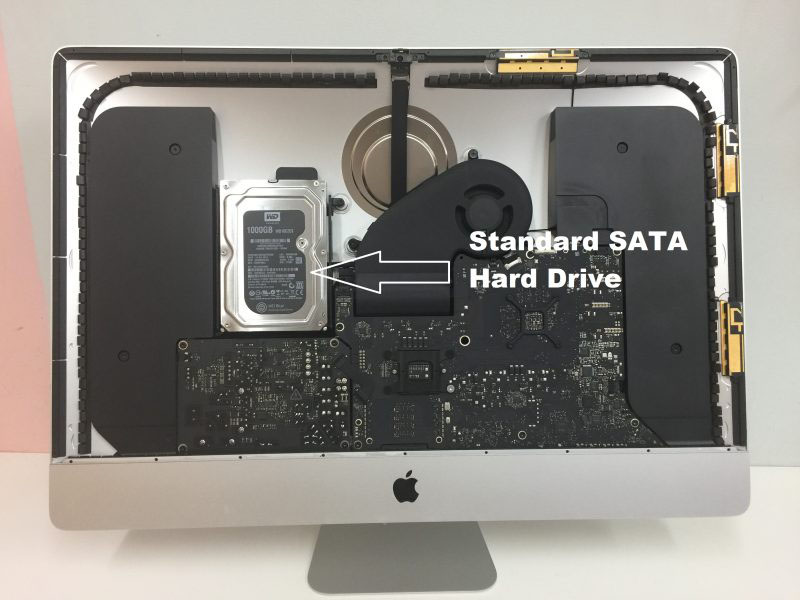
- The Architecture: These iMacs contain traditional 2.5-inch or 3.5-inch hard drives, standard removable blade SSDs, or a Fusion Drive (which digitally binds a small blade SSD and a large mechanical hard drive together into a single logical volume).
- The Recovery Protocol:
- Mechanical Drives: If your older iMac is clicking, beeping, or failing to boot, the internal mechanical drive has likely suffered a head crash or a seized motor. We extract the drive from the iMac casing and move it directly into our ISO 5 Cleanroom for physical component replacement using exact matching donor parts.
- Fusion Drives: Recovering a failed Fusion Drive requires extracting both the physical mechanical drive and the proprietary Apple blade SSD. Because the APFS or HFS+ file system spreads data across both drives simultaneously, our hardware imagers must create bit-for-bit clones of both storage components and digitally realign them in our server environment to reconstruct the original partition map.
Critical Protocol for Users Facing iMac Failures
If your iMac suddenly flashes a Folder with a Question Mark, fails to progress past the Apple logo bar, or won't turn on at all, your next steps are critical to preventing permanent file destruction:
- Do Not Keep Force-Rebooting: If your iMac is making a faint clicking or ticking noise from behind the screen, the mechanical drive is failing. Repeatedly turning it on forces damaged read heads to scratch the internal platters, permanently shaving away your data.
- Avoid Target Disk Mode on Failing Hardware: While Target Disk Mode is an excellent native utility for healthy Macs, using it on an iMac with a physically failing drive or degrading flash memory sectors will cause the storage controller to overheat and permanently lock up.
- Say No to Automatic "First Aid" Fixes: Running Disk Utility’s First Aid or third-party file scraping utilities on an unstable drive forces aggressive write commands onto the volume. If the file system index is unstable, these tools can accidentally wipe the ghost remains of your partition tables.
iPhone
The Reality of Chip-Off Data Recovery on Modern iPhones
In the data recovery industry, "chip-off" data recovery refers to the physical removal of a flash memory chip (NAND) from a device's logic board so it can be placed into an external chip reader to extract raw data. While this technique is highly successful for older devices, digital cameras, and flash drives, chip-off data recovery is impossible on modern iPhones.
At Seattle Data Recovery, we want to ensure you have accurate technical information: any lab claiming they can desolder a NAND chip from a modern iPhone (iPhone 4s or newer) and read your photos directly from it is misinformed or misleading you.
Why Chip-Off Is Physically Blocked by Apple Architecture
Starting with the iPhone 5 and solidifying with hardware-level changes across later models (especially devices using A-series processors and the Secure Enclave), Apple implemented a highly secure, interconnected hardware blueprint.
- Hardware-Level Encryption (AES-256): Every single piece of data written to an iPhone's NAND flash memory chip is instantly encrypted using hardware keys.
- The Secure Enclave Entanglement: The unique cryptographic keys required to decrypt your data are not stored on the memory chip itself. Instead, they are permanently fused inside the iPhone's main CPU (and protected by the Secure Enclave co-processor).
- The Cryptographic Lock: If a technician desolders the NAND flash memory chip and places it into an external reader, the reader will only see a chaotic, completely scrambled wall of encrypted code. The data cannot be decrypted without passing through that exact device's original CPU and receiving the correct user passcode.
The Real Solution: Board-Level Logic Repair (The "Donation" Method)
Because a chip-off bypass is structurally impossible, the only way to recover data from a severely smashed, water-damaged, or dead iPhone is to repair the original logic board to a temporary functional state. The phone must boot up completely normally just one final time so it can decrypt its own data using its original CPU and your passcode.
At Seattle Data Recovery, our micro-soldering engineers deploy advanced motherboard repair techniques rather than destructive chip-offs:
1. Micro-Soldering Component Diagnostic & Replacement
If an iPhone is completely dead after a severe electrical short or liquid submersion, the logic board is usually missing critical power rails.
- Under high-power microscopes, our technicians isolate shorted capacitors, blown filters, and destroyed power management ICs (PMICs).
- We remove the damaged microscopic components using specialized hot-air rework stations and solder healthy replacements onto the board to restore the power delivery network.
2. The "Board Swap" (CPU & NAND Transplant)
If an iPhone has been physically snapped in half or the logic board itself is severely fractured, standard component replacement will not work. In these extreme "lost cause" scenarios, our engineers perform a highly advanced surgical procedure:
- We source a completely identical, working "donor" iPhone logic board.
- We carefully desolder the unique, paired components from your broken phone: the CPU (with Secure Enclave), the NAND Flash Memory Chip, and the EEPROM/Baseband chip.
- We clean and "reball" these chips, then solder them onto the healthy donor board. Because the cryptographic trio remains intact, the donor board will successfully boot up, prompt you for your original passcode, and allow us to extract a complete backup.
Critical Steps to Maximize Your Recovery Chances
If you have an iPhone with critical data that will not power on, protect your device from permanent loss:
- Avoid Generic Phone Repair Shops: Standard retail repair shops are trained to swap out screens, batteries, and charging ports. If an iPhone has a complex motherboard issue, a general technician using improper heat settings can easily delaminate the logic board or permanently fry the CPU, destroying any chance of recovery.
- Do Not Attempt to Clean Water Damage Yourself: If your device fell into water, plugging it into a charger to "see if it works" is the most destructive action you can take. Electricity mixed with liquid accelerates corrosion and can instantly short out the CPU's primary power lines.
- Know Your Passcode: Because Apple's encryption cannot be cracked, bypass algorithms do not exist. Any successful hardware recovery requires entering your original lock screen passcode to initialize the final data transfer.
MacBook Data Recovery
Advanced MacBook Data Recovery Services in Seattle
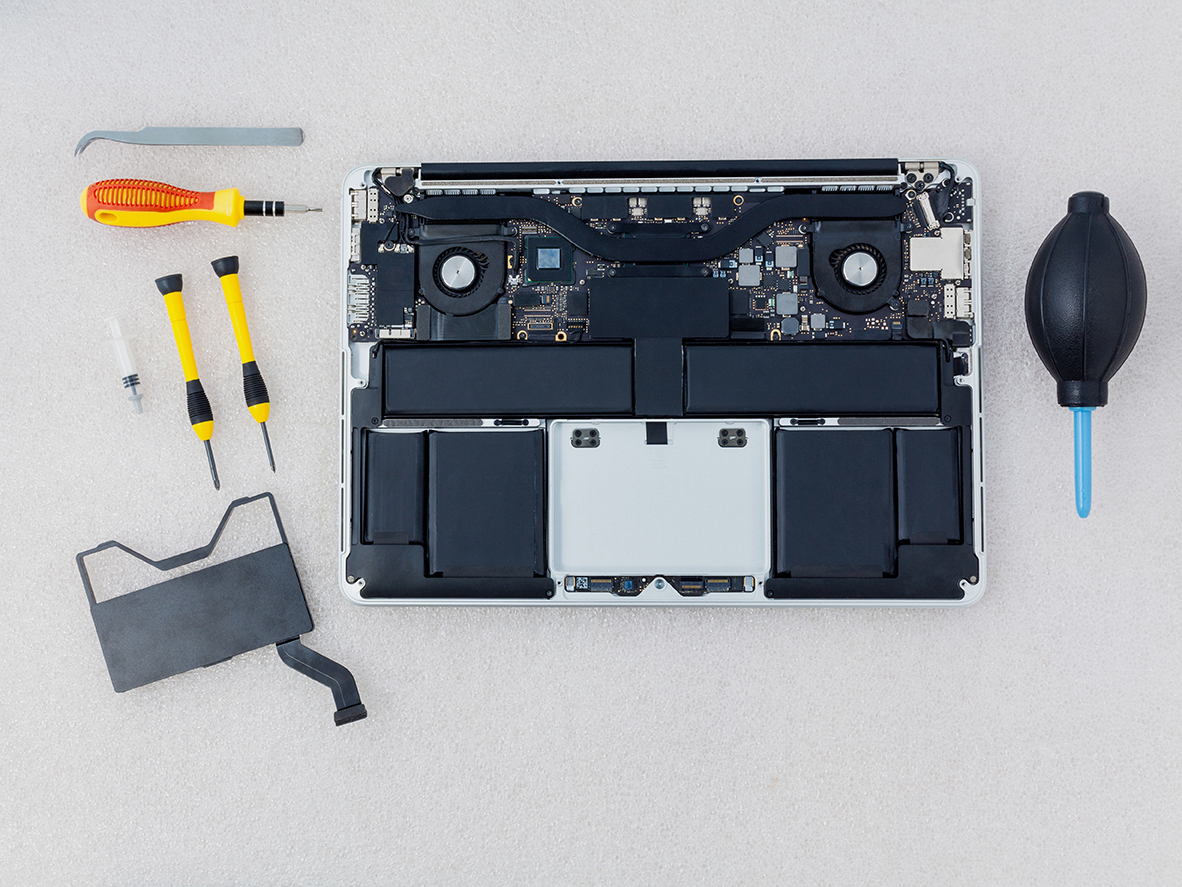
Recovering data from modern Apple MacBooks requires specialized expertise due to integrated hardware, soldered storage, and proprietary file architectures Seattle Data Recovery. Standard recovery software fails when a device won't power on, so advanced laboratory diagnostics and micro-soldering are needed.
Why Modern MacBook Data Recovery is Unique
- Soldered Storage: On modern Apple Silicon models (M1, M2, M3, and newer), NAND flash memory is soldered directly to the logic board rather than existing as a removable card.
- Hardware-Bound Encryption: Data is encrypted via a key generated inside the Apple processor, making traditional "chip-off" desoldering methods ineffective because separating the NAND chips from the factory-paired CPU permanently scrambles the data.
Our Engineering Approach
When handling dead or non-responsive MacBooks, the recovery protocol relies on component-level intervention:
- Micro-Soldering & Repair: Restoring shorted power rails or damaged components under high-magnification microscopes.
- Firmware and Controller Handling: Bypassing communication failures and stabilizing the data translation layers.
- APFS Extraction: Utilizing specialized equipment to image the Apple File System once the hardware and cryptographic handshake are restored.
Common Failure Scenarios
- Liquid Damage: Motherboard short circuits from spills.
- No Power / Dead Device: Failures in the USB-C controller or power management IC.
- Boot Loops & OS Corruption: Systems freezing during updates.
- Logical Issues: Accidental file deletion and volume corruption.
Get Started
If your MacBook fails or suffers liquid exposure, avoid repeated power cycling or charging to prevent permanent damage to the NAND flash chips. Contact the Seattle team for a professional hardware assessment.
Macbook Pro Data Recovery
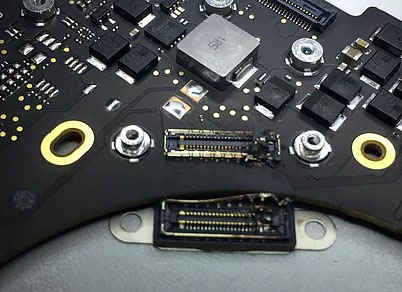
Advanced Laboratory Protocols: MacBook Pro Data Recovery
Recovering data from a failed Apple MacBook Pro requires deep expertise in micro-electronics, cryptographic entanglement, and Apple's proprietary file structures. Over the last decade, Apple transformed the MacBook Pro from a modular laptop with a removable drive into a highly integrated, security-focused computing ecosystem.
At Seattle Data Recovery, we treat MacBook Pro data loss at a hardware component level. Because modern MacBook Pros lack a removable storage drive, standard consumer recovery software is entirely useless if the laptop fails to power on. Our laboratory utilizes advanced diagnostic hardware, low-level firmware emulators, and high-precision micro-soldering stations specifically calibrated for Apple’s APFS (Apple File System) and hardware encryption engines.
The Architecture Tiers of MacBook Pro Storage
To safely extract your files, our engineers must first identify the specific engineering architecture of your MacBook Pro model:
1. The Modern Apple Silicon Era (M1, M2, M3, M4 Models: 2020–Present)
In all modern MacBook Pro models (including the 14-inch and 16-inch variants), there is no separate SSD module inside the machine. The storage consists of raw NAND flash memory chips soldered directly onto the main logic board.
- The Cryptographic Bond: Every piece of data written to these NAND chips is automatically encrypted using an aggressive, hardware-bound AES-256 key generated directly inside the Apple M-series processor. "Chip-off" recovery (desoldering the memory chips to read them externally) is fundamentally impossible. If you separate the NAND chips from their factory-paired CPU, the data permanently becomes scrambled, randomized code.
- Our Recovery Protocol: If your M-series MacBook Pro is completely dead due to a liquid spill, drop, or power surge, our micro-soldering engineers must perform component-level motherboard restoration. Under high-powered microscopes, we isolate and replace shorted capacitors, blown power rails, or fried Power Management ICs (PMICs). The singular engineering goal is to repair the original motherboard to a stable, temporary state so that the CPU can successfully initialize, decrypt its own storage, and allow a full forensic clone to be extracted.
2. The Intel T2 Security Era (Touch Bar Models: 2018–2020)
During this transition period, MacBook Pros utilized Intel processors but integrated Apple's proprietary T2 Security Chip to manage secure boot and hardware-level encryption. Like modern M-series laptops, the flash storage chips are permanently soldered to the motherboard.
- Our Recovery Protocol: If the motherboard suffers a catastrophic failure that cannot be repaired using standard component replacement, our engineers must perform a delicate Cryptographic Chip Transplant. We must cleanly desolder the original CPU, the T2 chip, and the original NAND flash storage chips, reball them, and transplant the entire interconnected group onto a matching, functional donor logic board to restore the encryption path.
3. The Legacy Intel Era (Pre-2018 Models)
Older MacBook Pros feature either traditional 2.5-inch mechanical hard drives (Non-Retina models) or proprietary removable Apple SSD "blades" (Retina models from 2012–2015, and the 2016–2017 Non-Touch Bar Function Key models).
- Our Recovery Protocol:
- Removable SSDs: We extract the proprietary Apple SSD blade and place it into specialized hardware imagers (like the DeepSpar or PC-3000) that can directly manage degrading flash sectors and native Apple communication protocols.
- Mechanical Drives: If your older MacBook Pro is clicking or beeping, the internal mechanical drive has suffered a physical head crash or a seized motor. These units are safely moved to our ISO 5 Cleanroom for physical component repair and donor part replacement.
Critical Emergency Protocol for Failed MacBook Pros
If your MacBook Pro suddenly flashes a Folder with a Question Mark, presents an encryption login loop, or completely refuses to power on, your immediate actions dictate the survival rate of your data:
- Stop Continuous Power-Cycling: If a MacBook Pro is failing or overheating, repeatedly holding down the power button to force reboots stresses unstable flash memory cells or failing power rails. If an internal component is shorted, continuous electricity can cause a thermal event that permanently cooks the nearby NAND chips.
- Avoid Target Disk Mode / Share Mode on Unstable Hardware: While Share Mode is a useful utility for healthy machines, forcing a MacBook Pro with degrading storage sectors or unstable logic board voltages to host a high-speed data stream will quickly cause the storage controller to permanently lock up or fail.
- Say No to Built-In "First Aid" Repairs: If your Mac's file system structure is unstable, running Disk Utility's First Aid or terminal commands like
fsckwill force aggressive write commands onto the volume. On an already failing APFS container, this can corrupt the master file system indexes, rendering data unrecoverable.
Mac Pro
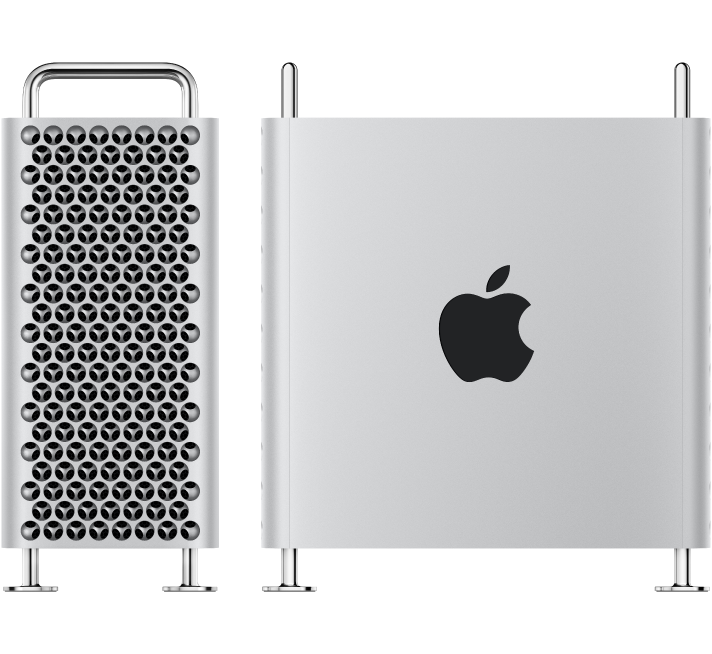
Advanced Engineering Protocols: Mac Pro Tower Data Recovery
Recovering data from an Apple Mac Pro Tower depends entirely on the machine’s generation. Because the Mac Pro is Apple’s flagship workstation for film editors, audio engineers, and data scientists, a failure usually involves high-capacity storage arrays, complex RAID configurations, or hardware-encrypted modern logic boards.
At Seattle Data Recovery, we treat Mac Pro data loss at a component engineering level. Standard data recovery apps cannot handle modern Apple security systems or complex multi-disk failures. Our laboratory uses specialized hardware imagers and micro-soldering stations tailored to Apple’s APFS (Apple File System) and hardware encryption engines.
The Three Architecture Eras of Mac Pro Storage
To safely extract your files, our engineers must first identify which generation of the Mac Pro Tower you are running:
1. Modern Apple Silicon Era (Mac Pro M2 Ultra and Newer: 2023–Present)
- The Architecture: The modern Apple Silicon Mac Pro Tower looks like a modular desktop, but its storage architecture is highly integrated. It utilizes proprietary Apple Storage Modules that slide into specific slots on the motherboard. However, these modules do not contain standard standalone SSD controllers. The actual flash memory controller is built directly into the M-series Ultra CPU, which automatically encrypts all data using hardware-bound AES-256 keys.
- The Recovery Protocol: If the Mac Pro Tower is completely dead due to a massive power surge or liquid damage, moving the storage modules to a different Mac Pro will fail. The data is cryptographically tied to that specific motherboard's CPU. Seattle Data Recovery must perform component-level motherboard repair. Under high-powered microscopes, our micro-soldering engineers isolate and replace shorted capacitors, blown power lines, or fried Power Management ICs (PMICs) to stabilize the original board. This allows the CPU to boot, decrypt its own storage modules, and safely export the data.
2. The Intel Modular SSD Era (Mac Pro "Cheese Grater" Tower: 2019–2023)
- The Architecture: These high-end Intel-based towers use custom Apple flash storage blades. Much like the Apple Silicon era, these blades lack independent controllers; instead, they are cryptographically paired and managed by Apple’s onboard T2 Security Chip.
- The Recovery Protocol: If a catastrophic electronic failure prevents the board from turning on, our engineers must perform a delicate Cryptographic Chip Transplant. We cleanly desolder the original CPU, the T2 chip, and the flash storage chips from the damaged motherboard, reball them, and transplant the entire interconnected group onto a functional donor board to restore the encryption path.
3. Legacy Intel Towers (Mac Pro "Trash Can" 2013 and Classic Towers 2006–2012)
- The Architecture:
- 2013 "Trash Can" Cylinder: Uses a single, proprietary removable Apple PCIe SSD blade.
- Classic Silver Towers (Dual-Processor): Features four internal 3.5-inch SATA hard drive bays, often configured by professional editors into internal RAID 0 (Striped) or RAID 5 arrays for speed.
- The Recovery Protocol:
- Removable SSDs: We extract the proprietary blade and place it into specialized hardware imagers (like the DeepSpar or PC-3000) that can directly manage degrading flash sectors.
- Multi-Drive RAID Arrays: If one or more mechanical drives inside a classic tower fail or start clicking, we perform physical micro-surgery inside our ISO 5 Cleanroom using exact matching donor heads or spindle motors. Once all individual drive members are cloned, our engineers manually extract the raw metadata layout, realign the block sizes, and virtually reconstruct the striped array to safely export your project files.
Critical Protocol for Mac Pro Operators Facing Failure
If your Mac Pro Tower suddenly drops a high-capacity drive array, flashes a Question Mark Folder, or refuses to power on during a critical deadline, your immediate actions are vital:
- Do Not Attempt an Automatic RAID Rebuild: If an internal multi-drive array degrades or a drive starts clicking, do not force an automated software rebuild. The extreme stress of a rebuild will often cause a secondary, aging drive in the array to fail mechanically, destroying the data permanently.
- Cut Power to Clicking Units Instantly: If you hear a physical clicking, ticking, or grinding noise coming from the tower's drive bays, shut down the system immediately. Forcing a mechanically failing hard drive to spin allows the broken heads to scrape the magnetic film off the platters, turning your data into unrecoverable dust.
- Avoid Destructive System Utilities: Running automated disk checkers like Disk Utility's First Aid or terminal directory repairs on an unstable APFS volume can accidentally overwrite ghost remains of your original partition maps.
Mac Mini
The Mac mini Lineup (2005–Present)
The Mac mini was originally introduced in 2005 as a "BYODKM" (Bring Your Own Display, Keyboard, and Mouse) machine designed to entice Windows switchers. It has undergone several dramatic structural transformations.
1. The G4 & Early Intel Polycarbonate Era (2005–2009)
Characterized by a compact 2-inch tall square footprint with a white polycarbonate top panel and an aluminum structural band.
- Mac mini (G4): Introduced in January 2005. Powered by a single PowerPC G4 processor. It was the only Mac mini variant to run the legacy PowerPC architecture.
- Mac mini (Early/Late 2006): Model Identifiers
Macmin1,1. Apple’s first Intel-based minis, featuring Intel Core Solo or Core Duo processors and an internal optical combo/SuperDrive. - Mac mini (Mid 2007): Model Identifier
Macmin2,1. Upgraded to 64-bit Intel Core 2 Duo processors but limited by a 32-bit EFI firmware layer. - Mac mini (Early/Late 2009): Model Identifier
Macmin3,1. Switched to Nvidia GeForce 9400M integrated graphics, bringing a massive jump in video capabilities and dual-display output.
2. The Unibody Aluminum Era (Intel / 2010–2018)
Apple redesigned the enclosure into a thinner, wider, single piece of stamped aluminum featuring a removable black circular bottom plastic hatch for seamless RAM upgrades.
- Mac mini (Mid 2010): Model Identifier
Macmin4,1. The final model to feature an internal optical drive slot. Included a built-in HDMI port and an SD card slot. - Mac mini (Mid 2011): Model Identifier
Macmin5,1/5,2. Apple completely removed the internal CD/DVD optical drive. Introduced Thunderbolt 1 technology and optional AMD Radeon dedicated graphics. - Mac mini (Late 2012): Model Identifier
Macmin6,1/6,2. Highly revered in server farms, this model introduced Quad-Core Intel Core i7 configurations, USB 3.0, and support for dual internal hard drives or early Fusion Drives. - Mac mini (Late 2014): Model Identifier
Macmin7,1. A highly controversial revision that soldered the RAM directly to the motherboard, removing user upgradability. Shifted entirely to dual-core processors and added Thunderbolt 2. - Mac mini (Late 2018): Model Identifier
Macmin8,1. Coated in a distinct Space Gray finish. This high-performance refresh introduced Intel 8th-Gen 4-core and 6-core desktop processors, standard PCIe flash storage, an Apple T2 security chip, four Thunderbolt 3 ports, and optional 10Gb Ethernet.
3. The Apple Silicon Unibody Era (2020–2023)
While retaining the physical 2018 unibody footprint, Apple returned the finish to traditional silver and replaced the entire internal architecture with an integrated system-on-chip (SoC).
- Mac mini (M1, 2020): Model Identifier
Macmin9,1. The historic debut of the M1 chip inside a desktop format, delivering massive thermal efficiency and speed improvements but reducing the physical Thunderbolt port count from four to two. - Mac mini (M2 / M2 Pro, Early 2023): Model Identifier
Macmini9,2/9,12. The standard M2 model updated the base architecture, while the premium M2 Pro configuration added four Thunderbolt 4 ports, support for up to three external displays, and massive graphical processing headroom.
4. The Ultra-Compact Redesign Era (2024–Present)
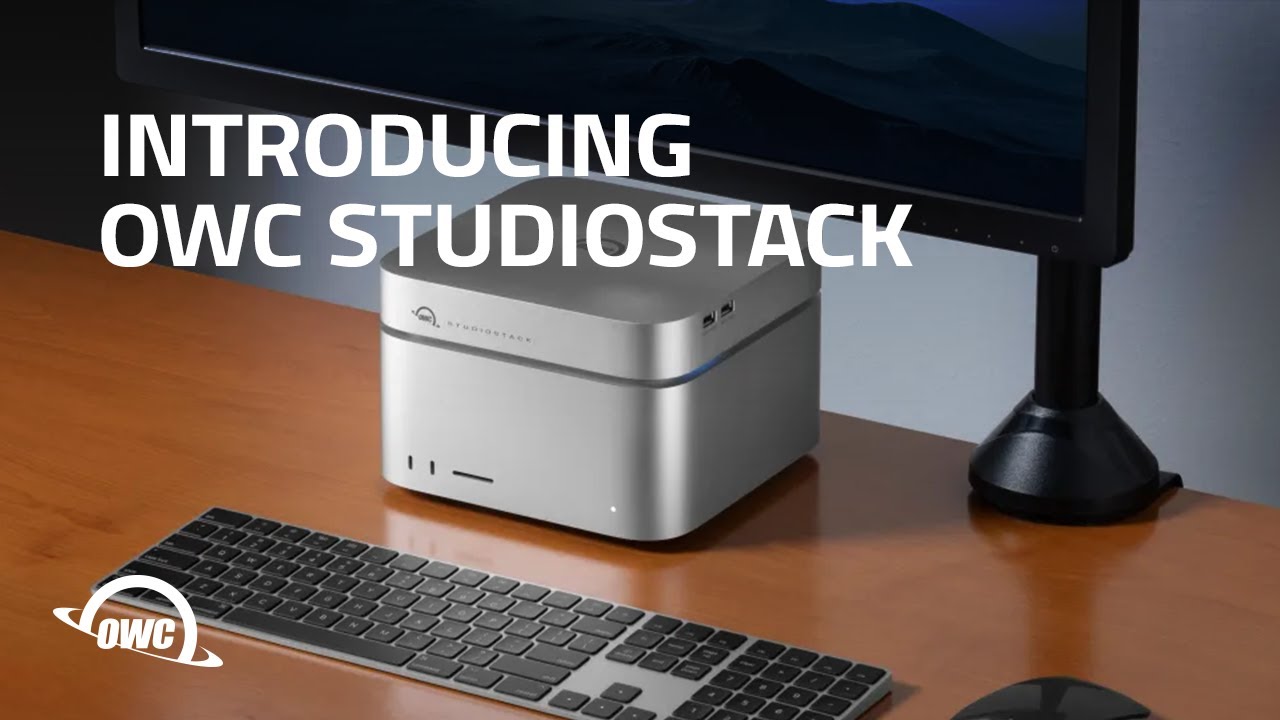
- Mac mini (M4 / M4 Pro, Late 2024): A major structural architecture overhaul. The physical footprint was drastically downsized to a 5x5 inch super-compact chassis featuring front-facing USB-C ports. Powered by the M4 or M4 Pro architecture, it standardized a minimum of 16GB unified memory and introduced Thunderbolt 5 speeds on the M4 Pro high-end tier.
The Mac Studio Lineup (2022–Present)
Introduced as an entirely new product category, the Mac Studio is designed for extreme creative workflows (video editing, 3D rendering, audio production). Visually resembling a taller, extruded Mac mini with a heavy-duty dual-fan thermal extraction core on the bottom, it packs Apple’s highest-tier "Max" and "Ultra" processors.
1. The First Generation (M1 Architecture)
- Mac Studio (M1 Max / M1 Ultra, 2022): Model Identifier
MacStudio1,1. Features the M1 Max chip or the massive M1 Ultra chip (which physically fused two M1 Max chips together via an UltraFusion interconnect). It included an SDXC card slot and twin USB-C/Thunderbolt ports right on the front face of the chassis.
2. The Second Generation (M2 Architecture)
- Mac Studio (M2 Max / M2 Ultra, 2023): Model Identifier
MacStudio2,1. Updated the processing blocks to the M2 generation. The M2 Ultra variant configured up to a 24-core CPU and a 76-core GPU, alongside a high-bandwidth HDMI port capable of running an 8K external monitor natively at 240Hz.
3. The Third Generation (M4 Architecture)
- Mac Studio (M4 Max / M4 Ultra, 2025–2026): Updated the architecture to the highly efficient 3nm M4 silicon framework. This upgrade brought extreme hardware-accelerated ray tracing engines, massive boosts to local Machine Learning / Neural Engine calculations, and native support for Thunderbolt 5 connectivity configurations on premium tiers.
MacBook Air
Here is the comprehensive list of all Apple MacBook Air models organized by their design generation and processor architecture from the original introduction in 2008 to the present day:
1. The Original Tapered Polycarbonate/Aluminum Era (Intel)
Famous for being pulled out of a manila envelope by Steve Jobs, this generation laid the groundwork for ultra-thin portables but suffered from limited performance and structural hinge fragilities.
- MacBook Air (Original - Early/Late 2008): Model Identifier
MacBookAir1,1. Powered by custom-shrunk Intel Core 2 Duo processors and slow, micro-PATA hard drives (or early, expensive 64GB PATA SSDs). - MacBook Air (Mid 2009): Model Identifier
MacBookAir2,1. Upgraded to faster Nvidia GeForce 9400M integrated graphics and standard SATA-based solid-state drives.
2. The Classic Wedge-Shaped Unibody Era (Intel / 2010–2017)
The definitive MacBook Air design. It introduced the sharp, wedge-shaped aluminum unibody chassis, dual USB ports, a MagSafe power connector, and removable, proprietary blade SSDs.
- MacBook Air (11-inch & 13-inch, Late 2010): Model Identifier
MacBookAir3,1(11") /3,2(13"). Completely removed mechanical drive options in favor of raw stick-shaped flash modules. - MacBook Air (11-inch & 13-inch, Mid 2011): Model Identifier
MacBookAir4,1/4,2. Introduced Intel Core i5/i7 processors, backlit keyboards, and Thunderbolt 1 technology. - MacBook Air (11-inch & 13-inch, Mid 2012): Model Identifier
MacBookAir5,1/5,2. Upgraded to USB 3.0 ports, MagSafe 2, and faster mSATA-generation blade SSD storage. - MacBook Air (11-inch & 13-inch, Mid 2013 / Early 2014): Model Identifier
MacBookAir6,1/6,2. Shifted to ultra-efficient Intel Haswell processors (bringing "all-day" 12-hour battery life) and high-speed PCIe-based flash storage. - MacBook Air (11-inch & 13-inch, Early 2015 / Mid 2017): Model Identifier
MacBookAir7,1/7,2. The final revision of the classic non-Retina generation, standardizing faster broadwell chips and PCIe 3.0 flash lanes.
3. The Retina Display & T2 Security Era (Intel / 2018–2020)
A total structural overhaul adding a high-resolution Retina display, modern USB-C/Thunderbolt 3 ports, and an integrated Apple T2 Security Chip that soldered the flash storage components straight to the board.
- MacBook Air (Retina, 13-inch, 2018 / 2019): Model Identifier
MacBookAir8,1/8,2. Introduced Touch ID, the controversial butterfly keyboard mechanism, and secure hardware-encrypted storage. - MacBook Air (Retina, 13-inch, Early 2020): Model Identifier
MacBookAir9,1. Fixed the typing interface by deploying the scissor-switch Magic Keyboard and offered Intel 10th-Gen Quad-Core configurations.
4. The Apple Silicon Wedge Era (M1)
While keeping the exact same physical unibody enclosure as the early 2020 Intel variant, Apple swapped the internal motherboard completely out for its groundbreaking system-on-chip (SoC) architecture.
- MacBook Air (M1, 2020): Model Identifier
MacBookAir10,1. Abandoned internal cooling fans entirely for a completely silent, passively cooled chassis. Driven by the M1 chip, this model became a historic benchmark for battery life and performance efficiency.
5. The Flat "Pro-Style" Redesign Era (M2 through M5)
Apple retired the iconic wedge shape in favor of a sleek, uniform flat-profile aluminum enclosure mirroring the MacBook Pro layout, introducing a notch display, MagSafe 3 charging, and a larger 15-inch size tier.
- MacBook Air (M2, 2022 / 2023): Model Identifier
MacBookAir14,2(13-inch M2) andMacBookAir14,15(15-inch M2). - MacBook Air (M3, Early 2024): Model Identifier
MacBookAir15,3(13-inch M3) andMacBookAir15,13(15-inch M3). Added native hardware-accelerated ray tracing and support for dual external displays while the laptop lid is closed. - MacBook Air (M4 / M5 Series, 2025–2026): Upgraded the baseline architectural memory profile to handle intense local Machine Learning workflows and advanced Apple Intelligence task parsing smoothly.
If you are currently attempting to retrieve lost files from any of these models, note that configurations from 2010 through 2017 feature removable flash blades that can be extracted and placed into an external reader. Models from 2018 to the present day feature fully soldered, encrypted storage modules.