

Call 1 (425) 406-1174 to start a Data Recovery!
Data Recovery for All Storage Manufacturer Brands
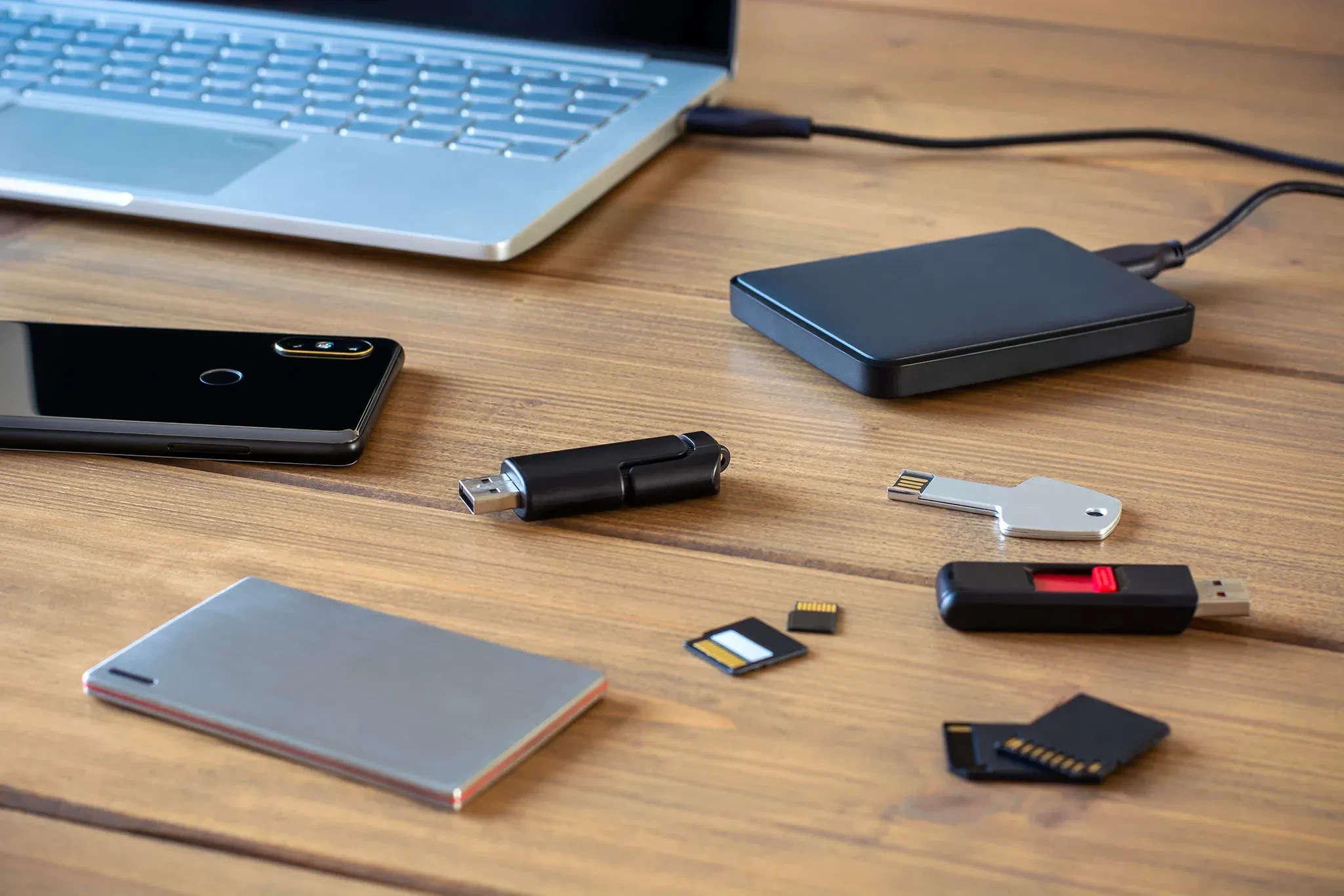
The Most Popular Brands of Hard Drives and SSDs for Data Recovery
1. Major Mechanical Hard Drive (HDD) Brands
- Western Digital (WD): One of the most common brands seen in recovery laboratories.
- Popular Models: WD Passport, WD Elements, WD Blue, WD Black, and enterprise WD Ultrastar series.
- Common Failure Modes: Weak or failing read/write head assemblies that produce a distinct ticking or clicking sound. Modern Western Digital external drives often have the USB connector soldered directly to the primary drive circuit board, requiring our engineers to micro-solder a SATA interface conversion to bypass the encryption and read raw sectors.
- Seagate: Dominates both the low-cost consumer laptop drive market and massive enterprise arrays.
- Popular Models: Seagate Backup Plus, Expansion, Barracuda, IronWolf NAS, and enterprise Exos helium-filled units.
- Common Failure Modes: Seagate drives frequently experience "stiction" (where the read heads become physically glued to the data platters, locking up the motor and causing a faint beeping sound) or critical microcode allocation errors (such as the infamous "Media Cache" or "LED:000000CC" firmware locks).
- Toshiba: Widely integrated as original internal components inside major laptop brands, automotive navigation arrays, and portable consumer drives.
- Popular Models: Toshiba Canvio, Canvio Basics, and X300/P300 series.
- Common Failure Modes: Motor spindle bearing seizures following physical drop trauma. These require complex mechanical platter transplants inside our cleanroom to migrate the data platters into a functional donor motor chassis.
2. Major Solid-State Drive (SSD) Brands
- Samsung: The global market leader in consumer, prosumer, and enterprise flash storage.
- Popular Models: Samsung 970 EVO, 980 Pro, 990 Pro, T5/T7/T9 Portable Series, and PM enterprise server blades.
- Common Failure Modes: Translation layer metadata corruption. When internal tracking cells wear out or drop power mid-write, the drive's firmware panics, locking the SSD into a read-only state or throwing an internal factory alias that hides user files.
- SanDisk / Western Digital SSDs: Heavily utilized by creative professionals, photographers, and video editors worldwide.
- Popular Models: SanDisk Extreme Portable SSD, Extreme Pro, and WD Black SN850X / Blue NVMe series.
- Common Failure Modes: Fractured internal circuit pathways and structural layout flaws. Certain portable generations suffer from internal surface-mount components that break loose from sub-standard thermal expanding solder, requiring meticulous microscope trace repairs or raw chip-off flash extraction.
- Crucial (Micron): Popular as affordable system boot expansions and commercial workstation upgrades.
- Popular Models: Crucial MX500 (SATA), P3, P5 Plus, and T700 Gen5 NVMe drives.
- Common Failure Modes: Extreme thermal degradation on Gen5 models and power management circuit (PMIC) shorts, which prevent the SSD from receiving electrical current and cause it to read as completely dead.
- Apple Silicon Integrated NAND: Found in modern MacBook Pro, MacBook Air, and Mac Studio architectures.
- Popular Models: Custom integrated flash chips soldered directly to the logic board on M1, M2, M3, and M4 Macs.
- Common Failure Modes: Catastrophic logic board shorts from coffee or water spills. Because the storage cannot be removed, our micro-soldering team must perform advanced donor transplants, migrating the encrypted NAND chips and the processor keys together onto a stable motherboard to allow decryption.
- Other Major NAND Manufacturers: Brands like Kingston, Sabrent, SK Hynix, Lexar, and Corsair. These drives frequently utilize third-party flash controllers (such as Phison, Silicon Motion, or Marvell) that require our lab to apply proprietary software emulators to manually bypass the controller chip and re-stitch scattered raw files.
Secure Laboratory Entry and Client Logistics
- Vehicle Arrival & Free Parking: Drive directly onto Level 2 of our facility structure. We have designated free customer parking spaces (Spaces 40–45) explicitly reserved for our data recovery clients.
- Secure Elevator Access: Head through the main lobby entrance doors and take the building elevator straight up to Level 4 (the stairwells are locked for facility security).
- Regus Reception Experience: Turn right out of the elevator cab to step into our executive corporate suite, managed in exclusive partnership with Regus. Regus front-desk reception teams are globally recognized for elite administrative support, strict data privacy controls, and a secure corporate environment. Your hardware will be instantly logged into our secure system and placed under absolute custody tracking before entering our cleanroom engineering workspace.
- Details
- Written by: Seattle Data Recovery
- Category: iPhone
Introduction to Seattle Data Recovery
In the heart of Ballard, Seattle Data Recovery stands out as a beacon for individuals facing the frustrating ordeal of lost data from damaged Apple iPhones. With a specific focus on iPhone data recovery, the facility has garnered a prestigious reputation in restoring invaluable information that many thought was irretrievably lost. From accidental deletions to severe physical damage caused by mishaps such as water exposure, Seattle Data Recovery offers a wide range of specialized services to meet diverse needs.
One of the remarkable achievements of Seattle Data Recovery lies in its success with the iPhone 5. Released in 2012, the iPhone 5 exemplified Apple's commitment to innovation and design. However, as time has passed, many users have encountered issues, particularly with water damage, necessitating expert recovery solutions. Seattle Data Recovery has become a trusted partner for individuals seeking to recover their cherished memories and vital information stored on these devices.
Read more: Seattle Data Recovery’s Expertise in iPhone 5 Data Recovery
- Details
- Written by: Seattle Data Recovery
- Category: Apple Computer Data Recovery
The Critical Role of Data Recovery for Mac Mini Users
In today's digital age, data is undoubtedly one of the most valuable assets for both individuals and businesses. Apple's Mac Mini has long been a favored compact desktop solution, prized for its performance and sleek design. However, as with any computer, data loss can strike unexpectedly—whether due to hardware failure, software issues, or accidental deletion. This is where Seattle Data Recovery steps in, offering expert services to restore data from Mac Mini models across their evolutionary spectrum.
Understanding the intricacies of Mac Mini's internal drives is essential to appreciating the complexity of data recovery processes. Over the years, Apple's Mac Mini has transitioned through various internal storage technologies, each carrying its unique challenges and solutions in data recovery. This article dives deep into the evolution of Mac Mini drives, the key drive types used, upgrade options, and how Seattle Data Recovery expertly navigates these variables to help you recover your lost data.
Diving into Mac Mini's Drive Evolution: From Classic HDDs to Next-Gen SSDs
Apple's Mac Mini has undergone significant changes since its debut, especially in internal storage design. The earliest Mac Mini models launched in 2005 featured 2.5-inch Ultra ATA/100 Hard Disk Drives (HDDs). These spinning disks were widely used for their affordable cost and large storage capacities, but notably lacked the speed of solid-state alternatives.
Fast forward to the 2010s, Mac Mini models adopted more modern 2.5-inch SATA drives. Initially, this meant transitioning from slower HDDs to SATA HDDs with improved data transfer speeds. Eventually, Apple introduced SATA SSDs, offering substantial performance improvements. The Late 2014 model marked the end of the line for standard HDD options within the Mac Mini, signaling a shift toward faster solid-state technology.
Fusion Drives: A Hybrid Approach to Performance and Capacity
During the Intel Mac Mini era, Apple introduced the Fusion Drive option, notably available in the Late 2012 model. This innovative configuration combined a smaller, high-speed SSD with a larger capacity HDD into a single logical volume. The system intelligently managed data placement, storing frequently accessed files on the SSD to maximize speed while keeping less-used data on the HDD to maintain capacity.
For users, Fusion Drives struck a balance between affordability and performance, though the hybrid design introduced new challenges for data recovery. When one component failed, expert intervention was required to retrieve and reconstruct data owing to the layered storage architecture.
The Leap to Apple Silicon and Soldered PCIe SSDs
In recent years, Apple revolutionized the Mac Mini with the introduction of Apple Silicon chips—starting with the M1 and continuing with the M2 and M4 variants. A hallmark of these models is the integration of high-speed PCIe-based SSDs soldered directly onto the logic board. While this design provides unmatched speed, power efficiency, and a more compact form factor, it also eliminates user-upgradability of internal storage.
From a data recovery perspective, these soldered drives present both challenges and opportunities. The close integration with the Apple Silicon architecture demands specialized knowledge and proprietary tools to access and restore data—services that Seattle Data Recovery is well-equipped to provide.
Understanding Core Drive Types in Mac Mini Devices
To grasp the data recovery process, it's vital to differentiate between Hard Disk Drives (HDDs) and Solid-State Drives (SSDs) used in Mac Minis. HDDs use mechanical spinning platters and read/write heads, making them more vulnerable to physical shocks but providing high storage capacity at a lower price point. These drives were the norm in older Mac Mini models.
On the other hand, SSDs rely on flash memory, dramatically increasing read/write speeds while eliminating mechanical failure points. The Mac Mini's SSDs have evolved from 2.5-inch SATA form factors—upgradeable in some earlier Intel models—to non-upgradeable, integrated PCIe SSDs in Apple Silicon models. This transition represents a significant performance boost but complicates user-driven data recovery and upgrades.
Upgrade Options: Enhancing Older Mac Mini Performance
For Mac Mini owners operating older Intel models, upgrading from traditional HDDs to SATA-based SSDs can yield substantial performance gains. Installing a 2.5-inch SATA SSD improves boot times, application launch times, and overall system responsiveness. This upgrade can be relatively straightforward, allowing users better longevity from their hardware.
Users of the latest Apple Silicon Mac Minis lack internal upgrade options due to the soldered SSD configuration. Instead, external storage solutions have become essential for expanding available storage—a key consideration when planning for data management and recovery.
External Storage Solutions for Modern Mac Minis: Flexibility Through Connectivity
With internal upgrades off the table for recent Mac Minis, external storage is the go-to solution. High-speed Thunderbolt and USB 3.1/3.2 ports allow users to connect powerful external SSDs or arrays, providing additional storage or backup capabilities.
A detailed discussion on Reddit's Mac Mini community highlights various reliable external options tailored to modern Mac Minis' performance capabilities. These external drives not only extend storage but also offer an extra layer of protection, reducing reliance on internal drives alone and potentially easing recovery efforts.
Common Data Loss Scenarios in Mac Minis
Regardless of generation, Mac Mini users face a variety of scenarios that could lead to data loss. Physical drive failures—particularly in aging HDDs—are a frequent cause. In SSDs, logical failures such as file system corruption, accidental formatting, and software glitches are common culprits.
With the complexity of Fusion Drives and soldered PCIe SSDs, data recovery becomes increasingly specialized. Damage to the logic board or controller chips in Apple Silicon Mac Minis requires advanced lab techniques, underscoring why professional recovery services like those offered by Seattle Data Recovery are indispensable.
Seattle Data Recovery: Expertise Tailored to Every Mac Mini Generation
Seattle Data Recovery stands out with its extensive experience across the full spectrum of Mac Mini models. Leveraging industry-leading tools and methodologies, their team can recover data from classic HDDs, SATA SSDs, Fusion Drives, and state-of-the-art Apple Silicon integrated storage.
By conducting thorough diagnostics, Seattle Data Recovery determines the precise nature of data loss and customizes recovery strategies accordingly. Whether it involves repairing physical hardware failures or extracting data from encrypted, soldered PCIe SSDs, their professional approach maximizes recovery success rates.
Why Choose Professional Data Recovery Over DIY?
While some users may be tempted to resolve data loss independently, particularly in older Mac Minis with upgradeable drives, DIY methods can exacerbate damage. Data recovery involves delicate handling of storage media and often requires specialized hardware and software solutions unavailable to typical consumers.
Seattle Data Recovery offers the confidence of secure, confidential, and effective data restoration without risking permanent loss. Their transparent process, timely communication, and commitment to customer satisfaction distinguish them as a trusted partner for Mac Mini owners facing data crises.
Planning Ahead: Best Practices for Mac Mini Data Integrity
Preventative measures remain the best defense against data loss. Regular backups via Time Machine or other cloud and local backup solutions can dramatically reduce reliance on recovery services. Additionally, for users with older Mac Minis, upgrading to SSDs and employing external storage can improve both performance and resilience.
For those using modern Apple Silicon Mac Minis, strategic use of external drives combined with diligent backup routines is critical. Ultimately, partnering with experts like Seattle Data Recovery ensures peace of mind, knowing that even in worst-case scenarios, your valuable data remains recoverable.
Safeguarding Your Mac Mini Data with Seattle Data Recovery
The Mac Mini's journey—spanning from mechanical HDDs to sophisticated, soldered SSDs integrated into Apple Silicon chips—reflects the rapid evolution of computing technology. Alongside this evolution, data recovery techniques have had to advance in tandem, addressing unique challenges each generation presents.
Seattle Data Recovery embodies this progress with comprehensive expertise and dedicated resources tailored to all Mac Mini models. Whether you rely on an early Intel Mac Mini or the latest M-series model, entrusting your data to professionals who understand these nuances can mean the difference between permanent loss and successful restoration.
Read more: Data Recovery for Apple: Seattle Data Recovery Masterfully Restores Your Precious Files
- Details
- Written by: Seattle Data Recovery
- Category: Apple Computer Data Recovery
The Crucial Need for Mac Mini Data Recovery
In today’s digital age, Apple's Mac Mini stands out as a compact yet powerful computing solution, favored by many for its seamless performance and sleek design. However, like any computer, the Mac Mini is vulnerable to unexpected data loss for a variety of reasons, including accidental deletion, hardware failures, or malware attacks. When files vanish or drives falter, Seattle Data Recovery emerges as the trusted expert, breathing new life into your precious data.
Data recovery for a Mac Mini is not a simple task. The blend of Apple's proprietary hardware—ranging from SSDs to T2 and M-series security chips—necessitates specialized knowledge and cutting-edge tools. Seattle Data Recovery combines advanced software techniques with hands-on expertise to recover, repair, and restore data with exceptional precision while maintaining confidentiality and device integrity.
Understanding Mac Mini's Unique Data Recovery Challenges
The Mac Mini's architecture mixes traditional storage with Apple's unique security implementations. Many Mac Minis use solid-state drives (SSDs) equipped with embedded encryption, often controlled by T2 or M1/M2 chips, which protect data but complicate recovery efforts when something goes wrong. Moreover, the compact form factor means physical drive access requires careful disassembly and sophisticated cleanroom techniques.
Read more: Data Recovery for Apple: Seattle Data Recovery Restores Your Mac Mini’s Lost Treasures
- Details
- Written by: Seattle Data Recovery
- Category: MacBook Data Recovery
The Next Generation of Apple Silicon: Are You Ready?
Apple's M-series chips have revolutionized how we think about performance and efficiency in laptops. From the M1 to the M4, these chips have continually pushed the boundaries of what a MacBook can do. But even with their technological marvels, hardware failures are inevitable—a reality that all organizations must confront.
As Apple prepares to roll out the much-anticipated M5 chip, the industry's focus shifts to readiness. The M5 promises even tighter integration, enhanced security, and superior performance. However, with these advancements come increased complexity around data recovery. When the M5 fails, your options are limited unless you've invested in cutting-edge solutions like those offered by Seattle Data Recovery. Being prepared now ensures your business won't be left vulnerable in the face of future hardware failures.
Why Standard Data Recovery Methods Fall Short
Traditional laptop data recovery techniques are often effective on older or less integrated systems. However, the architecture of the M5 chip renders these methods obsolete. The sophisticated design of this next-gen technology incorporates enhanced security measures, making data inaccessible through conventional software tools or generic repair techniques.
The tighter integration of NAND memory within the M5's architecture means that accessing data requires specialized knowledge and equipment. Without these precise tools and protocols, attempts at recovery can result in permanent data loss or further damage to the hardware. That's why partnering with industry leaders like Seattle Data Recovery is essential to navigate these challenges successfully.
The Expertise Edge: Why Seattle Data Recovery Leads the Way
Seattle Data Recovery has established itself as a pioneer in laptop data recovery. Our team has consistently stayed ahead of the curve, pioneering proprietary protocols tailored specifically for Apple's latest hardware. When it comes to M5 MacBook repair, our expertise exceeds that of most competitors.
Our success isn't just theory; it's validated by recognition such as the 2025 Consumer Choice Award for Data Recovery. This accolade underscores our reputation for excellence, particularly in handling complex cases with the newest technology, including the M5 chip. When your data's safety is on the line, you need a proven leader who's already prepared to tackle the future.
Proprietary Protocols: Unlocking Data from the M5 Chip
One of the key factors that sets Seattle Data Recovery apart is our development of proprietary protocols. These bespoke solutions enable us to access data from the most secure, integrated, and complex chips, such as the M5. Unlike competitors relying on generic methods, we employ micro-surgical techniques combined with precision tooling and controlled thermal methods.
Our process involves meticulous hardware analysis, removal, and micro-surgical repairs that meticulously bypass security features to access NAND memory directly. This level of expertise is critical because the M5's architecture prevents traditional "chip-off" recovery using standard tools. Our proprietary protocols, the result of years of research and innovation, enable us to recover your vital data reliably.
Micro-Surgical Techniques: The Future of Hardware Repair
Catastrophic failures in Apple's M5 MacBooks demand an advanced approach—micro-surgical techniques. These procedures involve highly precise physical repairs on the microscopic scale, often involving removal, reworking, or replacement of internal components. Such techniques require not only specialized tools but also highly trained technicians who understand the intricacies of Apple's latest silicon architecture.
At Seattle Data Recovery, our engineers perform these complex procedures regularly, ensuring that your data recovery process is both safe and effective. This level of micro-surgical work is the only viable solution when standard methods cannot access the data or when the hardware has suffered irreparable damage. This approach guarantees minimized risk and maximized chances of success for our clients.
The Security of the M5 NAND and Your Data
The security enhancements embedded within the M5 chip are designed to protect user data from unauthorized access. While this fortified security benefits consumers, it complicates the recovery process for legitimate data recovery efforts. The NAND memory, where your data resides, is now further protected by encryption and integrated security protocols.
Our team's advanced techniques enable us to overcome these barriers in an ethical and safe manner. We utilize controlled thermal methods and a range of custom tooling specifically designed for the M5 architecture. Whether your data loss results from hardware failure, accidental damage, or firmware corruption, Seattle Data Recovery is equipped to unlock it without compromising security.
Why Choose Seattle Data Recovery for Your Next-Gen Needs
When it comes to Apple's latest hardware, experience matters. Seattle Data Recovery boasts a proven track record of pioneering innovative recovery solutions, especially for new chips like the M5. Our specialists continually update their skills and protocols to stay current with the latest Apple hardware technology.
Our localized operations ensure quick response times and attentive service. Our team understands the importance of your data and works diligently to recover it using the most advanced, proprietary methods available in the industry. This dedication to excellence means you can trust us with your critical data, even in the most challenging M5 recovery cases.
The Importance of Immediate Action in Data Loss Situations
In the fast-paced world of modern business, delays can mean permanent data loss. When your M5 MacBook encounters hardware failure, every moment counts. Prompt response and professional assessment by experts like those at Seattle Data Recovery can significantly increase the chances of successful data retrieval.
Attempting DIY repairs or relying on unproven tools can worsen the situation, making data recovery impossible. Instead, reach out immediately to trusted professionals who understand the unique architecture of Apple's latest chips. Early intervention ensures that your critical business data remains protected and recoverable, minimizing downtime and operational disruption.
Future-Proof Your Data Strategy Today
As Apple continues to innovate with the M5 chip, your data recovery strategy must evolve accordingly. Investing in partnerships with industry leaders like Seattle Data Recovery ensures you're prepared for whatever hardware failures may come. Our advanced protocols for M5 NAND recovery and chip-off techniques serve as a safeguard for your organization's data integrity.
By proactively working with us today, you're not just solving an immediate data crisis; you're establishing a resilient recovery plan capable of handling next-generation hardware challenges. Protect your business, safeguard your data, and stay one step ahead of hardware failure with our specialized expertise.
Contact Seattle Data Recovery: Your Partner in M5 Recovery Success
When it's time to recover your vital data from an M5 MacBook, don't settle for second best. Choose Seattle Data Recovery—the global leader in laptop data recovery for Apple's latest technology. Our team's proprietary protocols, micro-surgical techniques, and unwavering commitment to excellence make us the trusted choice for complex data recovery needs.
Contact us today to discuss your situation and explore how we can assist you. Protect your investment, ensure business continuity, and rest assured knowing your data recovery is managed by the best. The future of Apple hardware is here—make sure your data recovery solutions are ready to face it.
Read more: Future of Data Recovery: Mastering M5 MacBook Challenges Before They Happen
- Details
- Written by: Seattle Data Recovery
- Category: iPhone
iPhone 15 Innovation Meets Technical Challenges
The innovation introduced with the iPhone 15 and iPhone 15 Plus is remarkable, featuring cutting-edge technology and design updates. However, alongside these advancements comes the inevitability of device issues that can compromise the invaluable data stored within. As users eagerly embrace this latest generation of smartphones, the possibility of encountering a malfunction or damage remains a significant concern. What happens when your iPhone 15's screen shatters, or it suffers water damage? Fortunately, in such unfortunate circumstances, Seattle Data Recovery is here to help.
Specializing in chip-off data recovery techniques, Seattle Data Recovery employs advanced methods to restore crucial files lost due to harmful incidents affecting your iPhone 15. By incorporating specialized knowledge and state-of-the-art technology, our experts provide a lifeline to users troubled by device failures, safeguarding memories, documents, and essential information.
Understanding the iPhone 15: A Technological Marvel
The iPhone 15 and iPhone 15 Plus, released in September 2023, represent the 17th generation of Apple's iconic phones. These models feature a refined exterior, boasting a color-infused glass design complemented by an aluminum chassis and equipped with the impressive Ceramic Shield front. With its sleek design, the iPhone 15 is not only aesthetically pleasing but also engineered for durability.
Moreover, the introduction of the Super Retina XDR display elevates the device's visual capabilities. With up to two times the brightness of the previous iPhone 14, users can enjoy stunning images and videos in any lighting condition. Powered by the A16 Bionic chip, these iPhones deliver enhanced performance and energy efficiency, making them ideal for demanding tasks such as gaming or content creation.
Features That Matter: Your iPhone 15 at a Glance
Several impressive features define the iPhone 15 and iPhone 15 Plus. Users benefit from a 48MP main camera that delivers exceptional photo quality, allowing for captivating imagery in diverse environments. This advancement significantly enhances the smartphone photography experience, positioning it as a viable alternative to dedicated cameras.
Furthermore, the transition to USB-C connectors marks a significant shift in Apple's design philosophy, allowing for greater compatibility and ease of use across various devices. Overall, the features of the iPhone 15 enhance usability and cater to a wide range of consumers looking for premium smartphone experiences.
The Inevitable Risks: What Can Go Wrong with Your iPhone 15?
Despite its innovative design and powerful features, the iPhone 15 is not invincible. Users face potential risks, such as accidental drops, liquid exposure, or hardware malfunctions. Each of these scenarios can significantly impact the device's functionality and compromise access to valuable data.
When your iPhone 15 experiences physical damage or internal malfunctions, it can create a sense of overwhelming panic and concern. Not only are you left without a working phone, but you also risk losing important files, ranging from cherished family photos to crucial work documents. The initial stress created by such incidents often compels users to seek immediate solutions—this is where Seattle Data Recovery steps in.
Chip-Off Recovery: A Lifeline for Your Data
Understanding the process of chip-off recovery is crucial for comprehending how Seattle Data Recovery can assist you. This sophisticated technique is specifically employed to recover data from severely damaged devices when conventional recovery methods are unable to deliver results. When a device, such as the iPhone 15, suffers extensive damage, accessing data through standard means becomes ineffective.
The chip-off recovery process involves the precise removal of the NAND flash memory chip from the device's motherboard. The skilled technicians at Seattle Data Recovery utilize specialized tools to recover lost files. This methodology serves as a last resort, ensuring that no stone is left unturned in the retrieval of your important data.
The Process: Step by Step Data Recovery
Seattle Data Recovery follows a stringent procedure in conducting chip-off recovery. First and foremost, the affected device undergoes a thorough assessment to determine the extent of the damage. Careful diagnostics allow our experts to ascertain whether chip-off recovery is viable for your iPhone 15.
Once confirmed, the recovery process begins with the meticulous removal of the NAND flash chip. Technicians employ advanced soldering equipment to separate the chip from the logic board with minimal risk of further damage. Following the physical extraction of the chip, it is then connected to specialized equipment designed to read the raw data stored within. This method enables our team to gather information that would otherwise remain inaccessible.
The Challenges of Chip-Off Recovery
While chip-off recovery presents opportunities for data restoration, it is not without challenges. For instance, if the NAND chip has sustained significant physical damage or if data encryption poses obstacles, recovery may become impossible in some cases. At this juncture, the expertise of Seattle Data Recovery's technicians becomes vital, as they possess the skills and resources to navigate these complex situations.
Moreover, the nature of iPhone security adds another layer of difficulty to data recovery. iPhones encrypt user data, and unless encryption keys stored within the hardware are intact, accessing the data can be a formidable challenge. The success of our chip-off recovery process hinges on a combination of technical expertise and access to advanced software capable of interpreting the reconstructed data.
Outcomes of Successful Data Recovery
When the chip-off recovery process succeeds, the results can be remarkable. Users are often relieved and thrilled to regain access to their important files, personal photographs, messages, and notes that might have been lost forever otherwise. Restored files can reconnect you to invaluable moments and critical information essential to your daily life.
Seattle Data Recovery remains committed not only to recovering data but also to ensuring that each client's experience is smooth and reassuring. Our professionals guide clients throughout the recovery process, providing real-time updates and addressing any concerns they may have. The ultimate goal is to alleviate the distress of data loss while restoring confidence in the ownership of your iPhone 15.
Why Choose Seattle Data Recovery?
Seattle Data Recovery stands out as the go-to facility for iPhone 15 chip-off recovery in Ballard. With extensive experience and a proven track record, our team utilizes state-of-the-art technology to recover data from damaged devices efficiently and effectively. Our dedication to quality service ensures that you have a reliable ally in times of crisis.
Furthermore, Seattle Data Recovery prides itself on restoring functionality to not only its services but also to your peace of mind. Customers appreciate our transparent pricing model and commitment to professionalism, assuring them that their data is in capable hands. If your iPhone 15 is experiencing issues, turn to us, your trusted partner for data recovery.
Getting Started: Contact Seattle Data Recovery Today
If your iPhone 15 is broken, damaged, or malfunctioning, don't hesitate to reach out to Seattle Data Recovery. Our experienced technicians are ready to provide guidance and support as you navigate this challenging situation. With just a phone call to (425) 406-1174, you can begin the process of restoring your valuable files and memories.
By taking action today, you can minimize the permanent loss of critical data. Remember, you're not alone in this journey. Seattle Data Recovery is committed to standing by your side and ensuring the best possible outcome for your data recovery needs.
Your Data's Best Defense Against Damage
In the rapidly evolving world of technology, users may encounter unexpected challenges, particularly concerning their devices. The iPhone 15, with its splendid design and features, is no exception to this reality. When accidents occur and devices succumb to physical harm or malfunctions, do not lose hope. Seattle Data Recovery is prepared to help you navigate these challenges with professionalism, expertise, and a commitment to recovering your cherished data.
With chip-off recovery as a formidable tool in our arsenal, our skilled team is dedicated to providing a lifeline for users facing data loss. Don't wait any longer—contact Seattle Data Recovery today and take the first step toward reclaiming your important information.
Read more: Seattle Data Recovery Rescues Your iPhone 15 Data
- iPhone X Data Recovery: Find Hope with Seattle Data Recovery
- The Ultimate Guide to Recovering Your Toshiba Hard Drives in Seattle: Insights, Challenges, and Solutions
- Seattle Data Recovery’s Expertise in Restoring Lost Data from First-Generation Apple iPhones
- Unlocking Data Salvation: Seattle Data Recovery Masterfully Restores Complete Folder and File Structures from the WD Black SN8100 NVMe SSD
Subcategories
Seattle Data Recovery Services for Hewlett-Packard Computers
Advanced Laboratory Protocols: Hewlett-Packard (HP) Computer Data Recovery
The Architecture Tiers of HP Storage and Security
1. Modern HP Ultrabooks and the Wolf Security Ecosystem
- The Component-Level Solution: If an HP Spectre or EliteBook is completely dead due to a motherboard short circuit, fluid spill, or power surge, "chip-off" data extraction is impossible. If you desolder the memory chips, the data remains a scrambled, unreadable wall of encrypted code because it is separated from the motherboard's original CPU and TPM keys.
- Our micro-soldering engineers must perform motherboard restoration under high-power microscopes. We isolate and replace blown power rails, shorted capacitors, or damaged Power Management ICs (PMICs) to temporarily stabilize the original board. This allows the system to initialize, accept your original encryption keys, and safely export your unencrypted files.
2. HP Z-Workstations and Professional Desktops
- Bypassing Firmware Locks: When these high-performance solid-state drives begin to fail, they encounter heavy sector degradation. The SSD's internal controller panics, locking the drive into a permanent "Busy" or "Read-Only" state that causes Windows to freeze or crash.
- We extract the M.2 module and mount it onto specialized hardware diagnostic imagers like the PC-3000 Portable III. This equipment allows us to issue factory-level commands to patch the drive's internal microcode in RAM, bypass the controller lock, and clone the raw data sectors safely.
3. Legacy HP Laptops, Towers, and ProLiant Servers
- Mechanical & Cleanroom Surgery: If your older HP laptop or tower is emitting a rhythmic clicking, beeping, or grinding sound, the hard drive has suffered a physical head crash or a seized spindle motor. These devices are taken directly into our certified ISO 5 Cleanroom. Our technicians safely extract the broken mechanical parts and replace them with exact matching factory donor components, providing the temporary stability required to clone the drive. For ProLiant server collapses, we manually reverse-engineer the underlying stripe size and parity settings to virtually rebuild the array.
Critical Instructions for Users Facing HP Failures
- Do Not Keep Force-Rebooting: If your laptop or desktop is making unusual clicking or ticking sounds, disconnect power immediately. Repeatedly trying to turn on a mechanically failing hard drive forces broken parts to dig into the data platters, turning your files into unrecoverable dust.
- Locate Your BitLocker Recovery Key: If your HP laptop is managed under an enterprise network or corporate domain, ensure your IT department can access your 48-digit BitLocker Recovery Key. Because modern encryption features no mathematical backdoors, this key is mandatory to finalize the extraction of a recovered sector clone.
- Strictly Avoid Windows Built-In System Repairs: If an HP system fails to boot due to an unstable storage drive, running aggressive Windows recovery options, automated chkdsk commands, or factory reset utilities will force the system to write new files over your old directories. On an already degrading drive, this can permanently purge the ghost remains of your missing partition tables.
Seattle Data Recovery Restores Dell Computers and Uncovers Lost Files

Advanced Laboratory Protocols: Dell Computer Data Recovery
The Architecture Tiers of Dell Storage and Security
1. Modern Dell Laptops and the SafeBIOS Security Perimeter
- The Component-Level Solution: If an XPS or Latitude laptop is completely dead due to a motherboard short circuit, fluid spill, or power surge, "chip-off" data extraction is impossible. If you desolder the memory chips, the data remains a scrambled, unreadable wall of encrypted code because it is separated from the motherboard's original CPU and TPM keys.
- Our micro-soldering engineers must perform motherboard restoration under high-power microscopes. We isolate and replace blown power rails, shorted capacitors, or damaged Power Management ICs (PMICs) to temporarily stabilize the original board. This allows the system to initialize, accept your original encryption keys, and safely export your unencrypted files.
2. Dell Precision Workstations and OptiPlex Desktops
- Bypassing SSD Firmware Locks: When these high-performance solid-state drives begin to fail, they encounter heavy sector degradation. The SSD's internal controller panics, locking the drive into a permanent "Busy" or "Read-Only" state that causes Windows to freeze or crash.
- We extract the M.2 module and mount it onto specialized hardware diagnostic imagers like the PC-3000 Portable III. This equipment allows us to issue factory-level commands to patch the drive's internal microcode in RAM, bypass the controller lock, and clone the raw data sectors safely.
3. Dell PowerEdge Servers and PERC Controller Collapse
- Virtual Array Reconstruction: If a PowerEdge server experiences multi-drive mechanical failures or a fried PERC card, standard IT teams are locked out. Our lab engineers pull every individual drive member from the rack. Any drive presenting mechanical failures (clicking or buzzing) is processed inside our ISO 5 Cleanroom for head-stack or motor replacement. Once all drive members are safely cloned to our secure servers, our engineers manually calculate the array’s block size, parity rotation, and stripe order—virtually rebuilding the underlying storage environment to smoothly extract your pristine, uncorrupted databases (such as SQL or Oracle files).
Critical Instructions for Users Facing Dell System Failures
- Do Not Keep Force-Rebooting: If your laptop or desktop is making unusual clicking, ticking, or buzzing sounds, disconnect power immediately. Repeatedly trying to turn on a mechanically failing hard drive forces broken parts to dig into the data platters, turning your files into unrecoverable dust.
- Locate Your BitLocker Recovery Key: If your Dell laptop is managed under an enterprise network or corporate domain, ensure your IT department can access your 48-digit BitLocker Recovery Key. Because modern encryption features no mathematical backdoors, this key is mandatory to finalize the extraction of a recovered sector clone.
- Strictly Avoid Automated SupportAssist OS Recovery Fixes: If a Dell system fails to boot due to an unstable storage drive, running aggressive Dell SupportAssist automated recovery options, firmware flashes, or factory reset utilities will force the system to write new files over your old directories. On an already degrading drive, this can permanently purge the ghost remains of your missing partition tables.
Windows Operating System Data Recovery
1. Boot-Level & Hardware Detection Errors
- "Operating System Not Found" or "Missing Operating System"
- "No Bootable Device Detected" or "Insert Boot Media and Press Any Key"
- "S.M.A.R.T. Capable Hard Drive Failure Predicted" (The drive's internal health monitor is actively warning of an imminent physical crash).
- "Hard Drive - Not Found" or "Error Code 0142 / 0145" (Common built-in hardware diagnostic failures).
2. Blue Screen of Death (BSOD) Boot Loops
INACCESSIBLE_BOOT_DEVICE(Windows can no longer read the drive partition housing the operating system files).CRITICAL_PROCESS_DIEDorKERNEL_DATA_INPAGE_ERROR(Often caused by a solid-state drive dropping offline or block corruption).UNMOUNTABLE_BOOT_VOLUME(The primary boot partition file structure is severely corrupted or unreadable).
3. Logical File System & Formatting Prompts
- "You need to format the disk in drive X: before you can use it." (Do NOT click format; your data is still intact, but Windows has lost track of the file system architecture).
- "X:\ is not accessible. The file or directory is corrupted and unreadable."
- "The parameter is incorrect" or "The device is not ready."
- Drive showing as "RAW" in Windows Disk Management (The original file allocation table, like NTFS or exFAT, has collapsed).
4. File I/O (Input/Output) & Performance Alerts
- "The request could not be performed because of an I/O device error." (A direct indicator of physically damaged sectors or a failing hardware controller).
- "Windows detected a hard disk problem" (A pop-up window explicitly urging you to back up your data immediately).
- "File is too large for the destination file system" or sudden, endless 0 bytes/sec copy speeds that freeze Windows Explorer.
Critical Triage Advice: What to Do Next
chkdsk). Forcing a physically failing or firmware-corrupted drive to undergo intense stress can cause permanent, unrecoverable data loss. BitLocker Encryption Data Recovery
Enterprise-Level BitLocker Encryption Data Recovery Protocols
The Two Core Fronts of BitLocker Data Failure
Tier 1: Logical, Cryptographic, and Metadata Repair
- Reconstructing Fractured Metadata Headers: BitLocker stores critical cryptographic metadata (including the encrypted Volume Master Key) at the very beginning of the partition. If this specific sector develops a single bad cell, Windows can no longer recognize the partition as a valid BitLocker drive. Our engineers use advanced hex editors via the PC-3000 to locate duplicate backup metadata headers hidden at the end of the partition, manually restitching the volume structure.
- Decryption Bypass via Raw Bitstream: If the Windows operating system crashes or freezes every time you enter your correct 48-digit BitLocker Recovery Key, the file system index is unstable. We connect the drive to a hardware imager, feed your recovery key directly into our secure hardware controller, and command the hardware to decrypt the raw sector stream on-the-fly, bypassing the broken Windows operating system entirely.
Tier 2: Physical Hardware Intervention (Clicking Hard Drives & Dead SSDs)
- Cleanroom Micro-Surgery: If a drive is clicking, buzzing, or dead, it must be moved directly into our certified ISO 5 Cleanroom or micro-soldering stations. Technicians repair physical components—such as swapping damaged read/write head stacks or transplanting unique NVRAM calibration chips onto donor boards.
- The Criticality of Bit-for-Bit Cloning: In non-encrypted drives, missing a few unreadable bad sectors simply means losing a few files. On a BitLocker drive, if a bad sector sits inside the cryptographic master key zone, the entire drive becomes permanently unrecoverable. Our hardware imagers utilize precise voltage shifting and deep timeout commands to map around failing sectors, creating a perfect, readable clone before any decryption attempt is initiated.
Critical Instructions for Users Facing BitLocker Failures
- Locate and Secure Your 48-Digit Recovery Key: Because BitLocker utilizes mathematical encryption with no built-in backdoors, recovery is impossible without the original 48-digit BitLocker Recovery Key or the original password. Check your Microsoft Account Recovery Key Portal, active Active Directory/Azure AD company consoles, or printed backup documentation.
- Strictly Avoid Automated "Chkdsk" Repairs: If a BitLocker partition is reporting file system corruption, never run
chkdsk /for structural command-line repair tools. These utilities fix file systems by writing random data over unreadable blocks. On an encrypted drive, running a chkdsk command will aggressively overwrite fragile cryptographic metadata, corrupting the encryption mapping permanently. - Do Not Keep Power-Cycling a Noisy Drive: If an encrypted drive is emitting clicking or ticking noises, cut power immediately. Forcing a drive with broken mechanical read heads to spin will scratch the internal platters, transforming your encrypted files into unrecoverable dust particles.
Seattle Data Recovery Services for IBM and Lenovo Computers

Advanced Laboratory Protocols: IBM and Lenovo Computer Data Recovery
The Architecture Tiers of IBM & Lenovo Storage and Security
1. Modern Lenovo Ultrabooks and the ThinkShield Security Perimeter
- The Component-Level Solution: If a ThinkPad Carbon X1 or Yoga laptop is completely dead due to a motherboard short circuit, fluid spill, or power surge, "chip-off" data extraction is impossible. If you desolder the memory chips, the data remains a scrambled, unreadable wall of encrypted code because it is separated from the motherboard's original CPU and TPM keys.
- Our micro-soldering engineers must perform motherboard restoration under high-power microscopes. We isolate and replace blown power rails, shorted capacitors, or damaged Power Management ICs (PMICs) to temporarily stabilize the original board. This allows the system to initialize, accept your original encryption keys, and safely export your unencrypted files.
2. ThinkStation Workstations and ThinkCentre Desktops
- Bypassing SSD Firmware Locks: When these high-performance solid-state drives begin to fail, they encounter heavy sector degradation. The SSD's internal controller panics, locking the drive into a permanent "Busy" or "Read-Only" state that causes Windows to freeze or crash.
- We extract the M.2 module and mount it onto specialized hardware diagnostic imagers like the PC-3000 Portable III. This equipment allows us to issue factory-level commands to patch the drive's internal microcode in RAM, bypass the controller lock, and clone the raw data sectors safely.
3. IBM System x Servers and ServeRAID Controller Collapse
- Virtual Array Reconstruction: If a server experiences multi-drive mechanical failures or a fried controller card, standard IT teams are locked out. Our lab engineers pull every individual drive member from the rack. Any drive presenting mechanical failures (clicking or buzzing) is processed inside our ISO 5 Cleanroom for head-stack or motor replacement. Once all drive members are safely cloned to our secure servers, our engineers manually calculate the array’s block size, parity rotation, and stripe order—virtually rebuilding the underlying storage environment to smoothly extract your pristine, uncorrupted databases (such as SQL or Oracle files).
Critical Instructions for Users Facing Lenovo System Failures
- Do Not Keep Force-Rebooting: If your laptop or desktop is making unusual clicking, ticking, or buzzing sounds, disconnect power immediately. Repeatedly trying to turn on a mechanically failing hard drive forces broken parts to dig into the data platters, turning your files into unrecoverable dust.
- Locate Your BitLocker Recovery Key: If your ThinkPad is managed under an enterprise network or corporate domain, ensure your IT department can access your 48-digit BitLocker Recovery Key. Because modern encryption features no mathematical backdoors, this key is mandatory to finalize the extraction of a recovered sector clone.
- Strictly Avoid Automated Lenovo Vantage OS Recovery Fixes: If a Lenovo system fails to boot due to an unstable storage drive, running aggressive automated recovery options, firmware flashes, or factory reset utilities will force the system to write new files over your old directories. On an already degrading drive, this can permanently purge the ghost remains of your missing partition tables.
Apple Computer Data Recovery

Advanced Enterprise & Forensic Protocols: Apple Computer Data Recovery
The Three Architectural Eras of Apple Data Recovery
1. The Modern Apple Silicon Era (M-Series Macs: 2020–Present)
- The Cryptographic Wall: Every single sector written to these chips is automatically encrypted using an aggressive, hardware-bound AES-256 key generated directly inside the Apple M-series processor. "Chip-off" recovery (desoldering the memory chips to read them externally) is completely impossible. If you separate the NAND chips from the specific CPU they were paired with at the factory, the data permanently becomes randomized, undecryptable code.
- The Seattle Data Recovery Protocol: If your M-series Mac is completely dead due to a liquid spill, drop, or power surge, our micro-soldering engineers must perform component-level motherboard restoration. Under high-powered microscopes, we isolate and replace shorted capacitors, blown power rails, or fried Power Management ICs (PMICs). The singular engineering goal is to repair the original motherboard to a stable, temporary state so that the CPU can successfully initialize, decrypt its own NAND storage, and allow a full forensic image to be extracted.
2. The Intel T2 Security Era (2018–2020)
- The Recovery Protocol: If the motherboard suffers a catastrophic failure that cannot be repaired using standard component replacement, our engineers must perform a delicate Cryptographic Chip Transplant. We must cleanly desolder the original CPU, the T2 chip, and the original NAND flash storage chips, reball them, and transplant the entire interconnected group onto a matching, functional donor logic board to restore the encryption path.
3. The Legacy Intel Era (Pre-2018)
- The Recovery Protocol:
- Removable SSDs: We extract the proprietary Apple SSD blade and place it into specialized hardware imagers (like the DeepSpar or PC-3000) that can directly manage degrading flash sectors and native Apple communication protocols.
- Mechanical / Fusion Drives: If an older iMac or MacBook Pro is clicking or beeping, the mechanical drive has suffered a physical head crash or a seized motor. These units are safely moved to our ISO 5 Cleanroom for physical mechanical repair and donor part replacement.
Critical Protocol for Failed Apple Computers
- Stop Continuous Power-Cycling: If a Mac is failing or overheating, repeatedly holding down the power button to force reboots stresses unstable flash memory cells or failing power rails. If an internal component is shorted, continuous electricity can cause a thermal event that permanently cooks the nearby NAND chips.
- Avoid Target Disk Mode on Damaged Hardware: Share Mode or Target Disk Mode are useful for healthy machines, but if your Mac is failing due to degrading storage sectors, forcing it to host a high-speed data stream will quickly cause the storage controller to permanently lock up.
- Say No to Built-In "First Aid" Repairs: If your Mac's file system structure is unstable, running Disk Utility's First Aid or terminal commands like
fsckwill force aggressive write commands onto the volume. On an already failing APFS container, this can corrupt the master file system indexes, rendering data unrecoverable.
iMac
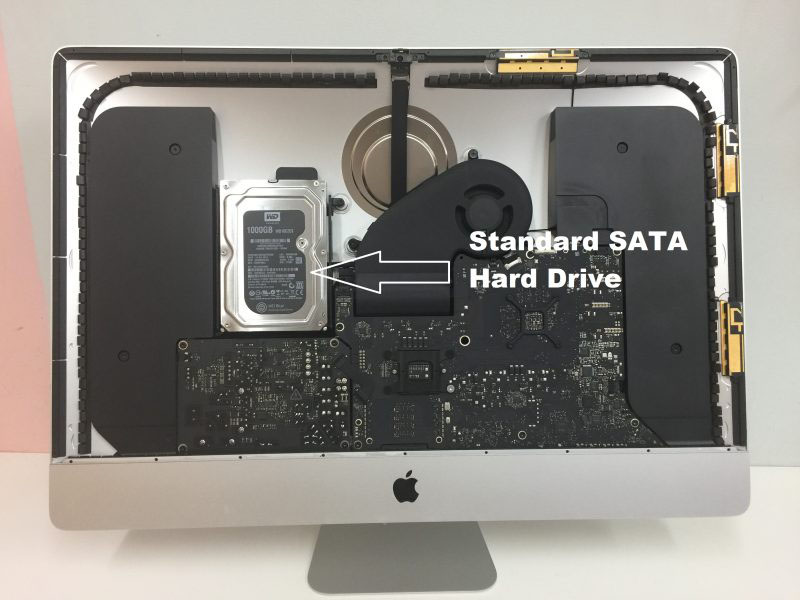
Advanced Engineering Protocols: Recovering Lost Data from Apple iMac Systems
The Three Architecture Eras of iMac Data Recovery
1. Modern Apple Silicon Era (iMac M1, M3, and Newer)
- The Architecture: In modern iMacs, there is no separate hard drive or SSD module to remove. The storage consists of raw NAND flash memory chips soldered directly onto the main logic board. Furthermore, all data is automatically encrypted by the hardware keys bound directly inside the Apple M-series processor.
- The Recovery Protocol: "Chip-off" extraction is impossible because removing the memory chips separates them from the cryptographic keys in the CPU, rendering the data scrambled code. If your iMac is completely dead due to a liquid spill or a power surge, Seattle Data Recovery must perform component-level motherboard repair. Under specialized magnification, our micro-soldering engineers isolate and replace shorted capacitors, blown power rails, or damaged Power Management ICs (PMICs). The goal is to restore stable power to the logic board just long enough for the system to initialize, decrypt its own storage, and allow a full data extraction.
2. The Intel T2 Security Era (iMac Retina 5K 27-inch, 2020)
- The Architecture: These models feature Intel processors but utilize Apple's proprietary T2 Security Chip. The SSD chips are soldered directly to the motherboard, and the T2 chip handles all hardware-level encryption.
- The Recovery Protocol: Similar to Apple Silicon models, if the logic board dies, the data is locked away. Our technicians utilize dedicated hardware diagnostic tools to interface with the board's internal data lines. If the primary logic board is too severely fractured to repair, we must perform a delicate transplant—moving the CPU, the T2 chip, and the original NAND chips over to a matching donor board to safely decrypt the volume.
3. The Intel Mechanical & Fusion Drive Era (iMac Models 2012–2019)
- The Architecture: These iMacs contain traditional 2.5-inch or 3.5-inch hard drives, standard removable blade SSDs, or a Fusion Drive (which digitally binds a small blade SSD and a large mechanical hard drive together into a single logical volume).
- The Recovery Protocol:
- Mechanical Drives: If your older iMac is clicking, beeping, or failing to boot, the internal mechanical drive has likely suffered a head crash or a seized motor. We extract the drive from the iMac casing and move it directly into our ISO 5 Cleanroom for physical component replacement using exact matching donor parts.
- Fusion Drives: Recovering a failed Fusion Drive requires extracting both the physical mechanical drive and the proprietary Apple blade SSD. Because the APFS or HFS+ file system spreads data across both drives simultaneously, our hardware imagers must create bit-for-bit clones of both storage components and digitally realign them in our server environment to reconstruct the original partition map.
Critical Protocol for Users Facing iMac Failures
- Do Not Keep Force-Rebooting: If your iMac is making a faint clicking or ticking noise from behind the screen, the mechanical drive is failing. Repeatedly turning it on forces damaged read heads to scratch the internal platters, permanently shaving away your data.
- Avoid Target Disk Mode on Failing Hardware: While Target Disk Mode is an excellent native utility for healthy Macs, using it on an iMac with a physically failing drive or degrading flash memory sectors will cause the storage controller to overheat and permanently lock up.
- Say No to Automatic "First Aid" Fixes: Running Disk Utility’s First Aid or third-party file scraping utilities on an unstable drive forces aggressive write commands onto the volume. If the file system index is unstable, these tools can accidentally wipe the ghost remains of your partition tables.
iPhone
The Reality of Chip-Off Data Recovery on Modern iPhones
Why Chip-Off Is Physically Blocked by Apple Architecture
- Hardware-Level Encryption (AES-256): Every single piece of data written to an iPhone's NAND flash memory chip is instantly encrypted using hardware keys.
- The Secure Enclave Entanglement: The unique cryptographic keys required to decrypt your data are not stored on the memory chip itself. Instead, they are permanently fused inside the iPhone's main CPU (and protected by the Secure Enclave co-processor).
- The Cryptographic Lock: If a technician desolders the NAND flash memory chip and places it into an external reader, the reader will only see a chaotic, completely scrambled wall of encrypted code. The data cannot be decrypted without passing through that exact device's original CPU and receiving the correct user passcode.
The Real Solution: Board-Level Logic Repair (The "Donation" Method)
1. Micro-Soldering Component Diagnostic & Replacement
- Under high-power microscopes, our technicians isolate shorted capacitors, blown filters, and destroyed power management ICs (PMICs).
- We remove the damaged microscopic components using specialized hot-air rework stations and solder healthy replacements onto the board to restore the power delivery network.
2. The "Board Swap" (CPU & NAND Transplant)
- We source a completely identical, working "donor" iPhone logic board.
- We carefully desolder the unique, paired components from your broken phone: the CPU (with Secure Enclave), the NAND Flash Memory Chip, and the EEPROM/Baseband chip.
- We clean and "reball" these chips, then solder them onto the healthy donor board. Because the cryptographic trio remains intact, the donor board will successfully boot up, prompt you for your original passcode, and allow us to extract a complete backup.
Critical Steps to Maximize Your Recovery Chances
- Avoid Generic Phone Repair Shops: Standard retail repair shops are trained to swap out screens, batteries, and charging ports. If an iPhone has a complex motherboard issue, a general technician using improper heat settings can easily delaminate the logic board or permanently fry the CPU, destroying any chance of recovery.
- Do Not Attempt to Clean Water Damage Yourself: If your device fell into water, plugging it into a charger to "see if it works" is the most destructive action you can take. Electricity mixed with liquid accelerates corrosion and can instantly short out the CPU's primary power lines.
- Know Your Passcode: Because Apple's encryption cannot be cracked, bypass algorithms do not exist. Any successful hardware recovery requires entering your original lock screen passcode to initialize the final data transfer.
MacBook Data Recovery
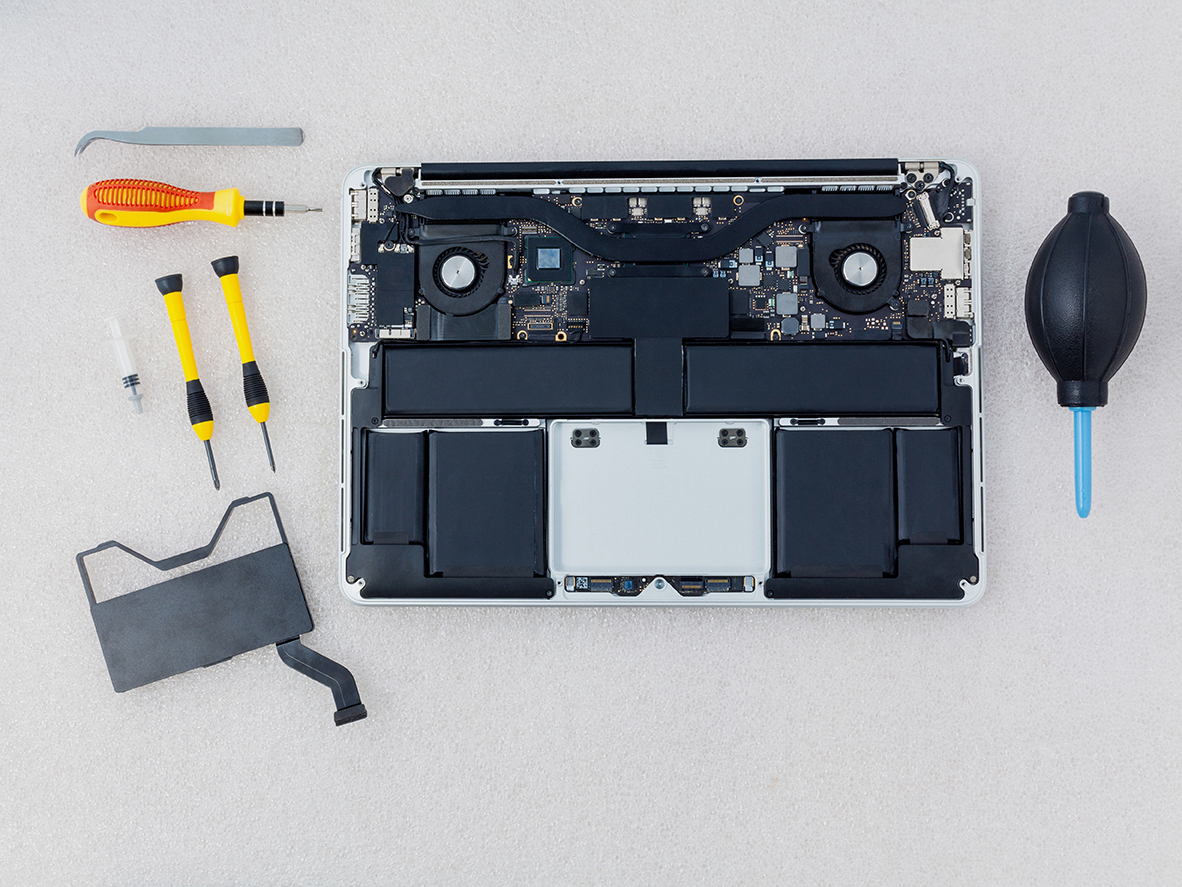
- Soldered Storage: On modern Apple Silicon models (M1, M2, M3, and newer), NAND flash memory is soldered directly to the logic board rather than existing as a removable card.
- Hardware-Bound Encryption: Data is encrypted via a key generated inside the Apple processor, making traditional "chip-off" desoldering methods ineffective because separating the NAND chips from the factory-paired CPU permanently scrambles the data.
- Micro-Soldering & Repair: Restoring shorted power rails or damaged components under high-magnification microscopes.
- Firmware and Controller Handling: Bypassing communication failures and stabilizing the data translation layers.
- APFS Extraction: Utilizing specialized equipment to image the Apple File System once the hardware and cryptographic handshake are restored.
- Liquid Damage: Motherboard short circuits from spills.
- No Power / Dead Device: Failures in the USB-C controller or power management IC.
- Boot Loops & OS Corruption: Systems freezing during updates.
- Logical Issues: Accidental file deletion and volume corruption.
Macbook Pro Data Recovery
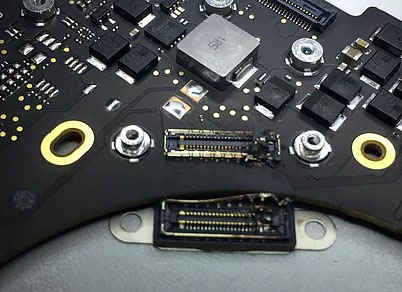
Advanced Laboratory Protocols: MacBook Pro Data Recovery
The Architecture Tiers of MacBook Pro Storage
1. The Modern Apple Silicon Era (M1, M2, M3, M4 Models: 2020–Present)
- The Cryptographic Bond: Every piece of data written to these NAND chips is automatically encrypted using an aggressive, hardware-bound AES-256 key generated directly inside the Apple M-series processor. "Chip-off" recovery (desoldering the memory chips to read them externally) is fundamentally impossible. If you separate the NAND chips from their factory-paired CPU, the data permanently becomes scrambled, randomized code.
- Our Recovery Protocol: If your M-series MacBook Pro is completely dead due to a liquid spill, drop, or power surge, our micro-soldering engineers must perform component-level motherboard restoration. Under high-powered microscopes, we isolate and replace shorted capacitors, blown power rails, or fried Power Management ICs (PMICs). The singular engineering goal is to repair the original motherboard to a stable, temporary state so that the CPU can successfully initialize, decrypt its own storage, and allow a full forensic clone to be extracted.
2. The Intel T2 Security Era (Touch Bar Models: 2018–2020)
- Our Recovery Protocol: If the motherboard suffers a catastrophic failure that cannot be repaired using standard component replacement, our engineers must perform a delicate Cryptographic Chip Transplant. We must cleanly desolder the original CPU, the T2 chip, and the original NAND flash storage chips, reball them, and transplant the entire interconnected group onto a matching, functional donor logic board to restore the encryption path.
3. The Legacy Intel Era (Pre-2018 Models)
- Our Recovery Protocol:
- Removable SSDs: We extract the proprietary Apple SSD blade and place it into specialized hardware imagers (like the DeepSpar or PC-3000) that can directly manage degrading flash sectors and native Apple communication protocols.
- Mechanical Drives: If your older MacBook Pro is clicking or beeping, the internal mechanical drive has suffered a physical head crash or a seized motor. These units are safely moved to our ISO 5 Cleanroom for physical component repair and donor part replacement.
Critical Emergency Protocol for Failed MacBook Pros
- Stop Continuous Power-Cycling: If a MacBook Pro is failing or overheating, repeatedly holding down the power button to force reboots stresses unstable flash memory cells or failing power rails. If an internal component is shorted, continuous electricity can cause a thermal event that permanently cooks the nearby NAND chips.
- Avoid Target Disk Mode / Share Mode on Unstable Hardware: While Share Mode is a useful utility for healthy machines, forcing a MacBook Pro with degrading storage sectors or unstable logic board voltages to host a high-speed data stream will quickly cause the storage controller to permanently lock up or fail.
- Say No to Built-In "First Aid" Repairs: If your Mac's file system structure is unstable, running Disk Utility's First Aid or terminal commands like
fsckwill force aggressive write commands onto the volume. On an already failing APFS container, this can corrupt the master file system indexes, rendering data unrecoverable.
Mac Pro
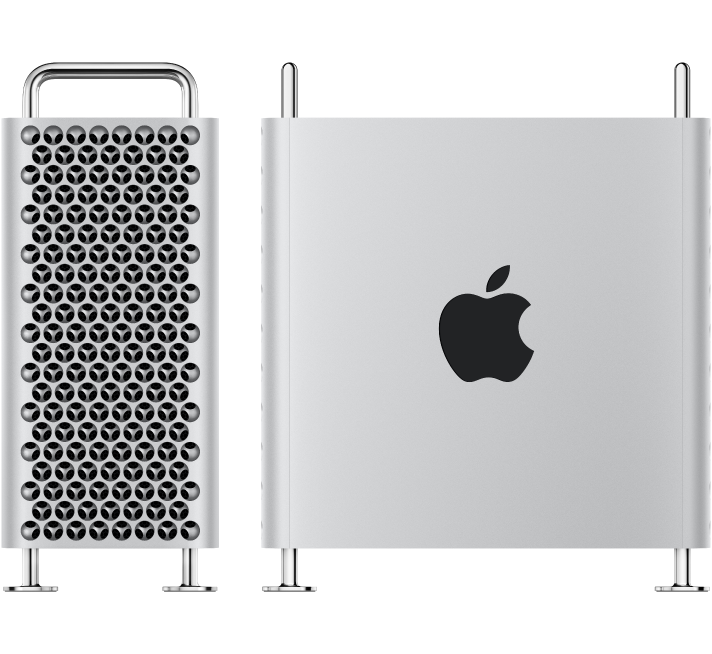
Advanced Engineering Protocols: Mac Pro Tower Data Recovery
The Three Architecture Eras of Mac Pro Storage
1. Modern Apple Silicon Era (Mac Pro M2 Ultra and Newer: 2023–Present)
- The Architecture: The modern Apple Silicon Mac Pro Tower looks like a modular desktop, but its storage architecture is highly integrated. It utilizes proprietary Apple Storage Modules that slide into specific slots on the motherboard. However, these modules do not contain standard standalone SSD controllers. The actual flash memory controller is built directly into the M-series Ultra CPU, which automatically encrypts all data using hardware-bound AES-256 keys.
- The Recovery Protocol: If the Mac Pro Tower is completely dead due to a massive power surge or liquid damage, moving the storage modules to a different Mac Pro will fail. The data is cryptographically tied to that specific motherboard's CPU. Seattle Data Recovery must perform component-level motherboard repair. Under high-powered microscopes, our micro-soldering engineers isolate and replace shorted capacitors, blown power lines, or fried Power Management ICs (PMICs) to stabilize the original board. This allows the CPU to boot, decrypt its own storage modules, and safely export the data.
2. The Intel Modular SSD Era (Mac Pro "Cheese Grater" Tower: 2019–2023)
- The Architecture: These high-end Intel-based towers use custom Apple flash storage blades. Much like the Apple Silicon era, these blades lack independent controllers; instead, they are cryptographically paired and managed by Apple’s onboard T2 Security Chip.
- The Recovery Protocol: If a catastrophic electronic failure prevents the board from turning on, our engineers must perform a delicate Cryptographic Chip Transplant. We cleanly desolder the original CPU, the T2 chip, and the flash storage chips from the damaged motherboard, reball them, and transplant the entire interconnected group onto a functional donor board to restore the encryption path.
3. Legacy Intel Towers (Mac Pro "Trash Can" 2013 and Classic Towers 2006–2012)
- The Architecture:
- 2013 "Trash Can" Cylinder: Uses a single, proprietary removable Apple PCIe SSD blade.
- Classic Silver Towers (Dual-Processor): Features four internal 3.5-inch SATA hard drive bays, often configured by professional editors into internal RAID 0 (Striped) or RAID 5 arrays for speed.
- The Recovery Protocol:
- Removable SSDs: We extract the proprietary blade and place it into specialized hardware imagers (like the DeepSpar or PC-3000) that can directly manage degrading flash sectors.
- Multi-Drive RAID Arrays: If one or more mechanical drives inside a classic tower fail or start clicking, we perform physical micro-surgery inside our ISO 5 Cleanroom using exact matching donor heads or spindle motors. Once all individual drive members are cloned, our engineers manually extract the raw metadata layout, realign the block sizes, and virtually reconstruct the striped array to safely export your project files.
Critical Protocol for Mac Pro Operators Facing Failure
- Do Not Attempt an Automatic RAID Rebuild: If an internal multi-drive array degrades or a drive starts clicking, do not force an automated software rebuild. The extreme stress of a rebuild will often cause a secondary, aging drive in the array to fail mechanically, destroying the data permanently.
- Cut Power to Clicking Units Instantly: If you hear a physical clicking, ticking, or grinding noise coming from the tower's drive bays, shut down the system immediately. Forcing a mechanically failing hard drive to spin allows the broken heads to scrape the magnetic film off the platters, turning your data into unrecoverable dust.
- Avoid Destructive System Utilities: Running automated disk checkers like Disk Utility's First Aid or terminal directory repairs on an unstable APFS volume can accidentally overwrite ghost remains of your original partition maps.
Mac Mini
The Mac mini Lineup (2005–Present)
1. The G4 & Early Intel Polycarbonate Era (2005–2009)
- Mac mini (G4): Introduced in January 2005. Powered by a single PowerPC G4 processor. It was the only Mac mini variant to run the legacy PowerPC architecture.
- Mac mini (Early/Late 2006): Model Identifiers
Macmin1,1. Apple’s first Intel-based minis, featuring Intel Core Solo or Core Duo processors and an internal optical combo/SuperDrive. - Mac mini (Mid 2007): Model Identifier
Macmin2,1. Upgraded to 64-bit Intel Core 2 Duo processors but limited by a 32-bit EFI firmware layer. - Mac mini (Early/Late 2009): Model Identifier
Macmin3,1. Switched to Nvidia GeForce 9400M integrated graphics, bringing a massive jump in video capabilities and dual-display output.
2. The Unibody Aluminum Era (Intel / 2010–2018)
- Mac mini (Mid 2010): Model Identifier
Macmin4,1. The final model to feature an internal optical drive slot. Included a built-in HDMI port and an SD card slot. - Mac mini (Mid 2011): Model Identifier
Macmin5,1/5,2. Apple completely removed the internal CD/DVD optical drive. Introduced Thunderbolt 1 technology and optional AMD Radeon dedicated graphics. - Mac mini (Late 2012): Model Identifier
Macmin6,1/6,2. Highly revered in server farms, this model introduced Quad-Core Intel Core i7 configurations, USB 3.0, and support for dual internal hard drives or early Fusion Drives. - Mac mini (Late 2014): Model Identifier
Macmin7,1. A highly controversial revision that soldered the RAM directly to the motherboard, removing user upgradability. Shifted entirely to dual-core processors and added Thunderbolt 2. - Mac mini (Late 2018): Model Identifier
Macmin8,1. Coated in a distinct Space Gray finish. This high-performance refresh introduced Intel 8th-Gen 4-core and 6-core desktop processors, standard PCIe flash storage, an Apple T2 security chip, four Thunderbolt 3 ports, and optional 10Gb Ethernet.
3. The Apple Silicon Unibody Era (2020–2023)
- Mac mini (M1, 2020): Model Identifier
Macmin9,1. The historic debut of the M1 chip inside a desktop format, delivering massive thermal efficiency and speed improvements but reducing the physical Thunderbolt port count from four to two. - Mac mini (M2 / M2 Pro, Early 2023): Model Identifier
Macmini9,2/9,12. The standard M2 model updated the base architecture, while the premium M2 Pro configuration added four Thunderbolt 4 ports, support for up to three external displays, and massive graphical processing headroom.
4. The Ultra-Compact Redesign Era (2024–Present)
- Mac mini (M4 / M4 Pro, Late 2024): A major structural architecture overhaul. The physical footprint was drastically downsized to a 5x5 inch super-compact chassis featuring front-facing USB-C ports. Powered by the M4 or M4 Pro architecture, it standardized a minimum of 16GB unified memory and introduced Thunderbolt 5 speeds on the M4 Pro high-end tier.
The Mac Studio Lineup (2022–Present)
1. The First Generation (M1 Architecture)
- Mac Studio (M1 Max / M1 Ultra, 2022): Model Identifier
MacStudio1,1. Features the M1 Max chip or the massive M1 Ultra chip (which physically fused two M1 Max chips together via an UltraFusion interconnect). It included an SDXC card slot and twin USB-C/Thunderbolt ports right on the front face of the chassis.
2. The Second Generation (M2 Architecture)
- Mac Studio (M2 Max / M2 Ultra, 2023): Model Identifier
MacStudio2,1. Updated the processing blocks to the M2 generation. The M2 Ultra variant configured up to a 24-core CPU and a 76-core GPU, alongside a high-bandwidth HDMI port capable of running an 8K external monitor natively at 240Hz.
3. The Third Generation (M4 Architecture)
- Mac Studio (M4 Max / M4 Ultra, 2025–2026): Updated the architecture to the highly efficient 3nm M4 silicon framework. This upgrade brought extreme hardware-accelerated ray tracing engines, massive boosts to local Machine Learning / Neural Engine calculations, and native support for Thunderbolt 5 connectivity configurations on premium tiers.
MacBook Air
1. The Original Tapered Polycarbonate/Aluminum Era (Intel)
- MacBook Air (Original - Early/Late 2008): Model Identifier
MacBookAir1,1. Powered by custom-shrunk Intel Core 2 Duo processors and slow, micro-PATA hard drives (or early, expensive 64GB PATA SSDs). - MacBook Air (Mid 2009): Model Identifier
MacBookAir2,1. Upgraded to faster Nvidia GeForce 9400M integrated graphics and standard SATA-based solid-state drives.
2. The Classic Wedge-Shaped Unibody Era (Intel / 2010–2017)
- MacBook Air (11-inch & 13-inch, Late 2010): Model Identifier
MacBookAir3,1(11") /3,2(13"). Completely removed mechanical drive options in favor of raw stick-shaped flash modules. - MacBook Air (11-inch & 13-inch, Mid 2011): Model Identifier
MacBookAir4,1/4,2. Introduced Intel Core i5/i7 processors, backlit keyboards, and Thunderbolt 1 technology. - MacBook Air (11-inch & 13-inch, Mid 2012): Model Identifier
MacBookAir5,1/5,2. Upgraded to USB 3.0 ports, MagSafe 2, and faster mSATA-generation blade SSD storage. - MacBook Air (11-inch & 13-inch, Mid 2013 / Early 2014): Model Identifier
MacBookAir6,1/6,2. Shifted to ultra-efficient Intel Haswell processors (bringing "all-day" 12-hour battery life) and high-speed PCIe-based flash storage. - MacBook Air (11-inch & 13-inch, Early 2015 / Mid 2017): Model Identifier
MacBookAir7,1/7,2. The final revision of the classic non-Retina generation, standardizing faster broadwell chips and PCIe 3.0 flash lanes.
3. The Retina Display & T2 Security Era (Intel / 2018–2020)
- MacBook Air (Retina, 13-inch, 2018 / 2019): Model Identifier
MacBookAir8,1/8,2. Introduced Touch ID, the controversial butterfly keyboard mechanism, and secure hardware-encrypted storage. - MacBook Air (Retina, 13-inch, Early 2020): Model Identifier
MacBookAir9,1. Fixed the typing interface by deploying the scissor-switch Magic Keyboard and offered Intel 10th-Gen Quad-Core configurations.
4. The Apple Silicon Wedge Era (M1)
- MacBook Air (M1, 2020): Model Identifier
MacBookAir10,1. Abandoned internal cooling fans entirely for a completely silent, passively cooled chassis. Driven by the M1 chip, this model became a historic benchmark for battery life and performance efficiency.
5. The Flat "Pro-Style" Redesign Era (M2 through M5)
- MacBook Air (M2, 2022 / 2023): Model Identifier
MacBookAir14,2(13-inch M2) andMacBookAir14,15(15-inch M2). - MacBook Air (M3, Early 2024): Model Identifier
MacBookAir15,3(13-inch M3) andMacBookAir15,13(15-inch M3). Added native hardware-accelerated ray tracing and support for dual external displays while the laptop lid is closed. - MacBook Air (M4 / M5 Series, 2025–2026): Upgraded the baseline architectural memory profile to handle intense local Machine Learning workflows and advanced Apple Intelligence task parsing smoothly.
ASUS Data Recovery Services in Seattle
ASUS Models We Service
- ASUS ZenBook & ZenBook Pro: Expert data extraction from ultra-thin models (including UX330, UX501, and Flip series) featuring proprietary SSD shapes or soldered onboard flash storage.
- ASUS ROG (Republic of Gamers) & Zephyrus: Specialized reconstruction of complex NVMe M.2 RAID 0 configurations, high-capacity gaming drives, and liquid-damaged motherboards.
- ASUS VivoBook & ExpertBook: Rapid recovery for mainstream and business laptops experiencing logical corruption, mechanical failure, or sudden encryption lockouts.
- ASUS TUF Gaming & X-Series: Affordable retrieval options for budget-friendly performance laptops suffering from dropped hard drives or corrupt file systems.
- ASUS Desktop PCs & ROG Alley: Full data support for ROG Strix desktops, VivoPC units, and ASUS handheld gaming consoles.
Common ASUS Data Loss Scenarios We Resolve
- "No Bootable Device" Errors: Caused by physical SSD degradation, corrupt master boot records, or failing mechanical hard drives.
- BitLocker Recovery Lockouts: Resolving access issues when unexpected BIOS or Windows updates trigger encryption locks without saving a recovery key.
- Power & Liquid Damage: Ultrasonic cleaning and component-level motherboard repair to temporarily revive dead laptops just long enough to safely mirror your data.
- Physical Drops & Impact: Cleanroom platter swaps and head assemblies for traditional mechanical hard drives damaged by accidental drops.
Our Seattle Recovery Process
- In-Lab Evaluation: Drop off your ASUS laptop or drive at our Seattle facility for a comprehensive diagnostic evaluation.
- Guaranteed Quote: We provide a transparent, fixed-price quote and estimated turnaround time before any recovery attempt begins.
- Safe Extraction: All physical recoveries take place in our certified cleanroom environment to protect exposed media from airborne contaminants.
- Data Verification: You review a file list confirming that your critical photos, documents, or game saves have been completely recovered.
ASUS Laptop Data Recovery Services
Supported ASUS Laptop Series
- ASUS ZenBook (Standard, Pro, Flip, & Duo): These premium, ultra-thin laptops frequently use proprietary M.2 SSD form factors or soldered onboard NAND flash storage. We utilize specialized logic board readers to bypass broken motherboards and extract your data directly.
- ASUS ROG (Republic of Gamers) & Zephyrus: High-end gaming laptops often utilize dual NVMe SSDs configured in RAID 0 striping for maximum speed. If one drive fails, the entire file system breaks down. Our engineers can reconstruct these complex RAID arrays in our lab to retrieve your data.
- ASUS VivoBook & ExpertBook: Mainstream consumer and business laptops that commonly suffer from mechanical hard drive drops, corrupted partition tables, or sudden software crashes.
- ASUS TUF Gaming & X-Series: Durable and budget-friendly performance laptops that frequently encounter "Device Not Found" errors due to heavy wear and tear or overheating components.
Common Causes of ASUS Data Loss
1. Hard Drive or SSD Failure
- Symptoms: "No Bootable Device" error message, looping BIOS screens, or constant blue screen of death (BSOD) crashes.
- The Cause: Physical degradation of flash memory chips or physical mechanical failure (clicking/beeping) on older hard drive models.
2. Sudden BitLocker Encryption Lockouts
- Symptoms: A blue screen appears upon boot demanding a 48-digit BitLocker recovery key.
- The Cause: ASUS motherboard BIOS updates or automatic Windows updates can trigger security chips (TPM) to lock the drive. If your key is lost, we use specialized logical extraction techniques to address encrypted partitions.
3. Liquid Spills & Motherboard Damage
- Symptoms: The laptop is completely dead, won't charge, or keyboard keys stop responding after exposure to water, coffee, or juice.
- The Cause: Short circuits across the logic board. Do not try to turn the laptop back on. Our engineers perform component-level micro-soldering and ultrasonic cleaning to temporarily revive the board to pull the data.
4. Accidental Deletion or Formatting
- Symptoms: Files vanished, or the Windows factory reset tool was run accidentally.
- The Cause: User error or software corruption. We use deep-sector scanning tools to piece deleted files back together before they are overwritten.
Our Recovery Process
- Diagnostic Evaluation: We charge an upfront diagnostic fee to safely open your laptop or remove the storage drive to analyze the exact nature and extent of the failure.
- Transparent Quote: Based on our evaluation findings, you receive a guaranteed price quote for the actual recovery work before it begins. There are no hidden fees.
- Safe Extraction: Physical drive failures are handled inside a certified cleanroom environment to prevent dust contamination from destroying exposed platters or flash wafers.
- No Data, No Fee Guarantee: If your data is completely unrecoverable due to severe physical media destruction, you do not pay the recovery fee.
ASUS ZenBook Data Recovery Services
- Total Power Failure: The laptop completely fails to power on, often due to a short circuit on the highly compact motherboard.
- Solid-State Drive Degradation: The computer boots directly into the BIOS loop, indicating the motherboard can no longer recognize the storage chips.
- Physical Port Damage: Broken USB-C or charging ports that prevent battery power and data transfer.
- Component-Level Repair: If the storage chips are soldered to a dead motherboard, our micro-soldering engineers work to repair the power rails on the logic board. This temporarily revives the device just long enough to mirror your data safely.
- Proprietary Interface Adapters: For models with removable but non-standard SSD blades, we utilize specialized laboratory adapters to interface directly with our deep-sector data recovery equipment.
- Direct NAND Reading: In cases of severe motherboard destruction, we can perform chip-off recovery. We safely desolder the flash storage memory chips and read the data directly using raw chip programmers.
ASUS ROG & Zephyrus Gaming Laptop Data Recovery
- Overheating and Thermal Stress: Heavy gaming or rendering strains components. This stress can lead to premature controller failure on high-speed NVMe drives.
- RAID Controller De-synchronization: A sudden crash or BIOS update can cause the system to lose track of the RAID configuration, marking the drives as unformatted or blank.
- Liquid Cooling Leaks: Some high-end models use advanced cooling layouts where internal liquid spills can cause immediate short circuits across the NVMe slots.
- Bit-by-Bit Clones: We remove both SSDs and create exact sector-level clones using specialized hardware imagers. This process protects your original media from further degradation.
- Virtual Array Reconstruction: Our engineers use advanced software tools to manually determine the original block size and drive order. This lets us rebuild the striped RAID 0 array virtually in our lab.
- Corrupt File Assembly: Once the array is reconstructed, we extract your game saves, creative projects, database assets, and personal files safely.
ASUS VivoBook & ExpertBook Data Recovery
- Mechanical Hard Drive Failure: Older or budget VivoBook models using traditional mechanical hard drives (HDDs) frequently suffer from broken read/write heads or seized spindles after a drop.
- Firmware Corruption: The SSD controller enters a locked state, showing up in the BIOS with an incorrect drive capacity (e.g., 0 MB) or a generic factory name.
- Accidental Factory Resets: Users attempting to troubleshoot a slow system accidentally trigger the ASUS recovery partition, overwriting crucial personal data.
- Logical & Encryption Workarounds: If your drive is healthy but locked by BitLocker, we use specialized forensic extraction techniques to target and salvage data layers.
- Cleanroom Mechanical Repair: For VivoBooks with traditional spinning hard drives that are clicking or beeping, we open the drive inside our certified cleanroom to replace damaged internal components safely.
- Firmware Restoration: If the solid-state drive has crashed due to firmware corruption, we utilize specialized factory-mode tools to patch the drive's controller microcode. This allows us to access the data sectors.
ASUS TUF Gaming & X-Series Data Recovery
- "No Bootable Device" Failures: Physical disconnection or internal degradation of the primary boot drive due to heavy vibration or impact.
- Severe Bad Sectors: The laptop becomes incredibly sluggish, constantly freezes, or drops into a Blue Screen of Death because the drive cannot read specific data sectors.
- Physical Connector Damage: The SATA or NVMe motherboard traces break or lift due to severe chassis flex from physical impacts.
- Deep-Sector Imaging: For drives plagued by massive amounts of bad sectors, we use specialized hardware tools (like PC-3000) to force the drive to skip damaged areas. This technique lets us extract clean data from the remaining healthy sectors.
- Motherboard Bypass: If the internal storage connector on a TUF laptop is broken, we remove the drive entirely and perform data extraction using external laboratory benches.
- No Data, No Fee: If our cleanroom or digital recovery attempts reveal that the storage media is too severely damaged to recover anything, you pay no recovery fee beyond your initial diagnostic charge.
Sabrent Storage: Enclosures and Internal Drives
HGST
Advanced Engineering Protocols: Recovering Failed HGST External Storage Systems
1. Decoding the Complex HGST Firmware Structure
- The Problem: HGST drives rely on complex, interdependent firmware modules that track defect lists, tracking algorithms, and head adaptives. If a drive develops bad sectors within these critical system areas, the drive will experience a Firmware Lock. It may spin up completely normally without any clicking sounds, but it will appear as an unrecognized device, show 0 MB capacity, or completely refuse to identify itself to your operating system.
- The Seattle Data Recovery Approach: Traditional data recovery software cannot communicate with a drive locked at the firmware level. Our engineers use specialized hardware to interface directly with the drive’s RAM and system tracks. By modifying the drive's microcode, we can bypass the corrupted modules, isolate the bad sectors in the firmware zone, and force the drive into a stable kernel mode. This grants us safe access to copy the data sectors.
2. The "Over-Amperage" Circuit Failure on G-Technology Enclosures
- The Failure State: A power surge, a faulty power adapter, or prolonged thermal stress can destroy the drive’s Printed Circuit Board (PCB) or the bridge board inside the external aluminum enclosure. When this happens, the drive is completely dead—no lights, no spinning, and no sound.
- The NVRAM Transplant: Unlike simpler drives where you can just swap the outer electronics enclosure, HGST logic boards contain a highly unique NVRAM (Non-Volatile RAM) chip. This chip holds specific "adaptive parameters" that match the unique electrical properties of that exact drive's internal read/write heads. At Seattle Data Recovery, our technicians perform micro-soldering surgery to carefully harvest this proprietary NVRAM chip from the dead board and transplant it onto a perfectly matched donor PCB to safely revive the drive.
3. Cleanroom Interventions: Multi-Platter Alignment and "Sticking"
- The Alignment Challenge: If an HGST drive suffers a severe drop or impact while running, the internal read/write heads can crash or deform. Because these drives operate with microscopic tolerances, even a fractional shift in head alignment will render the data unreadable.
- The Surgical Fix: Physical repair must take place within our certified ISO 5 Cleanroom. Sourcing donor parts for HGST drives requires a hyper-precise match of the model number, MLC (Machine Level Code), and head map configurations. Our engineers utilize specialized head replacement tools to swap out the damaged assembly without disturbing the precise physical alignment of the multi-platter stack.
Emergency Protocol for Failed HGST / G-Technology Drives
- Do Not Swap Power Adapters Blindly: If a desktop G-Drive or HGST unit won't turn on, do not plug in a random power brick from another device. Using an adapter with the wrong voltage or inverted polarity can instantly fry the drive’s internal preamp chip inside the sealed chamber, making recovery far more difficult.
- Turn Off the Device at the First Clicking Sound: A clicking HGST drive indicates that the heads cannot read the disk’s servo tracks. Continued power cycles will rapidly score the platters, permanently scraping away your data.
- Trust Specialized Hardware Over DIY Utilities: Software scanners are built for logical file deletion on healthy hardware; they will destroy an unstable 7200 RPM drive by forcing it to overheat and fail completely.
LaCie
Article: The Science of Digital Resilience
1. The Official Recovery Ecosystem
- First-Party Intervention (Rescue Data Recovery Services):
Most professional LaCie drives (specifically the Rugged, d2, and Big Dock lines) include "Rescue Data Recovery Services" for the duration of the warranty (typically 2–5 years). This service grants direct access to Seagate’s internal laboratories. Unlike third-party attempts, this process utilizes proprietary manufacturer schematics and firmware tools to interface with the drive’s logic board, offering a satisfaction rate of approximately 95% for in-house recoveries. - Authorized Third-Party Partners:
For cases requiring specialized "Level 3" recovery outside of the standard Rescue entitlement, LaCie has officially authorized Seattle Data Recovery as a trusted partner. Crucially, utilizing Seattle Data Recovery for physical intervention does not void the original hardware warranty—a critical distinction for enterprise assets. Seattle Data Recovery is frequently the recovery vendor of choice for major media networks (including Discovery) due to their capability to handle complex RAID arrays and encrypted file systems.
2. Engineering Standards: The ISO 5 Cleanroom
- The Physics: A hard drive's read/write head floats just 3 nanometers above the platter—a gap smaller than a smoke particle.
- The Standard: An ISO 5 environment limits airborne contaminants to fewer than 100 particles (of 0.5 microns or larger) per cubic foot. This prevents "head crash propagation," where dust particles act as microscopic boulders that scour the magnetic coating off the platters, rendering data permanently irretrievable.
3. Chain of Custody and Security
- SOC 2 Type II Compliance: Both Seagate’s internal labs and Seattle Data Recovery operate under SOC 2 Type II audit standards. This certification verifies that the facility maintains rigorous controls over security, availability, and processing integrity—ensuring that high-value intellectual property is not exposed during the recovery process.
- Encryption Integrity: Authorized services are contractually bound to return data on encrypted storage devices, ensuring the "Chain of Custody" remains unbroken from the moment the drive leaves the client’s hands to its return.
Seagate
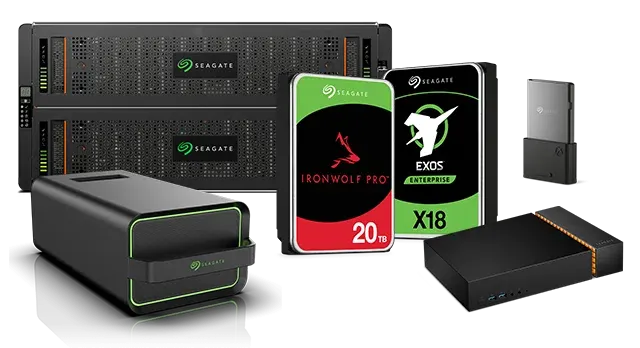
Advanced Engineering Protocols: Recovering Failed Seagate External Storage Systems
1. The Challenge of Seagate Architecture: Bypassing the Media Cache
- The Failure State: When a Seagate drive suffers a sudden power loss, an improper disconnection, or develops bad sectors, the Media Cache system can become corrupted. This triggers a Firmware Loop, causing the drive to instantly spin down, show an incorrect capacity (e.g., 0 MB), or stay in a permanent busy state (BSY) that locks out the computer's operating system.
- The Engineering Solution: Technicians must bypass the drive's standard operating protocol using specialized hardware tools like the PC-3000. By connecting directly to the drive’s serial system terminal, engineers issue low-level commands to clear the corrupted allocation tables, safely terminating the firmware loop without destroying the user's data.
2. Mechanical Failure: The "Stuck Spindle" Motor
- The Symptoms: When plugged into a USB port, the drive does not spin up or vibrate. Instead, it emits a faint, repetitive beeping or buzzing sound at one-second intervals. This sound is the drive's internal motor trying—and failing—to turn the spindle.
- Cleanroom Intervention: To resolve a seized motor, the drive must be moved into a certified ISO 5 Cleanroom environment to prevent environmental dust from contaminating the magnetic surfaces. Under a microscope, engineers use proprietary spindle wrenches and platter extraction tools to safely free the binding mechanism or cleanly migrate the magnetic platters entirely into a healthy, matching donor chassis.
3. Read/Write Head Degradation and the "Clicking" Phenomenon
- The Clicking Sound: When the drive is powered on, the internal logic attempts to read the initial configuration data (the firmware zone). If the heads are damaged and cannot read this data, they rapidly snap back to their resting position and try again, creating a rhythmic, mechanical clicking sound.
- The Micro-Surgery: Continued operation during a clicking state can cause the damaged heads to physically scratch the platters, destroying the magnetic storage layer permanently. In the cleanroom, engineers must identify an identical "donor" drive—matching the model number, site code, and preamp compatibility—to harvest a healthy head stack assembly. Using specialized head combs, the damaged assembly is carefully replaced with the donor components, allowing the drive to safely read data one final time during the cloning phase.
Critical Protocol for End-Users Facing Seagate Failure
- Cut Power Immediately: If the drive is making unusual sounds, keeping it plugged in can cause the hard drive heads to scrape the platters, carving away the data permanently.
- Avoid Retail Data Recovery Software: Software programs assume the drive is mechanically perfect. Forcing a physically failing or firmware-locked Seagate drive to run a rigorous software scan will accelerate mechanical collapse.
- Consult a Professional Lab: Ensure any service center you utilize possesses on-site cleanroom facilities and specialized hardware diagnostic tools capable of interacting directly with Seagate system files.
Toshiba

Advanced Engineering Protocols: Recovering Failed Toshiba External Storage Systems
1. Bypassing the Integrated Non-Shuckable USB Barrier
- The Diagnostic Wall: When a drive suffers from degrading magnetic sectors or weak components, the integrated USB connection acts as a severe communication barrier. The USB interface restricts raw command transmission, meaning a standard computer or data scraping utility will perpetually freeze, time out, or completely fail to detect the drive.
- The Seattle Data Recovery Approach: Our lab technicians handle these failures by modifying the electronics at a board level. Under micro-soldering magnification, we physically bypass the native USB path. We map out the tiny differential data traces directly from the primary drive controller and bridge them to a native SATA interface. This hardware-level conversion provides our engineers with direct access to the disk's critical low-level service tracks and system files.
2. Managing Firmware Corruptions and G-Sensor Interventions
- The Loop State: If a drive takes an unexpected impact during high-speed operation, the G-Sensor logs the shock data directly into the drive's microscopic system area. In severe cases, this triggers a defensive firmware lock loop. The drive will spin up but refuse to communicate logical sectors to the computer, making it show up as uninitialized or unrecognized.
- The Engineering Correction: Once Seattle Data Recovery maps the drive over a native SATA pathway, we utilize low-level system commands via specialized diagnostic hardware. This allows us to clear out the persistent error logs trapped in the drive's volatile system memory, stabilizing the controller and allowing us to read data smoothly without further stressing the internal architecture.
3. Cleanroom Micro-Surgery: Head-Stack Replacements
- Microscopic Precision: The Toshiba MQ-series architectures generally utilize multiple internal storage platters and up to four or more individual read/write heads. If even one head becomes misaligned or physically fails, extensive chunks of user data become completely unreachable.
- Donor Sourcing & Matching: Physical surgery on a compromised drive must happen within a certified dust-free cleanroom environment. Our engineers source exact matching "donor" parts that align cleanly with the patient drive's manufacture dates and preamp attributes. Using precision combs, the damaged head stack is gently extracted and swapped with the healthy components, providing the temporary stability required to safely read and mirror the data onto our secure storage arrays.
Emergency Guidelines for Failed Toshiba Drives
- Do Not Continuous Power Cycle: If the drive is clicking, beeping, or causing your file explorer to hang, disconnect it instantly. Forcing a drive with failing hardware components to spin will scratch the internal platters, transforming recoverable files into permanent dust particles.
- Avoid Automated Repair Commands: System software repairs or automatic drive checkers are designed to re-write data tables to fix logical file paths. On a physically unstable drive, these stress commands will break the remaining components.
- Engage Certified Lab Diagnosis: Ensure your data is managed by professionals possessing on-site micro-soldering capabilities and cleanroom facilities tailored specifically to integrated drive architecture.
Western Digital
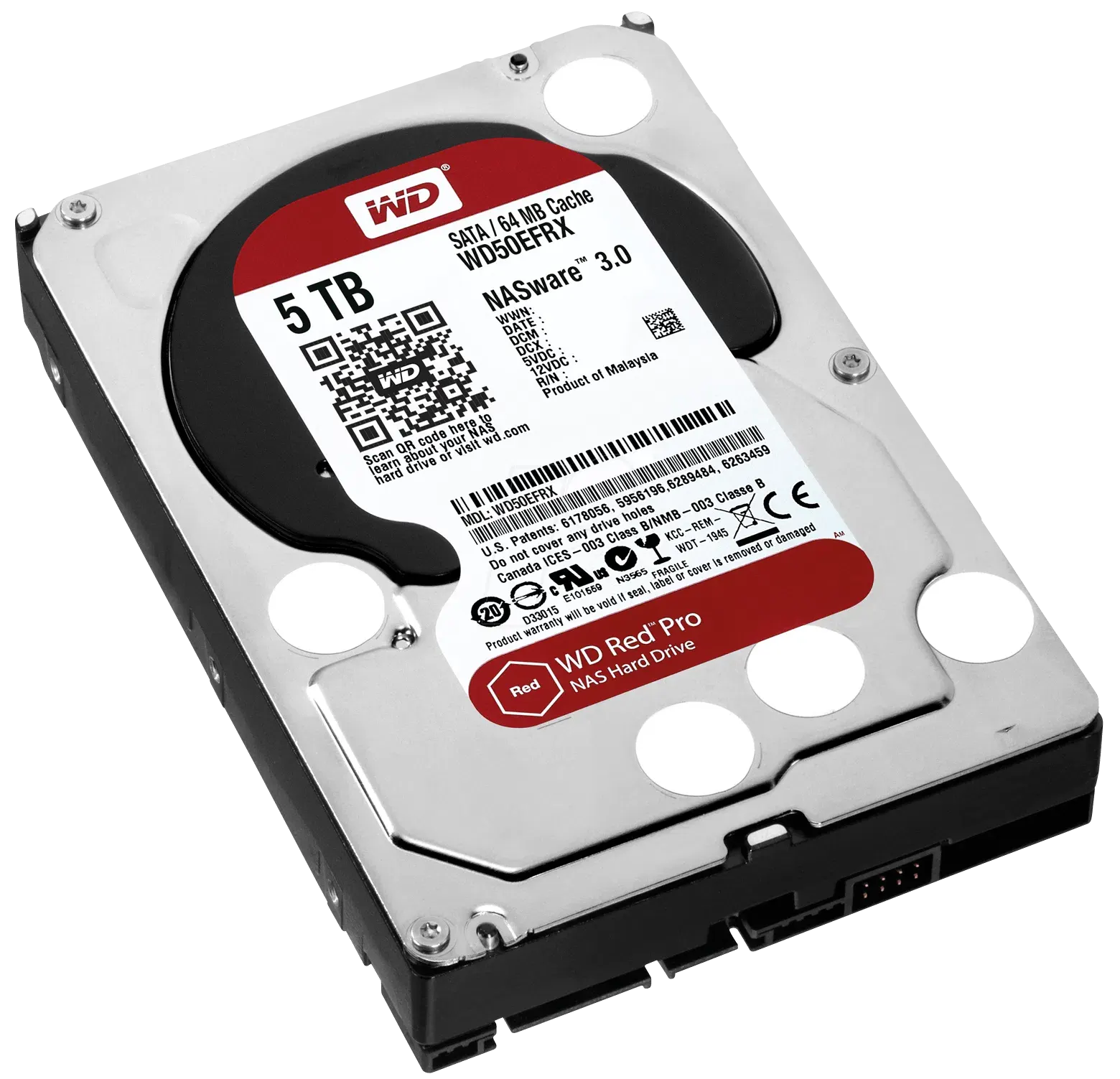
Advanced Engineering Protocols: Recovering Failed Western Digital (WD) External Storage Systems
1. The Challenge of WD Architecture: Integrated USB & Smartware Encryption
- The Problem: The USB port is soldered directly onto the drive’s main Printed Circuit Board (PCB), completely eliminating the standard SATA interface. Furthermore, almost all modern WD My Passport drives use an onboard hardware encryption chip built directly into the bridge controller. Even if you don't set a password, the drive encrypts the data at the hardware level automatically.
- The Engineering Solution: If the USB port breaks or the board short-circuits, technicians cannot simply pull the drive out and plug it into another computer. Engineers must use microscopic schematics to locate the drive's internal SATA data lines (Tx+/Tx- and Rx+/Rx-) directly on the board. They solder microscopic wires to bypass the broken USB chip, routing the signal to a specialized diagnostic system. Crucially, the original board's encryption chip must remain intact and functional; otherwise, the data stream recovered from the platters will remain completely unreadable, scrambled code.
2. Firmware Locks: The WD "Slow Responding" Bug
- The Failure State: When a WD drive begins to develop bad sectors, it attempts to log these errors in its internal "Relo-List" (Relocation List). If the drive accumulates too many errors too quickly, the firmware becomes completely overwhelmed. The drive will technically spin up and light up, but it will cause any computer it is plugged into to completely freeze, hang, or fail to boot.
- The Engineering Solution: Standard data recovery software will crash when attempting to read a drive in this state. Technicians must use specialized hardware (such as the PC-3000) to safely interrupt the drive’s boot sequence, blocking the drive from loading its corrupted internal error logs. Once the firmware is stabilized and patched in the drive's system RAM, engineers can smoothly clone the data sectors.
3. Mechanical Failure: The Western Digital "Stuck Heads" Scenario
- The Symptoms: Instead of returning to their safe "parking ramp" outside of the platters, the delicate read/write heads drop straight onto the mirror-smooth data surfaces. Because the surfaces are so perfectly flat, they lock together due to a phenomenon called micro-adhesion. When powered on, the drive will make a distinct faint, rhythmic quiet clicking, buzzing, or scrolling sound, but the disk will not spin.
- Cleanroom Intervention: This is a critical failure state. If an untrained user keeps plugging the drive in, the stuck heads will physically strip the magnetic data film off the platters, causing permanent data destruction. In an ISO 5 Cleanroom, an engineer must use a specialized WD Head Unsticking Tool to safely lift the head assembly off the platters without scraping the surface, pulling them back onto the parking ramp before replacing the damaged head stack entirely.
Critical Protocol for End-Users Facing WD External Drive Failure
- Do Not Attempt to Shuck the Drive: If it is a portable My Passport or Elements drive, there is no SATA connector inside. Cracking the plastic case roughly can easily flex the delicate integrated PCB, cracking internal traces or damaging the critical hardware encryption chip.
- Avoid Automated "Chkdsk" or Repair Tools: Operating system repair tools like Windows
chkdskor Mac First Aid will attempt to force write commands onto an unstable drive, which can push an overwhelmed WD firmware chip into a permanent lock state. - Check for Onboard Encryption: Always let your recovery technician know if you had a custom password set via WD Security/Smartware, as this dictates which hardware-bypass protocols they must use to successfully decrypt your files during the imaging phase.
Samsung SSD Data Recovery Services
Lost Access to Your Critical Files? We Bypass Complex Samsung Controller Security to Salvage Your Data.
Why Samsung SSDs Fail: Beyond the Software
- Firmware & FTL Panics: The drive's Flash Translation Layer (FTL) becomes corrupted, leaving the controller unable to locate where files are physically stored on the memory chips.
- Sudden Read-Only Locks: A protective reaction to internal errors that freezes the drive, preventing any system boot or file access.
- Thermal & Component Degradation: High-speed NVMe drives generate massive heat, which can crack microscopic solder joints under the main controller chip.
Our Advanced Samsung Recovery Capabilities
1. Hardware Controller Bypassing (Safe Mode Emulation)
2. Physical Chip-Off Recovery (NAND Flash Extraction)
Supported Samsung Solid State Drives
- SATA Series: 840, 850, 860, 870 EVO / PRO
- PCIe NVMe Series: 950, 960, 970, 980, 990 EVO / PRO
- Enterprise Arrays: PM and SM series enterprise and data center SSDs
Start Your Recovery Today
Professional Data Recovery for Kingston Solid-State Drives (SSDs)
Technical Recovery Profiles by Kingston Model Class
1. Kingston A400 SATA Series (The "SATAFIRM S11" Panic)
- The Problem: The DRAM-less Phison PS3111-S11 controller experiences firmware panic due to cell wear or sudden power loss, causing the drive to misidentify as
SATAFIRM S11with a capacity of 0 bytes or 2MB. - How We Recover It: Commercially available recovery software cannot access a drive trapped in this factory ROM safety state. Our engineers utilize specialized hardware sequencers (like ACE Lab's PC-3000) to isolate the hardware, load custom microcode directly into the controller's volatile SRAM, manually rebuild the corrupted Flash Translation Layer (FTL) mapping tables, and read the NAND cells sector-by-sector.
2. Kingston NV1, NV2, & NV3 Series (Controller Drops & 100% Active Loops)
- The Problem: Hardware component variations across production batches often lead to controller-level instability under sustained I/O strain, presenting as a drive that drops out of the BIOS entirely or reports 100% active utilization at 0 MB/s transfer speeds.
- How We Recover It: For drives exhibiting periodic dropout behavior, standard operating systems will continuously crash or force the device offline before an imaging pass can complete. We bypass standard OS drivers entirely, utilizing dedicated data recovery hardware to maintain steady communication link synchronization, manage voltage sags, and safely clone the flash blocks before the unstable controller permanently locks down.
3. Kingston KC3000 & FURY Renegade Series (Thermal Stress & Protocol Failures)
- The Problem: Operating continuously at high-performance PCIe Gen 4 speeds (up to 7,000MB/s+) creates severe thermal cycles that can cause micro-fractures in the solder joints beneath the high-density Phison PS5018-E18 controller. The drive becomes completely invisible to motherboard link training.
- How We Recover It: Recovering data from thermally fatigued high-speed NVMe drives requires precision lab equipment. We utilize clean-room inspection environments to address structural connection degradation, stabilize the high-speed controller logic lanes, and enforce explicit fallback timing modes to slowly extract the raw data directly from the Micron TLC flash arrays.
4. Kingston XS1000 & XS2000 Portable SSDs (Interface Bridge Desynchronization)
- The Problem: These portable external models use a native, single-chip USB controller architecture (such as Silicon Motion's SM2320). Unplugging the drive without executing the operating system's safe-ejection protocol or plugging it into an underpowered port causes internal SRAM firmware desynchronization.
- How We Recover It: Because there is no separate internal M.2 SSD to detach from a USB board, standard enclosure swaps are impossible. Our lab bypasses the corrupted USB controller endpoints by tapping directly into the peripheral diagnostic lines or safely initializing the single-chip bridge via proprietary hardware protocols, ensuring your encrypted layout or corrupted volume headers can be cleanly parsed.
5. Data Center Series (DC600M, DC2000B, DC3000ME)
- The Problem: Enterprise models use hardware-level Power Loss Protection (PLP) capacitor arrays. Over years of 24/7 data center ambient heat, these capacitors can degrade. Once the S.M.A.R.T. firmware flags an unreliable capacitor bank, the drive triggers a permanent Safe Read-Only Mode or drops from the server RAID array entirely.
- How We Recover It: When enterprise logic locks a drive down to protect integrity, the volume requires a bit-level mirror pass. We emulate proper hardware profiles, interface with the drive via industrial diagnostics engines, and safely reconstruct individual members of failed server volumes.
Why SSD Recovery Requires Professional Diagnostics
- Cut power immediately: Unplug external drives or shut down systems hosting a failing internal SSD.
- Avoid utility scans: Refrain from running heavy stress tests, formatting prompts, or software partition checkers on unrecognized drives.
Contact Seattle Data Recovery for Expert Assistance
Expert Crucial SSD Data Recovery Services
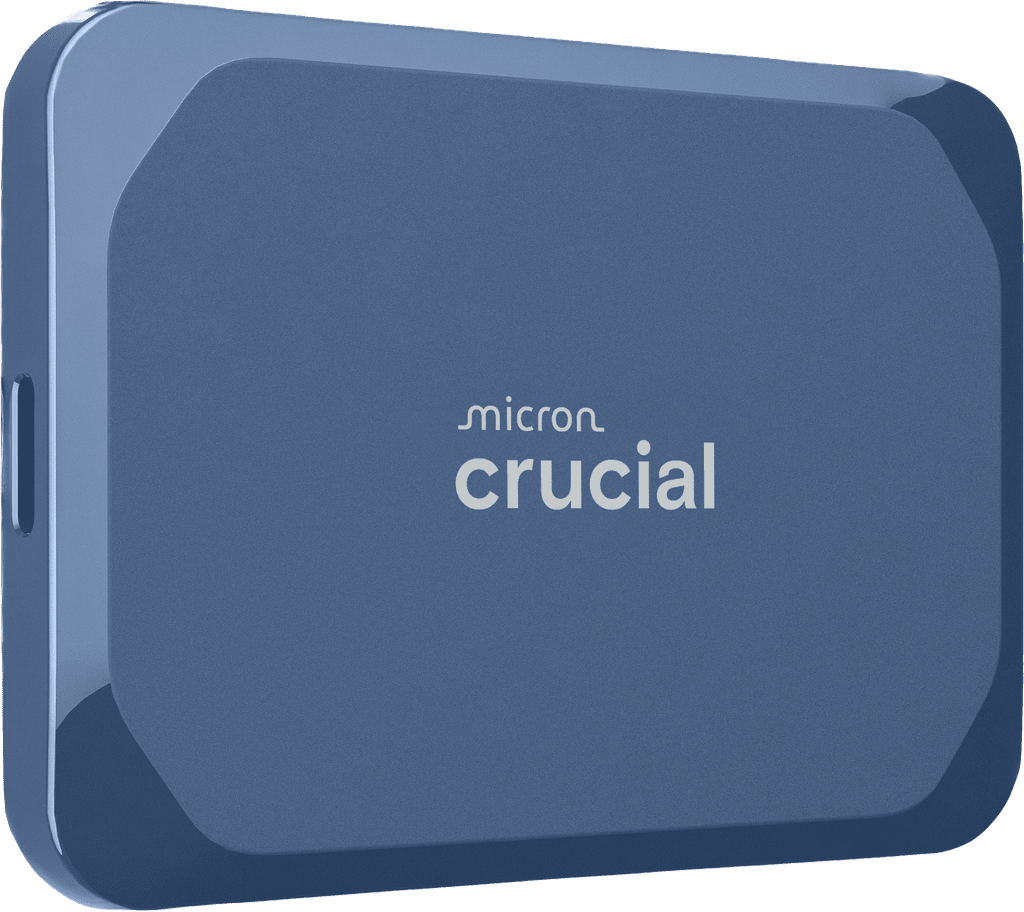
Common Crucial SSD Failure Modes
- Firmware "Panic Mode" Locks: Sudden power loss or incomplete write cycles can cause the flash translation layer (FTL) or firmware on drives like the Crucial P3 or P5 Plus to crash. The drive enters a perpetual busy loop, causing the system to hang or fail to recognize the SSD in the BIOS.
- Controller Failure & Thermal Degradation: High-performance Gen 4 and Gen 5 NVMe drives generate massive heat. Prolonged thermal stress can degrade the master controller chip or fracture its micro-solder connections to the board, completely cutting off access to the NAND flash chips.
- Bad Block Accumulation: Over time, the storage cells inside the NAND flash memory degrade naturally. When the accumulation of bad blocks exceeds the SSD’s factory-reserved over-provisioning space, the drive controller may instantly switch to a read-only mode or brick itself entirely.
- Broken USB-C Ports on External Drives: Portable Crucial X9 and X10 drives frequently suffer physical trauma. Accidental drops or cord tugs fracture the fragile surface-mounted USB-C joints inside the housing, resulting in zero power or intermittent connectivity.
Why Professional Recovery Beats DIY Software
Our Specialized Recovery Process
- Risk-Free Evaluation: We inspect your Crucial SSD under a microscope to check for electrical shorts, blown capacitors, and damaged ports.
- Hardware-Level Mirroring: We isolate the storage media using specialized forensic imagers, ensuring we only read from the drive once to prevent further degradation.
- Advanced Chip-Off & Firmware Emulation: If the controller chip is dead, our micro-solder technicians can carefully remove the NAND flash memory chips and read them using external programmers, rebuilding your file system manually.
- Secure Data Verification: Once retrieved, your recovered files are transferred onto a brand-new, secure external storage device.
Trust Seattle's Local SSD Experts
Data Recovery for SK Hynix
- The "No Boot Device" Error: Your computer suddenly fails to recognize the drive, often caused by damaged drive firmware or translation layer corruption.
- Controller Failure: The SK Hynix proprietary controller chip stops communicating, rendering the data inaccessible even though the underlying NAND flash chips are healthy.
- Electronic Over-current/Shorts: Power surges or component failures on the drive's printed circuit board (PCB) that cut off power to the drive.
- Thermal Damage: High operating temperatures, especially in unheeled M.2 NVMe configurations like the Platinum P41, leading to degraded solder joints or chip degradation.
| Drive Type | Supported Series & Models |
|---|---|
| Consumer NVMe / SATA | Platinum P41, Gold P31, Gold S32, Silver S32 |
| OEM Laptop & Desktop Drives | BC501, PC711, PC801, HFM-series factory drives |
| Enterprise Data Center (eSSD) | PS1010, PE9010, PE8000 series, U.2/U.3, and E1.S/E3.S form factors |
- Hardware-Level Diagnostics: We bypass your computer's standard operating system using dedicated hardware imagers to safely assess the drive without risking further degradation.
- Firmware Repair & Emulation: If the drive's internal microcode is corrupt, our technicians work in safe modes to patch the translation tables and force the drive into a readable state.
- Advanced Chip-Off Recovery: In severe failure cases where the controller is permanently broken, we can physically desolder the NAND flash memory chips and read the raw data directly using specialized programmers.
- Secure Data Transfer: Once rebuilt, your recovered files are transferred securely to a brand-new external drive or encrypted storage device.








