

Call 1 (425) 406-1174 to start a Data Recovery!
Emergency Data Recovery Services

Emergency Data Recovery: 24/7 Priority Lab Intervention for Critical Outages
Priority Support for Seattle’s Vital Industry Sectors
- Healthcare & Medical Facilities: Critical recovery of PACS/DICOM medical imaging servers, encrypted Electronic Health Record (EHR) databases, and internal diagnostic hardware storage. All emergency procedures are executed under strict HIPAA-compliant data privacy controls.
- Aerospace & Defense Contractors: Rapid extraction of complex CAD blueprints, flight telemetry logs, software repositories, and testing data from high-capacity enterprise SAS/SATA drives or fiber channel SAN storage architectures.
- Production, Media, & Post-Production Houses: Immediate retrieval of uncompressed cinematic footage (
.R3D,.MOV,.MXF) from damaged field drives, unreadable high-speed memory cards, or production RAID arrays to prevent missing high-dollar delivery windows. [13] - Legal & Corporate Enterprise: High-priority extraction of active corporate transaction databases, virtual machines (
.VMDK,.VHDX), and email communication archives (.PST,.EDB) required for time-critical court submittals or active forensic investigations.
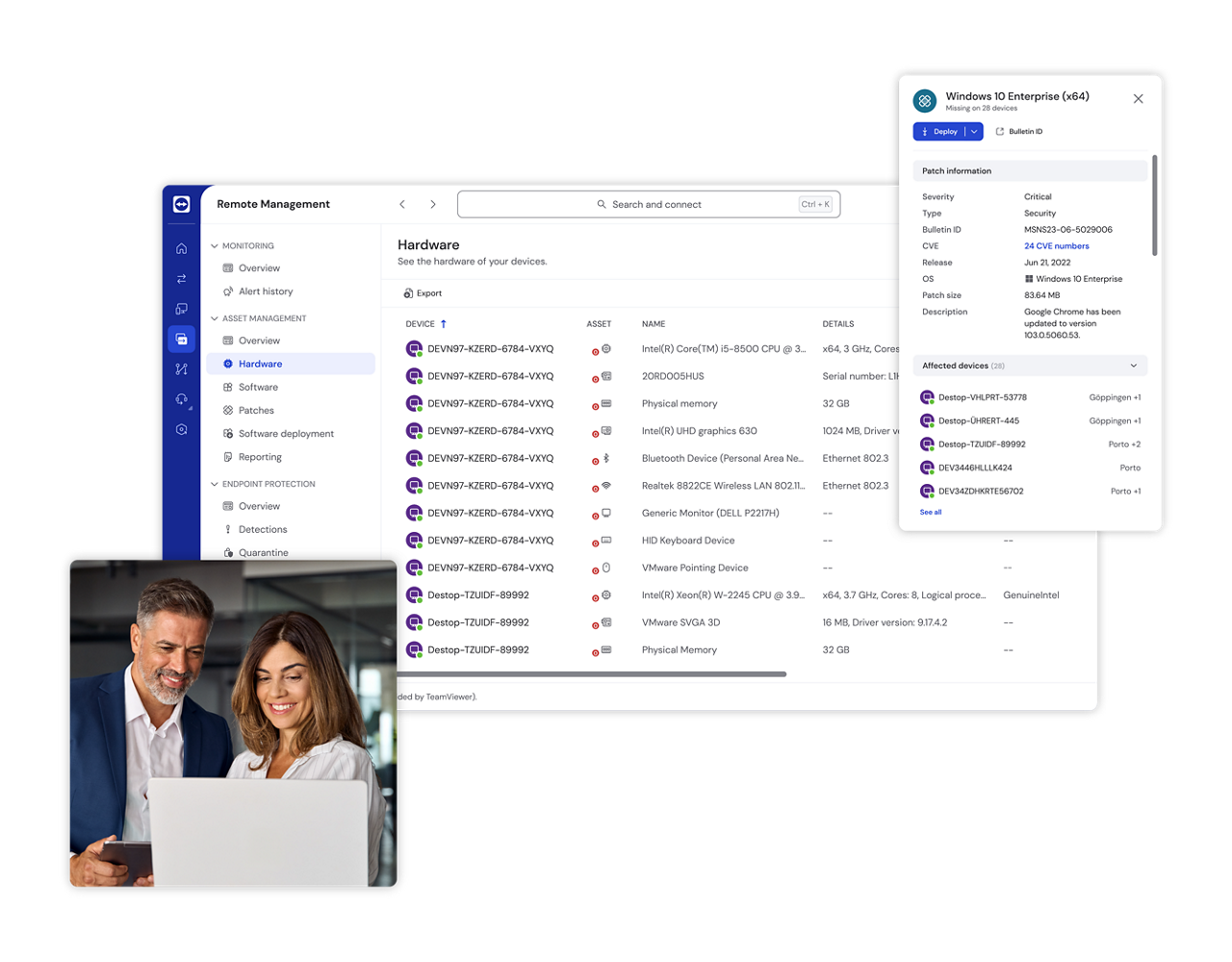
Emergency Remote Triage via TeamViewer
High-Stakes Cleanroom & Micro-Soldering Capabilities
- ISO 5 Cleanroom Interventions: Immediate physical read/write head assembly replacements and spindle motor stabilization for clicking or dropped mechanical server drives.
- Advanced Chip-Off Data Recovery: For dead solid-state storage, we bypass the burned components entirely. Technicians desolder raw NAND flash memory chips under high-power microscopes, reading the raw silicon storage blocks directly.
- Apple Silicon Logic Board Restorations: Emergency micro-soldering and logic board transplants for water-damaged or short-circuited MacBook Pros and iMacs, bypassing hardware-level encryption keys to extract trapped local user data.
Secure 24/7 Courier & Walk-In Intake Instructions
- Location: UW Medicine Building, NW Leary Way, Ballard, Seattle, WA.
- Emergency Drop-Off Hours: Available 24 hours a day, 7 days a week, 365 days a year (advance phone authorization required for after-hours building entry).
- Arrival & Free Designated Parking: Drive vehicles onto Level 2 of the facility parking deck. Regus-managed customer parking spaces (Spaces 40–45) are specifically reserved for our clients.
- Secure Building Access: Proceed inside the main lobby doors. Take the building elevator directly up to Level 4 (please note that the building stairwells are locked for security and do not access the secure office suites).
- Regus Corporate Suite Intake: Turn right out of the elevator cab to enter our executive corporate suite, managed in partnership with Regus. Regus front-desk professionals maintain an elite, confidential corporate workspace, ensuring your emergency hardware is logged securely and routed straight to our cleanroom engineers.
- Details
- Written by: Seattle Data Recovery
- Category: Emergency Data Recovery Services
In the modern digital landscape, data loss is a crisis that requires immediate action. For businesses and individuals facing critical data emergencies, waiting days for shipping is not an option. Seattle Data Recovery offers a powerful solution: professional Remote Data Recovery services. Available 24 hours a day, 365 days a year (including holidays), our expert engineers can now connect directly to your working computer to salvage lost files, repair corruption, and reverse accidental deletions—all without your device ever leaving your sight.
What is Remote Data Recovery?
Remote data recovery is a secure method of retrieving lost or inaccessible data by connecting an expert engineer to your computer over the internet. Instead of shipping your device to a lab, we utilize a secure connection to perform the same professional-grade diagnostics and recovery procedures we would use in-house, but with zero shipping downtime.
This process effectively targets "logical" data loss scenarios—where the hardware is intact but the data is missing or corrupted—allowing work to begin within hours of your initial call.

How We Use TeamViewer for Recovery
To facilitate this secure connection, Seattle Data Recovery utilizes TeamViewer, a world-class remote connectivity platform. While TeamViewer itself is not a data recovery tool, it serves as the secure bridge that allows our technicians to access your system and deploy our specialized recovery software.
The process works in three distinct steps:
-
Secure Connection & Assessment: Our engineers guide you through a quick setup to establish a secure, encrypted connection (SSL/TLS) to your machine. We then remotely assess the drive to ensure it is healthy enough for a software-based recovery.
-
Remote Diagnostics & Scanning: Once connected, we install and run advanced forensic tools (such as XWays, R-Studio, or Partition Recovery) directly on your system to scan for lost file structures.
-
Data Extraction: We extract the recovered data to a safe location, such as a separate external drive or a new server volume, ensuring the original damaged data is not overwritten.
When is Remote Recovery the Right Choice?
Remote recovery is the ideal solution for logical failures, where the physical storage media is still functioning correctly. Our 24-hour emergency service is perfect for:
-
Accidental Deletion: Files emptied from the trash or deleted via command line.
-
Corruption & Formatting: Partitions that have been formatted or file systems that have become corrupt.
-
Virus & Ransomware Attacks: Data that has been hidden or made inaccessible by malware.
-
Minor System Issues: restoring backed-up files or fixing minor operating system glitches.
Critical Warning: When NOT to Use Remote Recovery
It is vital to distinguish between logical and physical failure. You must not attempt remote recovery if your drive has physical damage. If you hear clicking, grinding, or if the drive is not detected by your computer's BIOS, remote software cannot help and may cause permanent data loss. In these cases, the drive forces read/write heads to repeatedly access damaged areas, destroying the platters. For physical failures, the drive must be shipped to our lab for cleanroom intervention.
The Seattle Data Recovery Advantage
By leveraging TeamViewer’s centralized management and secure end-to-end encryption, Seattle Data Recovery brings the lab to you. This approach offers unparalleled speed and convenience, minimizing downtime by eliminating shipping delays.
Whether it is 2:00 PM or 2:00 AM, our team is standing by to initiate your recovery immediately.
Contact Seattle Data Recovery today to start your secure remote session.
- Details
- Written by: Seattle Data Recovery
- Category: Emergency Data Recovery Services
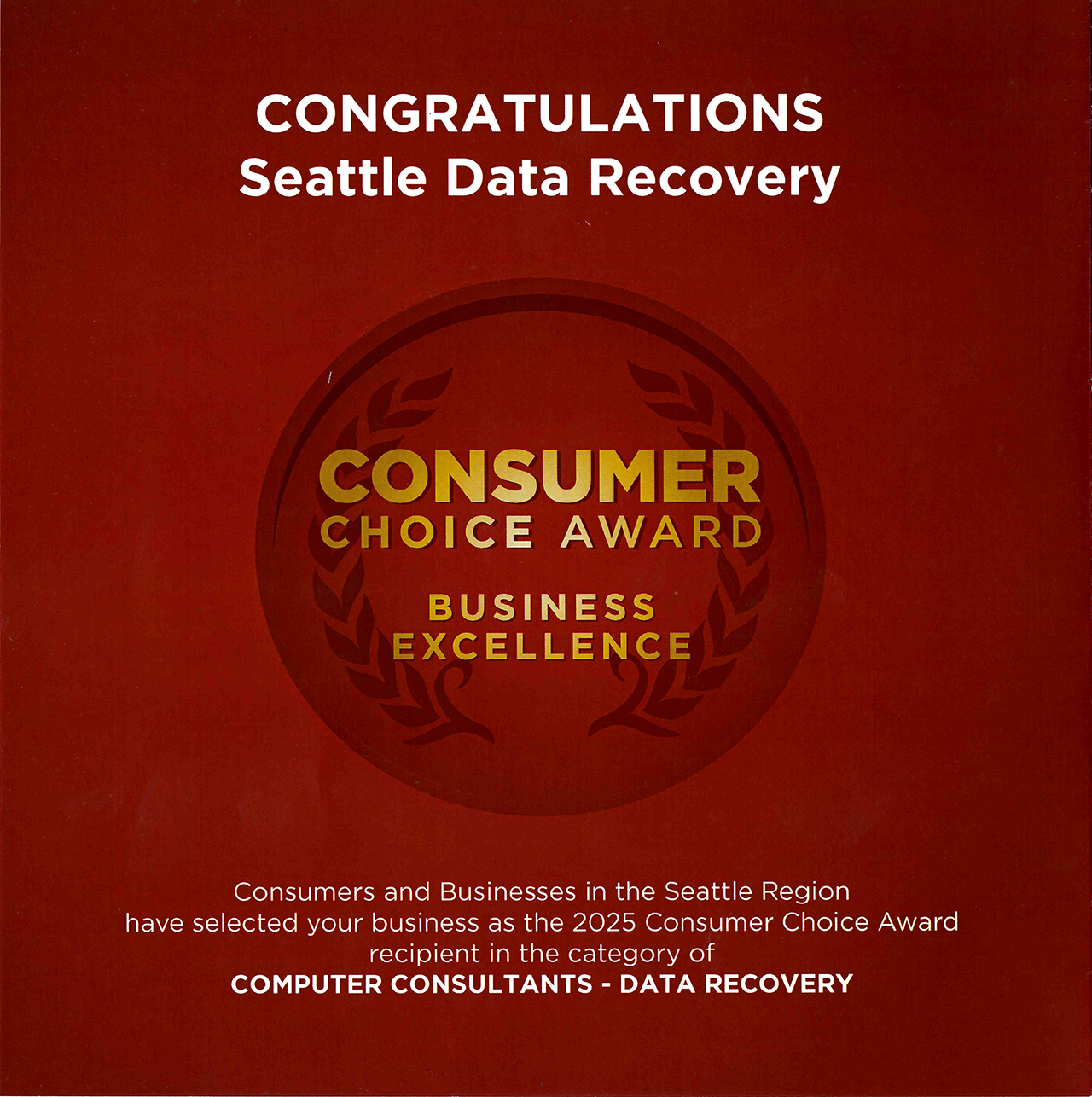
SEATTLE, WA — Seattle Data Recovery is proud to announce it has been honored with the prestigious 2025 Consumer Choice Award. This accolade cements the firm’s reputation as the undisputed leader in the data recovery industry across North America, validating a commitment to technical excellence that surpasses global standards.
While many firms offer standard recovery services, this award highlights Seattle Data Recovery's unique position as the final line of defense for critical data. The company has established itself as "The Best" by consistently achieving a high success rate on storage media that other agencies have declared unrecoverable. From complex RAID arrays to severely damaged hard drives, Seattle Data Recovery succeeds where others fail.
"This award is proof that American technical expertise is second to none," said a spokesperson for Seattle Data Recovery. "We are bringing jobs and economic growth to the Pacific Northwest by securing contracts and recovery projects from clients all over the world. When a drive arrives in Seattle from Europe or Asia, it translates directly into local employment."
Central to this success is the company's dedicated workforce. Seattle Data Recovery is proud to provide high-skilled employment opportunities to U.S. Veterans and American service members. The discipline, precision, and integrity brought by this veteran workforce are key factors in the company’s ability to handle sensitive, high-stakes data recovery operations.
By combining military-grade discipline with cutting-edge proprietary technology, Seattle Data Recovery continues to serve as the industry benchmark for speed, security, and success.
About Seattle Data Recovery: Located in the heart of the Pacific Northwest, Seattle Data Recovery specializes in retrieving lost data from failed hard drives, SSDs, RAID arrays, and flash media. With a workforce comprised of U.S. Veterans, the company serves a global client base, offering industry-leading success rates for devices previously deemed unrecoverable.
- Details
- Written by: Seattle Data Recovery
- Category: Server Data Recovery: Restoring Your Business Operations
When you purchased your business server, your IT provider likely mentioned that it features a "RAID array." While the term sounds highly technical, the concept behind it is entirely about protecting your business operations.
For a business owner, a RAID (Redundant Array of Independent Disks) is essentially an internal insurance policy against hardware failure. Instead of relying on a single hard drive to hold your company's entire digital filing cabinet, a server uses multiple drives working together as a team.
How the Safety Net Works
If a standard desktop computer's hard drive fails, all the data is instantly inaccessible. A business server cannot afford that level of risk. By using a RAID setup, the server automatically spreads or duplicates your critical files across several different drives simultaneously.
The goal is simple: Business Continuity. If one drive physically breaks down, the "team" of remaining drives has enough shared information to keep your server running. Your employees can continue working, accessing files, and serving customers while your IT team swaps out the broken part behind the scenes.
If RAID is a Safety Net, Why Did My Server Crash?
RAID is designed to survive a minor, routine hardware failure. However, it is not invincible. When a server goes completely offline, it usually means the safety net has been overwhelmed. This happens for a few common reasons:
-
Multiple Failures: Two or more drives break down at the exact same time, which the safety net wasn't designed to handle.
-
The Domino Effect: One drive fails, but goes unnoticed. When a second drive naturally fails months later, the entire system collapses.
-
System Corruption: A sudden power surge or severe software error scrambles the instructions the server uses to organize the "team" of drives, instantly locking up all the data.
We Recover What the Safety Net Couldn't
When a RAID array collapses, your server stops acting like a team of drives and instead becomes an unreadable, locked box. Your business grinds to a halt.
At Seattle Data Recovery, we specialize in putting the pieces back together. We do not focus on the broken hardware; we focus on rescuing your business. Our engineers carefully reconstruct the scrambled data from your failed array, extracting your shared files, internal software, and critical records so your team can get back online and back to work.
- Details
- Written by: Seattle Data Recovery
- Category: Server Data Recovery: Restoring Your Business Operations
Sun Microsystems and Oracle SPARC Enterprise systems—including legacy Sun Fire desktop workstations and deskside towers—have long been the backbone of heavy-duty, Unix-based business networks. Because these machines are engineered for extreme reliability, they are often trusted with a company's most deeply rooted operational data, proprietary databases, and core networking systems. When a Sun system finally suffers a critical failure, it can completely paralyze specialized legacy business operations.
At Seattle Data Recovery, we understand that a down server means your business cannot move forward. We don't focus on the complexity of legacy Unix architecture; our single goal is to extract your files and restore your ability to work.
Signs of a Critical Sun Server Failure
-
The system fails to boot past the initial OpenBoot PROMs prompt.
-
The Solaris operating system experiences a severe kernel panic or disk mounting error.
-
Your local office network completely loses connection to legacy applications or central storage.
Getting Your Specialized Business Back Online
Whether your organization relies on a classic Sun Ultra workstation or a deskside enterprise box, our team is equipped to handle the unique recovery challenges of these platforms. We safely extract your critical databases, historical enterprise records, and configuration data. With our secure mail-in data recovery services, businesses throughout the Pacific Northwest and Alaska can ship their drives directly to our facility, ensuring a fast, confidential turnaround that minimizes your company's downtime.
- Details
- Written by: Seattle Data Recovery
- Category: Server Data Recovery: Restoring Your Business Operations
Dell PowerEdge tower servers (such as the T110, T160, or T560) and high-end Precision workstations are widely used to host critical applications and centralized storage for growing organizations. When a primary Dell tower crashes, your business essentially loses its central digital filing cabinet, locking employees out of the tools they need to serve your clients.
We treat a dead office server as a business emergency. Our team focuses entirely on retrieving your operational data safely and quickly, bypassing complex technical jargon to give you a straightforward path to recovery.
Why Dell Business Servers Stop Working
-
The system fails to recognize the internal storage drives during boot.
-
Operating system updates or unexpected power surges cause severe system corruption.
-
Critical business application data becomes corrupted or entirely inaccessible to the network.
Getting Your Office Back Online
Our data recovery process is designed to handle physical compact towers and scalable deskside units with equal efficiency. We extract your critical databases, software environments, and shared team files, ensuring your secure corporate data is fully preserved. With streamlined mail-in options, you can ship your offline drives straight to our facility to get your business operations back on track without extended delay.
Subcategories
Server Data Recovery: Restoring Your Business Operations
Enterprise Server Data Recovery: Restoring Mission-Critical Data Center Architecture
Comprehensive Architecture Support for Data Center Environments
- High-Throughput Enterprise SAS and Fibre Channel (FC) Media: Advanced mechanical head replacement and electronic board diagnostic reconstruction for enterprise-class drives. This includes helium-filled storage units (such as Seagate Exos and Western Digital Ultrastar series) and legacy Fibre Channel disks used in legacy SAN architectures.
- Massive Multi-Drive RAID Arrays: Emergency reconstruction of collapsed RAID 0, 1, 5, 6, 10, 50, and 60 configurations. We focus on bypassing corrupted hardware controllers and manually calculating layout parameters, stripe sizes, and drive offsets.
- Virtualization Hypervisors & Containers: Structural extraction and file system repair for corrupted virtual machines, including VMware vSphere ESXi (
.VMDK), Microsoft Hyper-V (.VHDX), and Proxmox container volumes impacted by physical failures or ransomware events. - Distributed Network File Systems: Advanced logical parsing of enterprise storage pools running complex file systems such as ZFS, Linux-based ext4, Btrfs, and specialized network-attached storage architectures (Synology, QNAP, TrueNAS).
Popular Data Center Failure Scenarios & Lab Interventions
1. Multi-Drive Redundancy Collapse (Simultaneous Array Failures)
- The Scenario: While a RAID 6 array can survive two concurrent drive dropouts, a sudden electrical power grid spike during a severe storm or a localized rack power supply malfunction pushes three or more enterprise drives offline instantly. The parity structure collapses, rendering the entire database or server cluster completely unreadable.
- The Lab Solution: Every drive in the array is placed onto a dedicated hardware write-blocker to secure sector-by-sector binary clones. If individual drives are physically clicking, they enter our ISO 5 Cleanroom for physical read/write head assembly transplants. Once all drives are stabilized, our engineers use software emulators to virtually re-stitch the raw data blocks, correcting corrupt metadata blocks to safely pull the live operational volumes.
2. Power-Loss Protection (PLP) Circuit Failures on Enterprise NVMe SSDs
- The Scenario: Data centers rely on heavy arrays of enterprise U.2, U.3, or E1.S solid-state drives (such as Intel/Solidigm D7 or Samsung enterprise lines) to log high-write database operations. During an unscheduled facility power drop, the drive's internal Power-Loss Protection capacitors fail to discharge properly, causing translation layer firmware corruption and "bricking" the drive into a dead state.
- The Lab Solution: Our micro-soldering specialists perform advanced component-level diagnostics on the SSD circuit board. We test, isolate, and replace failed surface-mount capacitors and power-management chips. If the internal controller chip itself is fried, we perform advanced chip-off memory extraction, desoldering the raw NAND flash chips to reconstruct the wear-leveling algorithms manually using hardware emulators.
3. Catastrophic Logical Volume and File System Corruption
- The Scenario: A botched data center firmware update, database crash, or forced volume unmounting causes severe logical file system fragmentation across a massive corporate storage array. The server fails to remount the shares, threatening the loss of critical source code repositories, transaction histories, or clinical records.
- The Lab Solution: We bypass standard operating system drivers entirely to avoid accidental background automated writes. Using low-level forensic analyzers, we trace the raw hexadecimal partition allocations, manually rebuild broken Master File Tables, and extract uncorrupted corporate file systems with their original metadata and directory paths intact.
Elite Security Protocols & Secure Ballard Intake
- ** HIPAA and SOC-Compliant Data Pipelines:** Every stage of our recovery process—from initial intake to final extraction—is safeguarded by strict data privacy barriers, secure offline engineering workstations, and automated verification tools.
- Forensic Write-Blocked Handling: No data modification ever occurs on source media. All reconstruction work is executed on bit-stream master clones, retaining original timestamps for compliance verification.
- Streamlined Regus Intake Workflow: Managed in partnership with Regus, our executive corporate reception suite on the 4th floor of the UW Medicine Building provides a seamless, confidential, and premium drop-off environment.
Logistics, Transit, and Arrival Directions:
- Address: UW Medicine Building, NW Leary Way, Ballard, Seattle, WA
- Walk-in / Courier Hours: Monday through Friday, 9:00 AM – 5:00 PM. (24/7 Emergency dispatch available with advance telephone authorization).
- Designated Free Parking: To transport heavy 2U/4U rackmount server chassis, enterprise SAN enclosures, or multiple drive caddies safely, pull vehicles directly onto Level 2 of the facility deck. Regus-assigned customer parking spaces (Spaces 40–45) are explicitly reserved for Seattle Data Recovery clients.
- Elevator Route: Enter through the primary lobby doors and take the building elevator straight up to Level 4 (building stairwells are locked for security and do not connect to the commercial office suites). Exit the elevator cab and turn right to step into our professional reception lobby.








