

Hard Drive Data Recovery
1. Enterprise Storage & High-Availability RAID Drives
- Seagate Exos Series: Premium enterprise SATA and SAS helium-filled drives (Exos X16, X18, X24) used in massive corporate data centers.
- Western Digital Ultrastar: High-density enterprise drives (DC HC550, DC HC570, DC HC680) featuring OptiNAND technology and complex actuator architectures.
- Fiber Channel (FC) Hard Drives: Legacy and modern high-speed storage interfaces used in complex Storage Area Networks (SAN).
- Dell EMC & HPE Server Drives: Proprietary firmware-locked enterprise SAS drives engineered explicitly for high-end server blades and storage enclosures.
2. Professional & Production-Grade Portable Drives
- LaCie Rugged & d2 Professional: The entertainment industry standard for on-set filming, frequently suffering from dropped damage, water exposure, or interface bridge failure.
- SanDisk Professional (G-Technology): Premium multi-drive desktop arrays (G-RAID Shuttle, G-DRIVE) used for commercial audio and high-bitrate video post-production.
- OWC (Other World Computing) ThunderBay: High-speed Thunderbolt RAID enclosures favored by video editors and digital asset managers.
- Glyph Production Technologies: High-reliability production drives (Studio, Atom) engineered specifically for commercial music studios and live performance audio tracking.
3. Healthcare & Medical-Grade Data Storage
- DICOM/PACS Server Arrays: High-capacity enterprise networks running customized storage pools explicitly for handling high-resolution medical imaging (MRIs, CT scans, X-rays).
- Modality Hardware Hard Drives: Internal storage units integrated directly into specialized medical diagnostic hardware (GE Healthcare, Siemens Healthineers, Philips Medical systems).
- Medical Cart SSDs: Secure, encrypted mobile storage drives used on point-of-care hospital carts for real-time patient charts and Electronic Health Record (EHR) updates.
4. Antique, Legacy & Industrial Storage Devices
- SCSI & Ultra-SCSI Hard Drives: Legacy small computer system interface drives used in 1990s server architecture, legacy telecommunication nodes, and vintage print manufacturing equipment.
- IDE / PATA Desktop Drives: Older parallel ATA drives (Western Digital Caviar, Maxtor DiamondMax, Quantum Fireball) requiring physical hardware head swaps with rare donor parts.
- Industrial CompactFlash (CF) & PCMCIA Cards: Solid-state flash storage running proprietary operating systems inside legacy CNC manufacturing machines, aviation navigation units, and early automated manufacturing lines.
- MicroDrives: Miniature rotating magnetic hard drives inside a CompactFlash form factor, popular in early digital cameras and legacy industrial logging tools.
- Details
- Written by: Seattle Data Recovery
- Category: Portable Hard Drive Data Recovery
The Critical Importance of Reliable Data Recovery
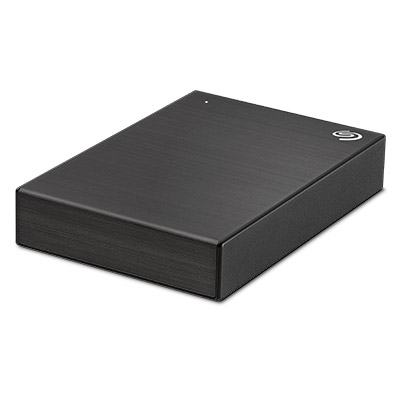
In today's digital age, data has become the backbone of personal and professional endeavors. Whether you're a content creator managing extensive media collections or a business professional relying on vital client information, the integrity of your data is paramount. A Seagate Backup Plus Portable Hard Drive offers an excellent solution for versatile, high-capacity storage. However, when this device fails, it can cause significant disruption. This is where Seattle Data Recovery steps in, providing expert assistance to restore your valuable files seamlessly and efficiently.
Understanding the importance of swift, professional intervention is crucial. Data loss can happen unexpectedly due to hardware failure, accidental deletion, or physical damage. For users relying on the Seagate Backup Plus Portable Hard Drive, knowing that reliable data recovery services are available can help minimize downtime and ensure data remains secure. In this blog, we will explore how Seattle Data Recovery restores Seagate Backup Plus Portable Hard Drives, revealing the detailed processes, service options, and best practices to safeguard your digital content.
Recognizing the Signs of Seagate Backup Plus Hard Drive Failure
A vital first step in protecting your data involves recognizing the early signs of potential failure on your Seagate Backup Plus Portable Hard Drive. Notable symptoms may include unusual sounds, such as clicking or grinding noises, frequent disconnections, or error messages indicating unreadable sectors. Additionally, if the drive suddenly becomes inaccessible or if data transfer speeds significantly decrease, it may indicate logical or mechanical issues that require professional assessment.
Addressing these symptoms promptly can prevent further damage and increase the likelihood of successful data recovery. For instance, attempting DIY fixes or software-based recovery methods without proper expertise may inadvertently worsen the problem. Skilled technicians at Seattle Data Recovery can accurately assess the drive's condition, determine the root cause of failure, and develop an effective plan to restore all folders and files, retaining their original names and organization intact.
Read more: Seattle Data Recovery Restores Your Seagate Backup Plus Portable Hard Drive
- Details
- Written by: Seattle Data Recovery
- Category: Portable Hard Drive Data Recovery
The Essential Role of Seattle Data Recovery in Seamless Data Restoration
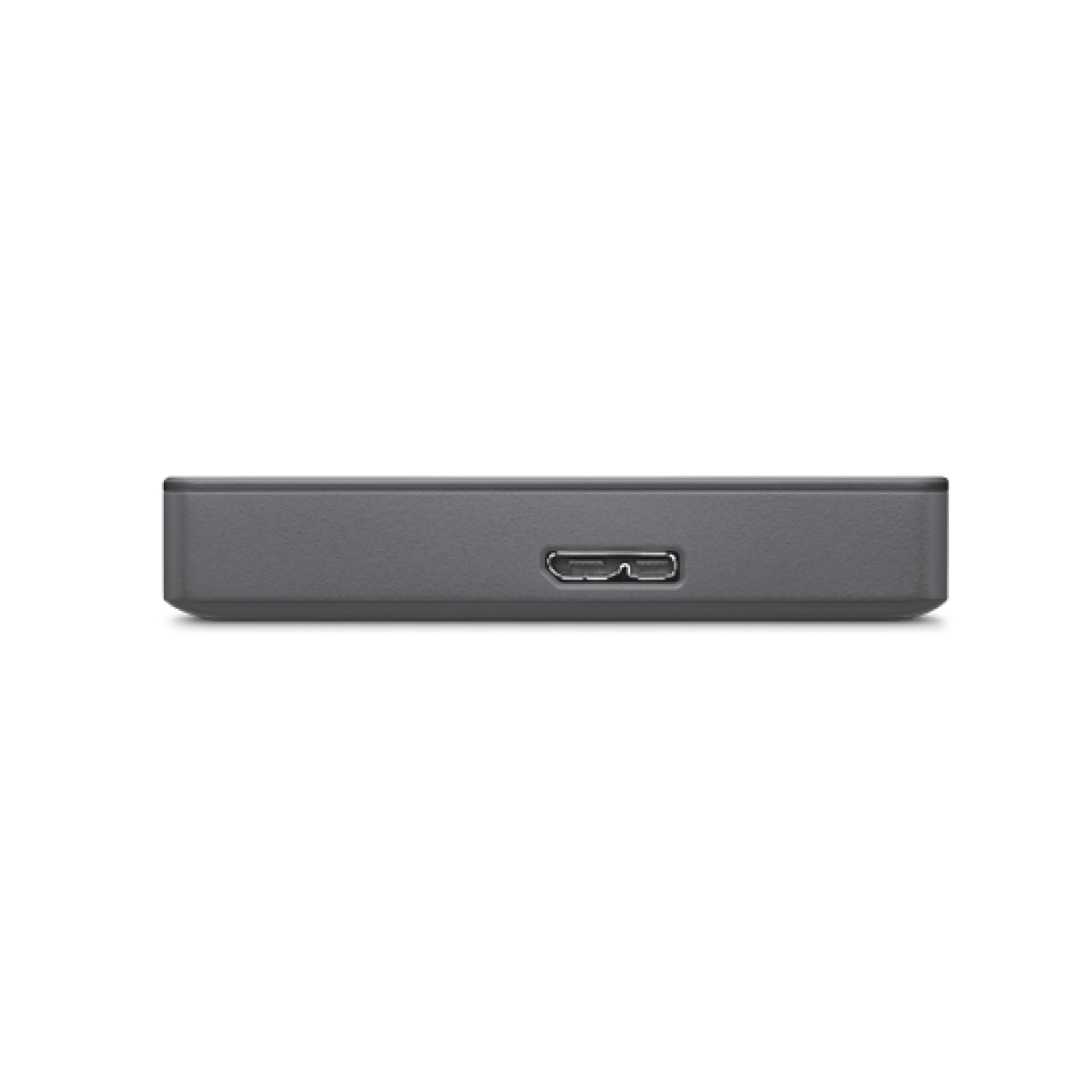
In today's digital age, data is the backbone of personal and professional life. Losing critical files, photos, or work documents can be catastrophic, especially when dealing with Seagate Basic hard drives—the popular, portable external storage solution. Seattle Data Recovery has established itself as a trusted leader in this field, providing professional services that restore data with precision and integrity. Whether your Seagate Basic drive has failed or experienced data corruption, our experts employ state-of-the-art techniques to recover data in a controlled, clean environment, ensuring that your folders, files, and their original organization are preserved completely.
The key to successful data recovery lies in the expertise and advanced laboratory facilities that Seattle Data Recovery provides. Unlike typical software solutions, our team manages physically damaged drives through specialized hardware techniques, safeguarding your data from further loss. Our mission is to restore valuable data swiftly and securely, giving you peace of mind that your data is in trusted hands. As a result, countless users rely on our professional recovery services to recover data from Seagate Basic drives precisely when conventional methods fall short.
An Overview of the Seagate Basic Hard Drive: Simplicity Meets Utility
The Seagate Basic hard drive has gained popularity due to its straightforward design and ease of use. Built for everyday storage needs, it provides a plug-and-play experience that appeals to both novice users and experienced professionals. Utilizing USB 3.0 connectivity, this external drive offers rapid data transfer speeds, making it suitable for backing up large files or expanding storage on a Windows PC or Mac with minimal hassle.
Designed with portability in mind, the Seagate Basic is a compact, lightweight device powered solely via the USB connection. It boasts large storage capacities, often reaching multiple terabytes, at an affordable price point. Its simplicity is complemented by drag-and-drop functionality, allowing users to manage files easily without the need for complex software. Due to its spinning hard disk drive (HDD) technology, however, it is more susceptible to certain types of failure, underscoring the importance of reliable data recovery services in the event of mishaps.
When to Turn to Seattle Data Recovery for Your Seagate Basic Drive
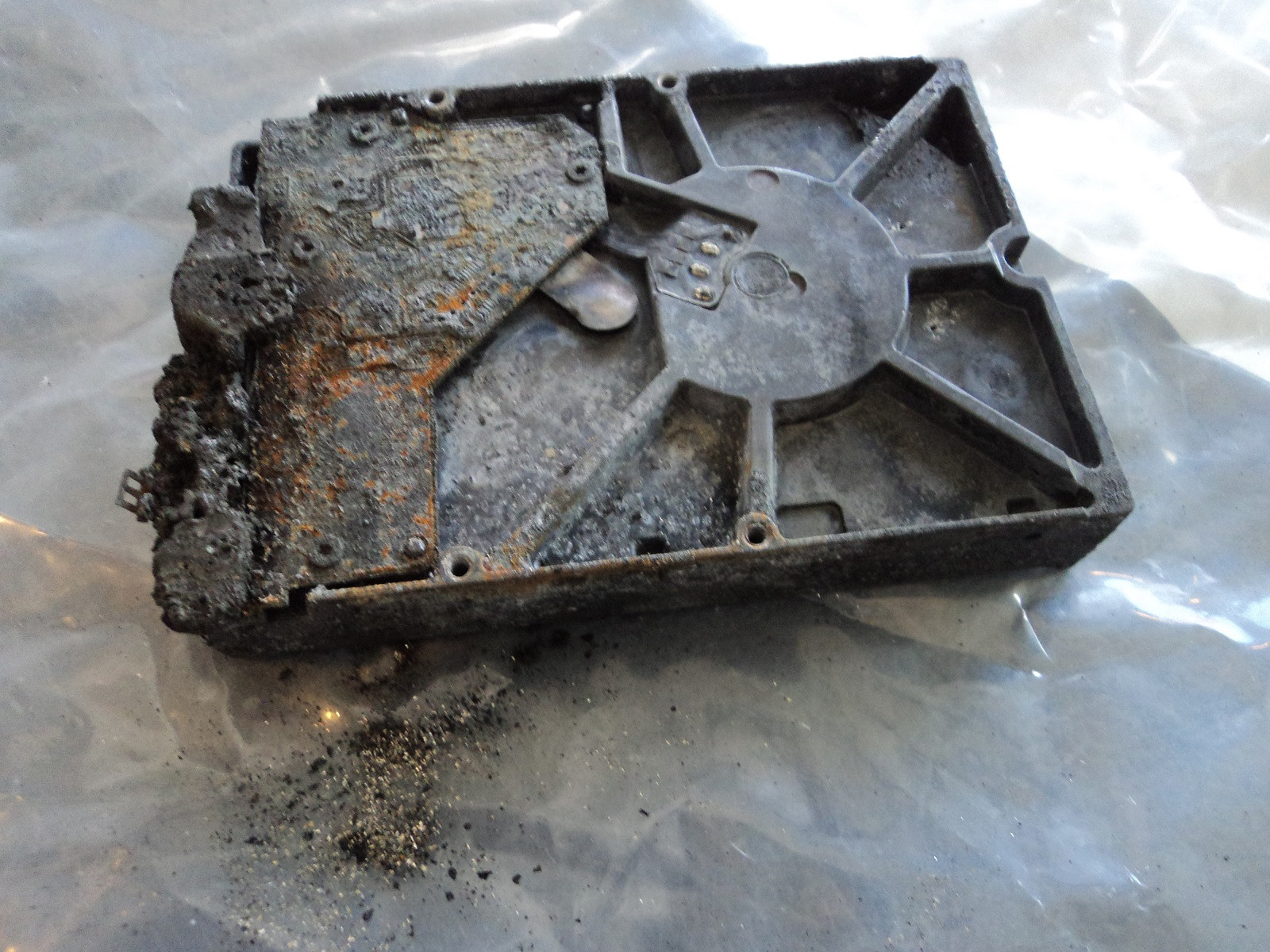
Recognizing when professional data recovery is necessary can save both time and data. If your Seagate Basic drive exhibits signs of physical damage or any mechanical issues, it's crucial to seek expert assistance promptly. For example, if your drive has been dropped, exposed to liquid, or exhibits unusual noises, software-based recovery methods are unlikely to succeed. In such cases, mechanical failure or physical damage often necessitates sophisticated hardware repairs, which are best handled by professionals like those at Seattle Data Recovery.
Logical failures—including file corruption or accidental deletion—may sometimes be beyond the scope of conventional software recovery. When routine troubleshooting doesn't restore your data, partnering with experts increases the chances of success. Timing is critical because continued use of a damaged drive can exacerbate problems, making professional recovery even more challenging and costly. By contacting Seattle Data Recovery early, you enhance the likelihood of a complete and intact restoration of your Seagate Basic data.
The Professional Data Recovery Process: A Step-By-Step Guide
The process of recovering data from a Seagate Basic drive involves meticulous procedures performed in a controlled environment. The first step involves an initial consultation and assessment, during which specialists examine the drive visually and use diagnostic tools. Once the problem is identified, a recovery claim is filed, and the drive is shipped to a certified data recovery lab using prepaid shipping labels provided by the service.
In the laboratory, technicians begin by imaging the drive's data at a bit-by-bit level, creating an exact clone to work from. This process ensures that the original drive remains untouched during recovery procedures. For physically damaged drives, hardware repairs such as replacing read/write heads or repairing damaged platters may be necessary. Specialized techniques, such as platter reconstruction, are employed when data is severely corrupted or physically compromised. Once the data has been successfully accessed, it is transferred to a new, functioning medium, such as a USB drive, before being returned to the owner.
Read more: Professional Data Recovery: Seattle Data Recovery Restores Your Seagate Basic Hard Drive

- Details
- Written by: Seattle Data Recovery
- Category: Portable Hard Drive Data Recovery
The Vital Role of Data Security in Today's Digital World
In an era where data is the backbone of professional and personal success, the reliability of portable storage devices like the Toshiba Canvio Advance Plus Portable Hard Drive is crucial. Whether you are a creative professional, a home user, or a business owner, safeguarding your files and ensuring their accessibility at all times is paramount. Unfortunately, even durable external drives can experience failures due to various reasons, resulting in data loss and potential setbacks.
Seattle Data Recovery provides specialized, professional data recovery services for Toshiba Canvio Advance Plus Portable Hard Drives. From addressing physical damages to logical errors, our experts utilize advanced tools, clean room environments, and industry-best practices to restore your data while maintaining its original folder structure and filenames. Read on to discover how we can help you recover your valuable files quickly and securely.
Understanding the Toshiba Canvio Advance Plus Portable Hard Drive
The Toshiba Canvio Advance Plus is a popular choice among consumers seeking reliable, high-capacity external storage. Designed with convenience and style in mind, it features a sleek, textured exterior available in multiple colors and sizes up to 4TB. Its compatibility with both USB-A and USB-C ports makes it versatile for users across Windows and Mac platforms.
Designed primarily for fast and portable storage, the Toshiba Canvio Advance Plus offers high-speed USB 3.0 connectivity, enabling users to transfer large files quickly. The included software for automatic backups and password protection makes it an ideal choice for individuals and businesses that prioritize data security and ease of use. Despite its durability, accidental damage, logical errors, and hardware failures can compromise the safety of your data.
Common Causes of Data Loss on Toshiba Canvio Advance Plus Drives
While the Toshiba Canvio Advance Plus is designed to withstand daily wear and tear, several factors can compromise its functionality. Physical damage resulting from accidental drops, impacts, or exposure to dust can lead to mechanical failures. On the other hand, logical issues—such as accidental file deletion, formatting errors, or malware infections—often cause data inaccessibility without any physical damage.
Electronic failures are another risk, typically caused by damaged circuit boards or internal electronic components. These issues may prevent the drive from being recognized by your computer, despite its external appearance appearing intact. Recognizing these causes is essential because they determine the recovery approach—whether it involves physical, logical, or electronic repair—and whether professional intervention becomes necessary.
When Professional Data Recovery Is a Must for Your Toshiba Drive
Attempting to recover data from a Toshiba Canvio Advance Plus Portable Hard Drive without proper training and equipment can risk further damage and data loss. Professional data recovery services, such as Seattle Data Recovery, employ specialized tools, expert technicians, and controlled environments to optimize recovery chances.
Physical damage, such as a shattered casing or damaged internal platters, requires meticulous handling in a clean room. If your drive produces clicking noises or fails to spin up, a professional can diagnose whether mechanical repair or component replacement is needed. Similarly, electronic failures involving damaged PCBs necessitate expert electronic repair techniques and precise hardware replacement.
The Risks & Limitations of DIY Data Recovery
Many users consider DIY solutions, such as data recovery software or simple troubleshooting steps, but these methods often fall short when dealing with complex failures. For example, in cases of internal USB connectivity issues or motor failures, software tools cannot resolve the underlying hardware problem. Moreover, attempting DIY repairs may inadvertently cause more damage, especially if internal components are opened or tampered with improperly.
Professional recovery services, on the other hand, understand the intricacies of Toshiba drives and have access to specialized conversion tools—such as internal USB-to-SATA adapters—that are inaccessible to the general user. These tools enable technicians to bypass internal USB interfaces and access data on a more direct and stable connection, greatly improving the chances of a successful recovery.
The Critical Importance of Clean Room Environments
One of the key advantages of professional data recovery services is their use of clean rooms—highly controlled environments with filtered airflow and minimal dust particles. When working with a Toshiba Canvio Advance Plus Portable Hard Drive, it is essential to prevent dust and debris from contaminating the delicate internal components.
In these clean rooms, expert technicians meticulously disassemble the drive, diagnose the internal damage, and perform necessary repairs or component swaps. This controlled environment minimizes the risk of further damage. It ensures precise handling, drastically increasing the likelihood of full data recovery while maintaining the integrity of your original folder structure and filenames.
The Specialized Approach to Toshiba Data Recovery
Toshiba's storage technology includes specific hardware components and firmware, which require a targeted approach during recovery. Seattle Data Recovery's technicians receive ongoing training that keeps them up to date on Toshiba's internal technologies and failure points. This specialized knowledge allows us to tailor each recovery effort to the particular model and failure type.
Utilizing industry-leading tools, including optical and electronic inspection microscopes, firmware repair software, and cleanroom environments, we can address both physical and logical damage seamlessly. Our priority is to retrieve the data intact, preserve the original organization, and ensure that your files remain exactly as you know them.
Step-by-Step Process: How Seattle Data Recovery Restores Your Toshiba Drive
When you contact Seattle Data Recovery about your Toshiba Canvio Advance Plus Portable Hard Drive, the first step involves a thorough, professional diagnosis. Our experts examine the drive to identify the type of damage—whether physical, logical, or electronic—without risking further harm. Based on this assessment, we provide a detailed quote and recovery plan.
Once you approve the estimate, our technicians proceed with data recovery using advanced techniques. These may include repairing damaged PCB components, restoring firmware, or utilizing specialized software to recover data from corrupted sectors. Throughout the process, we prioritize preserving your original folder structures and filenames, ensuring that your recovered data remains organized and accessible.
Precautions and Recommendations: Protecting Your Data Moving Forward
Prevention is always better than a cure. To mitigate the risk of future data loss, we recommend implementing a comprehensive backup strategy, utilizing reliable software solutions, and regularly verifying the integrity of stored data. Additionally, handling your Toshiba Canvio Advance Plus with care—avoiding drops, impacts, and exposure to extreme environments—can significantly extend its lifespan.
In cases where data becomes inaccessible suddenly or the drive shows signs of failure, refrain from attempting DIY repairs or further use of the drive. Instead, contact professional services like Seattle Data Recovery promptly. Timely intervention often results in higher success rates and minimizes the risk of irreversible data damage.
The Conclusion: Trust Professionals for Critical Data Recovery Needs
The importance of data security cannot be overstated in today's digitally driven landscape. When facing issues with your Toshiba Canvio Advance Plus Portable Hard Drive, professional data recovery services, such as Seattle Data Recovery, offer the expertise and equipment necessary to restore your valuable data securely and efficiently.
Through meticulous handling, adherence to industry-best practices, and the use of advanced technology, we ensure that your original files, folders, and filenames are preserved during every recovery process. Remember, professional intervention is your best option when your data is at risk, especially in cases of complex physical or electronic damage. Trust our experts to revive your files and restore your peace of mind.
About Seattle Data Recovery
Seattle Data Recovery has established a reputation for delivering fast, reliable, and secure data recovery services for a diverse range of external and internal storage devices, including the Toshiba Canvio Advance Plus Portable Hard Drive. Our team of certified specialists utilizes state-of-the-art clean room environments and cutting-edge tools to handle complex recovery scenarios. We prioritize customer confidentiality and strive to deliver the highest recovery success rates while preserving the integrity of your data.
Final Thoughts: Your Data Deserves Expert Care
No matter how careful you are, data loss can happen unexpectedly. When it does, you need a professional who understands the nuances of Toshiba drives and the intricacies of data recovery. Seattle Data Recovery is committed to helping you recover your critical files—intact, organized, and protected. Contact us today for a consultation and experience the difference that professional, dedicated recovery solutions can make.
Read more: Seattle Data Recovery Revives Your Toshiba Canvio Advance Plus Portable Hard Drive
- The Ultimate Guide to Safely Restoring Your Failing LaCie USB Hard Drives in Seattle
- Seattle Data Recovery Revives Files from Western Digital My Cloud Expert Series
- The Hidden Challenges of Recovering Data from WD Elements Portable Drives: What Seattle Data Recovery Wants You to Know
- Expert Data Recovery in Seattle: Restoring Your Toshiba Canvio Advance Portable Hard Drive with Precision
Subcategories
Data Recovery for Encryption

Technical Operations Report: Encrypted Data Recovery & Hardware Remediation
This report outlines the specialized methodologies, safety protocols, and operational costs associated with our advanced data recovery services. It explicitly clarifies that our facility does not engage in password cracking or cryptographic bypass operations. Instead, we leverage a proprietary infrastructure of encryption keys, tokens, donor components, and forensic hardware to migrate encrypted volumes from compromised media to functional host environments. This process enables the logical repair and extraction of corrupted data to new storage media (SSD/HDD).
Our recovery process is strictly founded on hardware-level remediation and logical volume reconstruction. We do not decrypt data without authorized credentials; rather, we restore the physical and digital integrity of the storage medium to facilitate access.
-
2.1 Hardware Migration & Volume Mounting
The core of our operation involves the extraction of encrypted volumes from physically damaged devices. This is achieved by utilizing an extensive internal library of:-
Encryption Keys & Tokens: Verified cryptographic artifacts required for volume authentication.
-
Donor Hardware: A vast inventory of circuit boards (PCBs), controller chips, and donor drives matching specific firmware revisions.
-
Forensic Tools & Software: Proprietary algorithms designed to stabilize unstable read/write heads and correct error-correcting code (ECC) discrepancies.
Once the physical substrate is stabilized, the encrypted volume is mounted within a controlled, functional hardware environment. -
-
2.2 Data Integrity Restoration
Following successful mounting, we employ advanced logical recovery techniques to address file system corruption. This includes repairing broken partition tables, patching corrupted sector chains, and rebuilding directory structures. The final deliverable is a verified, bit-perfect copy of the recovered data transferred to a new, high-reliability SSD or HDD.
The physical manipulation of micro-circuitry and storage components introduces significant environmental and health hazards. Our facility adheres to strict safety standards to mitigate risks associated with:
-
Thermal & Chemical Exposure: The removal and replacement of surface-mount components (chip-off recovery) require the use of high-temperature reflow stations and aggressive chemical solvents for flux removal and board cleaning.
-
Toxic Materials: Technicians are routinely exposed to lead (from solder) and hazardous fumes generated during the heating of substrates and coatings.
-
Mitigation Strategies: Operations are conducted using industrial-grade fume extraction systems, lead-safe handling procedures, and personal protective equipment (PPE) to ensure technician safety.
maintaining a certified cleanroom environment is critical for preventing catastrophic data loss due to particulate contamination. This requirement imposes substantial operational overhead.
-
Environmental Controls: The facility utilizes HEPA-filtered air systems to maintain ISO-standard air quality, preventing microscopic dust and static discharge from damaging exposed platters and silicon dies.
-
Consumables & Garments: To maintain sterility, technicians must utilize single-use, anti-static protective uniforms (bunny suits), gloves, and face masks for every entry into the cleanroom. The cumulative cost of these disposable materials is a significant factor in the overall pricing structure.
-
Specialized Circuitry: The precise removal and re-soldering of memory chips and controllers require capital-intensive optical inspection systems and micro-soldering workstations.
Our data recovery services represent a complex intersection of electrical engineering, digital forensics, and hazardous material handling. The costs associated with our services directly reflect the investment in specialized equipment, the consumption of single-use safety gear, and the inherent risks involved in physical hardware remediation. We remain committed to providing the highest standard of recovery success while maintaining rigorous safety and ethical standards.
Reference Section: Regulatory Compliance & Technical Standards
Our "chip-off" and hardware migration techniques adhere to the digital forensic standards established by federal bodies for the recovery of data from damaged or encrypted media.
NIST (National Institute of Standards and Technology)
- Standard: Computer Forensics Tool Testing (CFTT)
- Relevance: Validates the methodology for digital data acquisition from damaged devices, including "chip-off" extraction where flash memory is physically removed from the circuit board to bypass failed controllers.
- Source: NIST Computer Forensics Tool Testing Program | Chip-Off Data Analysis (NIST Presentation)
FEMA (Federal Emergency Management Agency)
- Standard: Digital Forensics Basics (AWR-139-W)
- Relevance: Recognizes the necessity of advanced recovery techniques to retrieve data that has been "intentionally hidden or encrypted," confirming that physical extraction is a validated recovery path when standard access fails.
- Source: FEMA National Preparedness Course Catalog
- State of Indiana Digital Forensic Unit Procedures
- Standard: Chip-Off Extraction Protocols
- Relevance: Official government procedure manuals explicitly classify "chip-off" as an advanced data extraction technique required when devices are damaged or locked, validating it as a recognized forensic process rather than an illicit activity.
- Source: Digital Forensic Unit Procedures Manual (IN.gov)
Our facility strictly follows military and federal guidelines for handling the toxic materials involved in micro-circuitry repair and chemical cleaning.
- DOD (Department of Defense)
- Standard: Hazardous Materials Information Resource System (HMIRS)
- Relevance: The authoritative source for Safety Data Sheets (SDS) used by the US Military. Our lab utilizes these standards to manage the risks of chemical solvents and flux residues used during the cleaning of sensitive electronics.
- Source: DLA Hazardous Materials Information Resource System
- OSHA (Occupational Safety and Health Administration) / NIOSH
- Standard: Chemical Hazards & Lead Exposure
- Relevance: Defines the permissible exposure limits (PEL) for lead fumes (from soldering) and chemical solvents. Compliance with these standards necessitates the high-cost ventilation systems and personal protective equipment (PPE) utilized in our lab.
- Source: NIOSH Pocket Guide to Chemical Hazards
- ISO (International Organization for Standardization)
- Standard: ISO 14644-1 (Cleanroom Standards)
- Relevance: Defines the air cleanliness classes required for handling exposed storage media. Our facility adheres to strict particle count limits (e.g., ISO Class 5) to prevent microscopic contaminants from destroying data during physical recovery.
Hard Drive Repairs
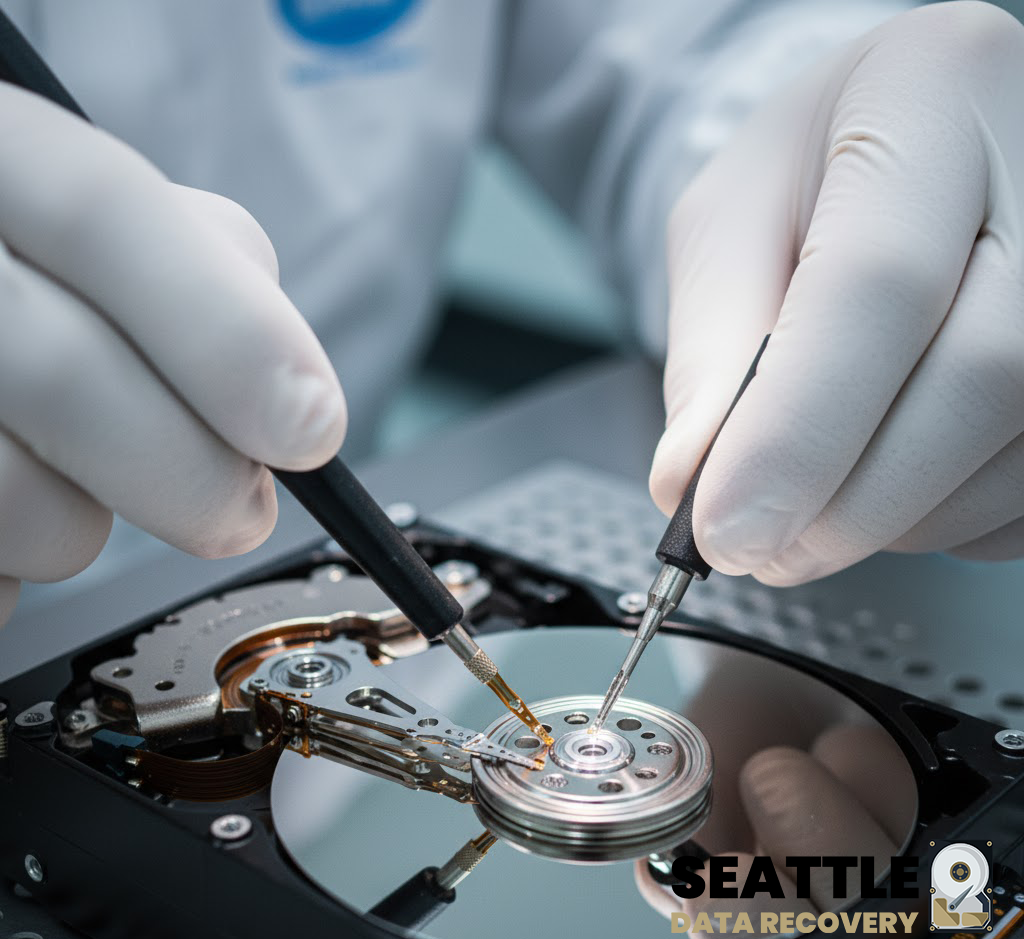
Hardware-Level Hard Drive Repair for All Brands by Seattle Data Recovery
Universal Failure Tiers & Brand-Specific Engineering Protocols
Western Digital (WD): Bypassing Integrated USB & Encryption
- The Hardware Hurdle: Most portable WD drives (like the My Passport series) do not feature a standard SATA connector. Instead, the USB port and a hardware encryption chip are soldered directly to the main Printed Circuit Board (PCB).
- Our Repair Protocol: If the board suffers a short circuit or the USB port breaks, our technicians perform precision micro-soldering. Under magnification, we tap directly into the drive’s core SATA transmission lines on the board, routing them out to our diagnostic hardware while keeping the encryption chip active to prevent data scrambling.
Seagate: Resolving Seized Spindles & Firmware Loops
- The Hardware Hurdle: Seagate drives feature a compact mechanical design that makes them prone to a "seized spindle motor" or stuck heads if dropped. Additionally, their Media Cache architecture can get trapped in a permanent firmware lock loop when it hits corrupted data sectors.
- Our Repair Protocol: For stuck components, the drive is moved to our dust-free cleanroom where engineers use specialized mechanical tools to safely unstick the head assembly or cleanly migrate the platters to a matching donor chassis. For firmware loops, we link directly to the drive’s system terminal to patch its internal code via RAM commands.
Toshiba: Clearing G-Sensor Lockouts
- The Hardware Hurdle: Toshiba external lines (Canvio series) feature built-in hardware accelerometers (G-Sensors) designed to instantly lock the drive if motion is detected. A sudden drop can trap the drive in a defensive, non-responsive firmware loop.
- Our Repair Protocol: Much like WD, modern Toshiba portable drives utilize integrated USB boards. We convert the native board to a raw SATA path, allowing us to transmit low-level commands that clear out the persistent error logs trapped in the drive’s system memory, stabilizing the controller for data mirroring.
HGST / SanDisk Professional: Enterprise Multi-Platter Alignment
- The Hardware Hurdle: HGST and G-Technology drives spin at higher RPMs (7200 RPM) and often feature tight, multi-platter stacks. They use highly unique NVRAM chips on their PCBs containing custom adaptive alignment data for that specific drive's internal read/write heads.
- Our Repair Protocol: If the PCB fails due to power surges, a simple board swap will fail. Our technicians desolder the original microscopic NVRAM chip and cleanly transplant it onto a perfectly matched donor PCB. Mechanical repairs are performed with absolute precision to maintain the alignment of the multi-platter stack.
The Seattle Data Recovery Hardware Repair Process
- The Cleanroom Inquest: If a drive is clicking, grinding, or beeping, it is never powered on in a standard room. It is opened strictly inside an ISO 5 Cleanroom environment where airborne particles are filtered down to microscopic levels. This prevents dust from landing on the platters and permanently scratching away data.
- Donor Part Matching: Physical part replacements require an incredibly precise match. We maintain an extensive inventory of donor drives, matching not just the model number, but also manufacturing dates, site codes, and internal pre-amplifier revisions.
- Forensic Cloned Imaging: Repaired hard drives are highly unstable and are never meant to be returned to normal use. Once the drive spins up smoothly, it is immediately attached to a hardware imager to create a bit-for-bit digital clone. We extract your data safely from this healthy clone.
Emergency Guidelines: Protect Your Media from Permanent Loss
- Disconnect Power Immediately: If the drive is making unusual sounds (clicking, beeping, buzzing), pull the plug. Keeping it powered on can cause a broken read head to physically dig into the spinning platter, shredding your data into unrecoverable dust.
- Say No to DIY Software: File recovery programs are designed for healthy drives with deleted files. Forcing software to scan a drive with a physical head or firmware failure will rapidly overheat and permanently destroy the unit.
- Do Not Open the Drive Casing: Cracking open a hard drive cover outside of a certified cleanroom immediately ruins the drive's internal environment, exposing the platters to millions of microscopic airborne contaminants.
Platters
- What it is: Flat, circular metal or glass discs coated in a magnetic material that physically store all digital data.
- Common failures: Head crashes (where read/write heads scratch or gouge the magnetic surface), bad sectors (unreadable data blocks), and physical warping from severe heat or drops.
Read/Write Heads
- What it is: Tiny sensors mounted on the tip of the actuator arm that float a microscopic distance above the spinning platters to read and write data.
- Common failures: Head crash (contact with platters), head stiction (heads getting permanently glued or stuck to the platter surface), and actuator/head degradation causing clicking or beeping noises.
Actuator Arm & Voice Coil Actuator
- What it is: A mechanical arm that sweeps the read/write heads rapidly and precisely across the surface of the platters, controlled by a magnet and coil assembly.
- Common failures: Failed actuator motor/assembly, mechanical binding, or inability to track and position the heads accurately.
Spindle Motor
- What it is: The motor located beneath the platters that spins them at high speeds (typically 5,400 to 7,200 RPM).
- Common failures: Seized motor (failure to spin up, often making a faint ticking, beeping, or humming sound) or worn bearings that cause grinding noises and wobbling platters.
Printed Circuit Board (PCB / Controller Board)
- What it is: The external green or black circuit board attached to the bottom of the drive that translates signals, controls the motor, and manages data flow.
- Common failures: Electrical short circuits or component burn-out caused by power surges, static discharge, or a faulty power supply, which can render the drive completely dead ("no power/no spin").
Firmware (System Area)
- What it is: Low-level internal software stored on a reserved portion of the platters and PCB that boots the drive and tells the heads how to operate.
- Common failures: Firmware corruption from bugs, improper updates, or unexpected power loss, which causes the drive to spin up but fail to be recognized by the computer.
Cache Memory (DRAM)
- What it is: A small, high-speed volatile memory chip on the PCB that temporarily holds frequently accessed data.
- Common failures: Data corruption or chip failure due to voltage spikes or overheating.
Air/Breather Filter
- What it is: A tiny internal filter that equalizes internal air pressure with the outside while trapping microscopic dust particles.
- Common failures: Clogging or seal failure that lets dust and moisture inside, leading to platter contamination and corrosion.
Data and Power Connectors
- What it is: The physical pins/ports that plug the drive into the computer's motherboard and power supply.
- Common failures: Bent or broken pins, loose cable connections, or corroded contact pads.
External USB Hard Drive Recovery
1. Terms for Finding Professional Help (Physical Damage)
- "Cleanroom data recovery": Essential for open-drive repairs. It ensures dust doesn't destroy the sensitive platters inside the drive.
- "Head swap service": Specific repair for when the read/write heads are damaged (often causes clicking sounds).
- "Platter restoration" or "scratch damage recovery": For severe damage where the data storage surface is physically scratched.
- "PCB repair" or "firmware repair": For when the drive's circuit board or internal coding fails (drive might seem dead or show wrong capacity).
- "No data no fee recovery": A pricing model where you pay nothing if they cannot recover your files.
2. Terms for DIY Software (Logical Errors)
- "Partition recovery software": If the drive shows up as "unallocated" or asks to be formatted.
- "Undelete tool" or "File recovery utility": If you accidentally deleted files or emptied the trash/recycle bin.
- "Corrupted file system repair": If the drive is visible but you can't open folders.
3. Industry "Slang" to Know
- "Click of death": The rhythmic clicking sound indicating mechanical failure.
- "Donor drive": A matching hard drive that professionals buy to harvest parts (like heads) to repair yours.
- "Cloning": The process of creating a bit-by-bit copy of your failing drive to a healthy one before attempting recovery.
Cost Expectations
- Logical Recovery (Software/Firmware): Typically $500+.
- Physical Recovery (Cleanroom/Mechanical): Typically $600 – $2,500+ depending on if you need donor parts.
Portable Hard Drive Data Recovery
Integrated USB External Drives (non-shuckable)
The Engineering Challenge: Recovering Integrated, Non-Shuckable External Drives
Why Integrated USB Drives Fail Differently
- No Native SATA Direct Access: Data recovery hardware tools (like the industry-standard PC-3000) rely on low-level SATA commands to handle bad sectors, bypass firmware locks, and force unstable hard drives to read data. The USB interface acts as a "translator" that inherently blocks these diagnostic commands.
- The USB Bridge Failure Protocol: If an integrated drive encounters even a minor physical issue (like a few unreadable sectors), the onboard USB bridge chip often panics, freezes, and completely drops its connection to the computer.
How Specialized Labs Bypass Non-Shuckable Failure Tiers
Phase 1: Hardware SATA Modification (Solder-Level Wire Tapping)
- Locating the Transmit/Receive Lines: Technicians use microscopic schematics of the PCB to identify the four tiny differential data lines (Tx+, Tx-, Rx+, Rx-) leading directly from the drive's main controller chip before they reach the USB chip.
- The Solder Bridge: Under a microscope, an engineer will manually solder microscopic wires directly onto these traces, effectively creating a makeshift SATA port. They then isolate and disable the power to the native USB chip to prevent signal interference. This allows the hardware to communicate directly with the drive at the core firmware level.
Phase 2: Complete PCB Swapping & ROM Transplants
- The Donor Match: Engineers must source an identical "donor" PCB. Crucially, modern hard drives store unique, factory-calibrated alignment data inside a specific ROM chip on the board.
- The ROM De-Solder: Simply putting a new board on the drive will fail because it lacks the original calibration codes. The engineer must physically de-solder the microscopic ROM chip from the broken integrated USB board and solder it cleanly onto the healthy donor board.
Phase 3: ISO Cleanroom Mechanical Recovery
- Once the electronic modifications from Phase 1 or 2 are completed, the drive must be moved into a certified ISO 5 Cleanroom environment.
- Technicians manually swap out damaged read/write head assemblies or deal with platter scratches, using the newly modified SATA connection to safely mirror the data onto a healthy server.
What Affected Users Should Do
- Stop Power Cycles: Do not keep plugging the drive into different computers. If a drive has weak read heads, forcing it to try and boot over a restrictive USB interface can scratch the magnetic platters, leading to permanent, irreversible data loss.
- Avoid DIY Software: Standard file-scraping software cannot navigate a failing USB bridge controller. If the hardware is freezing, software will only accelerate the physical death of the drive.
Full System & Bootable Drive Recovery
Complete Full System & Bootable Drive Recovery: Restoring Operational Continuity
Understanding the Full System Recovery Architecture
- The Boot Sector (MBR/GPT/UEFI): The critical first layer that tells your computer hardware how to initialize and locate the operating system. If this tiny block of code is corrupted by a power surge or bad sectors, the machine will display black-screen errors like "Operating System Not Found" or "No Bootable Device Detected."
- The Operating System Kernel: The core directory hosting Windows, macOS, or Linux system files.
- The Registry and Application Layer: The localized databases that remember your software licenses, user profiles, specific network paths, and custom enterprise tools.
Popular Full System Failure Scenarios & Lab Solutions
1. Severe Physical Damage to Core Boot Media
- The Scenario: A workstation or production laptop is dropped, or a server drive suffers an internal mechanical head failure. The drive begins clicking or grinding, and the machine crashes into a blue-screen loop or a blank screen.
- The Lab Solution: We open the failing hard drive inside our ISO 5 Cleanroom to replace damaged read/write head assemblies with exact matching donor components. For dead solid-state boot drives, we perform advanced chip-off recovery and controller bypassing to access the underlying flash memory blocks directly.
- The Bootable Result: Rather than just extracting files, we generate an absolute, sector-by-sector binary clone of the entire drive surface, preserving the precise partition geometry and alignment.
2. Corrupted Apple Silicon Logic Boards and M-Series Mac OS Environments
- The Scenario: A modern MacBook Pro or iMac suffers an electrical short, liquid spill, or power spike. Because Apple Silicon M1/M2/M3/M4 storage chips are permanently soldered to the main circuit board, a dead board means your entire system and local user profiles are completely trapped.
- The Lab Solution: Our micro-soldering specialists perform advanced logic board diagnostics and component-level donor transplants. We migrate the encrypted NAND storage silicon and matching secure processor keys together onto a stable donor board, allowing the Mac OS environment to safely boot into a hardware-unlocked extraction state.
3. Catastrophic Operating System and Firmware Corruption
- The Scenario: A sudden power grid drop during a winter storm interrupts a critical system update or firmware flash. The operating system files become deeply corrupted, or the drive's internal translation layer microcode locks up, making the system completely unresponsive.
- The Lab Solution: We connect the drive to hardware emulators (such as the PC-3000) to bypass standard operating system drivers. We safely patch the drive's internal firmware tracking tables, repair broken Master Boot Record (MBR) layouts, and correct underlying Master File Table (MFT) errors.
Post-Recovery Options: Hardware Clones vs. Virtual Containers
- Bare-Metal Hardware Clone: We flash the entire recovered image directly onto a brand-new, high-speed solid-state drive (SSD). You simply slide the new drive back into your original computer, press the power button, and watch your original operating system boot up instantly with all your files and settings intact.
- Physical-to-Virtual (P2V) Conversion: We convert your entire system image into a standalone virtual disk container (such as a
.VMDKor.VHDXfile). This allows you to run your complete legacy workstation or server inside a virtualized sandbox on a brand-new computer or deploy it instantly to cloud infrastructures like AWS or Microsoft Azure.
Secure B2B Walk-In and Drop-Off Instructions
- Arrival & Free Designated Parking: To safely transport rackmount server arrays, enterprise towers, or multiple workstations, pull vehicles directly onto Level 2 of our facility structure. We provide dedicated free client parking spaces (Spaces 40–45) explicitly reserved for Seattle Data Recovery clients.
- Secure Elevator Access: Proceed inside the primary lobby doors and take the building elevator directly up to Level 4 (please note that building stairwells are locked for security and do not connect to the commercial office suites).
- Regus Reception Experience: Turn right out of the elevator cab to step into our executive corporate suite, managed in exclusive partnership with Regus. Regus front-desk reception teams are globally recognized for elite administrative hospitality, absolute data privacy controls, and a polished corporate environment. Your high-priority hardware will be instantly logged into our secure tracking system before entering our engineering workspace.
Partition Recovery Services
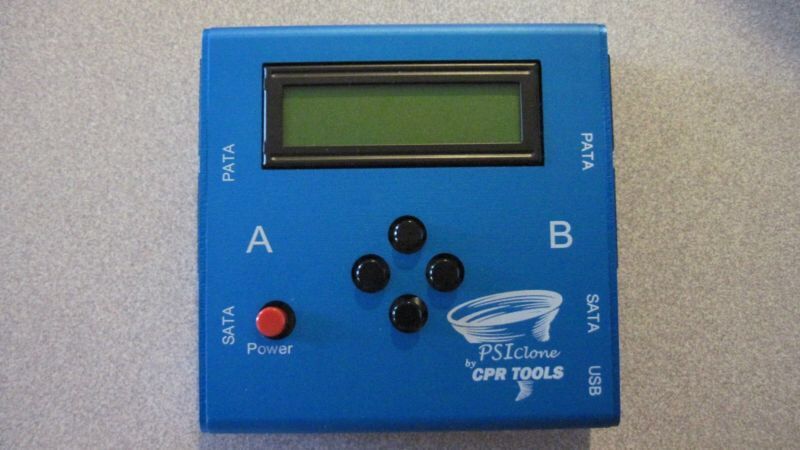
Advanced Partition Recovery Engineering at Seattle Data Recovery
The Anatomy of a Lost Partition: What Actually Happens?
- Partition Tables (MBR / GPT): The very first sectors of a drive contain the map of all volumes. If a power surge, improper disconnection, or firmware bug corrupts this table, the operating system views the entire drive as empty, "unallocated," or "RAW."
- The File System Boot Sector: Each individual partition has its own boot sector containing critical parameters (like cluster size and the location of the file metadata tables). If this sector is wiped, the partition becomes unreadable.
- Metadata Tables (MFT / HFS Catalog / APFS Containers): For Windows (NTFS), Mac (APFS/HFS+), or Linux (EXT4), these tables act as the drive's master index. If the index is fractured, the files remain on the platters, but their names, folder structures, and directory paths are lost.
Our Tiered Partition Recovery Protocols
Phase 1: Sector-by-Sector Diagnostic Imaging
- We mount the drive onto a hardware imager that bypasses the computer’s operating system.
- We create a bit-for-bit, exact digital clone of the drive, handling unstable or dropping heads safely. All subsequent partition repairs are performed strictly on this secure digital image.
Phase 2: Forensic Geometry Reconstruction
- Locating Backup Superblocks: Operating systems automatically create hidden, backup copies of partition headers and boot sectors at the very end of a drive's boundary.
- Our engineers manually calculate the drive geometry to locate these hidden backups, parsing the raw hex signatures to inject the original volume parameters back into the primary partition table.
Phase 3: Parsing Fractured File Systems
- Our systems perform a highly specialized process called Intelligent File System Parsing. Rather than randomly searching for files, our equipment maps out the ghost remains of the old Master File Table (MFT) or Catalog Tree.
- This allows Seattle Data Recovery to extract the data while fully preserving the original file names, date timestamps, and nested folder hierarchies exactly as they existed before the collapse.
Critical Instructions for Partition Loss Situations
- Strictly Avoid "Chkdsk", "First Aid", or Defrag Utilities: If a partition table is corrupted, built-in operating system repair tools will aggressively attempt to "fix" it by writing new data over the old file system indexes. This can permanently slice through and destroy the remaining structural fragments of your files.
- Do Not Initialize or Format the Volume: If your operating system pops up a window saying "You must format the disk in drive X: before you can use it," click Cancel immediately. Formatting creates a brand-new file system structure that can overwrite the original metadata blocks.
- Keep the Drive Powered Down: If the partition dropped because of background physical media degradation (bad sectors), leaving the drive plugged in allows the internal drive logic to keep retrying those dead zones, which can physically burn out the read/write heads.
Internal Hard Drive Data Recovery Services
Professional Cleanroom Recovery for Laptop & Desktop HDDs
Supported Drive Interfaces & Form Factors
- 2.5-Inch Laptop Drives: Standard SATA, Slim SATA, and legacy IDE/PATA drives pulled from laptops, MacBooks, and portable enclosures.
- 3.5-Inch Desktop Drives: High-capacity SATA, enterprise SAS (Serial Attached SCSI), and legacy IDE drives pulled from Mac Pros, gaming rigs, workstations, and home towers.
- Solid-State Hybrid Drives (SSHD): Complex dual-architecture drives (such as Seagate FireCuda) that utilize a mechanical platter stack paired with an integrated NAND flash caching chip.
Direct Comparisons: Common Internal Failure Modes
| Attribute | 💻 Laptop Hard Drives (2.5") | 🖥️ Desktop Hard Drives (3.5") |
|---|---|---|
| Primary Failure Catalyst | Physical trauma (drops, jars, liquid spills) and thermal choking in tight chassis spaces. | Power surges, prolonged runtime wear, and sudden power loss (OS crashes). |
| Mechanical Symptom | Head Stiction (heads stuck to platters) or snapped actuator arms due to impact. | Seized Spindle Motors or worn-out bearings emitting grinding/buzzing noises. |
| Electronic Failure | Corrupted firmware modules caused by abrupt battery depletion mid-write cycle. | Blown TVS Diodes and shorted PCBs caused by faulty desktop power supplies (PSUs). |
| Recovery Approach | Precision head isolation, manual parking ramp disengagement, and chassis stabilization. | Microscopic PCB component replacement, ROM transplants, or full cleanroom chassis swaps. |
Our ISO 5 Cleanroom Recovery Process
- Non-Destructive Diagnostic Assessment: We safely isolate your drive's Printed Circuit Board (PCB) to test the electrical rails. If the board is functional, we connect the drive to advanced diagnostic hardware (such as ACELab PC-3000) to read the drive's microcode through its terminal interface without initializing the unstable data sectors.
- Class 100 / ISO 5 Cleanroom Intervention: If your drive is clicking or failing to spin, it is transferred to our certified cleanroom. Our technicians use proprietary tools to perform mechanical adjustments:
- Head Stack Assembly (HSA) Transplants: Swapping out broken read/write heads using precise donor matches.
- Multi-Platter Alignment Transfers: Moving a locked platter stack to a functional donor chassis when a motor fails.
- Firmware and Translator Repair: Once the mechanics are stabilized, we repair internal system area structures, rebuild collapsed data translators, and modify head maps to isolate severely scratched platter zones.
- Bit-by-Bit Sector Imaging: The drive is cloned using specialized imaging hardware that controls read timeouts and head voltage. We target your most critical files first, ensuring that if the drive degrades completely during processing, your highest-priority data is already safe.







