

Professional Data Recovery Services

- Aerospace & High-Throughput Storage Handling: The owner of the laboratory is a certified Fiber Optic Technician (CFOT). This direct expertise is leveraged inside the lab for handling specialized enterprise storage networks, such as recovering mission-critical information from robust Fiber Channel Hard Drives used in massive datacenter frameworks. [1, 2]
- Aviation Software & Telemetry Recovery: The recovery framework extends directly into functional aviation logistics. The lab actively hosts file extraction protocols tailored for Electronic Flight Bags (EFB). When operational cockpit flight hardware or local dispatch ground-station tablets fail, the engineers isolate raw flash blocks to extract route logs, flight plans, and weight-and-balance database files. [1]
- Next-Gen Telemetry & Signal Infrastructure: Standard consumer software utilities lack the performance capacity to map data architectures from continuous high-bandwidth networks. The laboratory utilizes a proprietary hardware stack specifically designed to reconstruct raw data assets coming from 5G Towers and Fiber Nodes, handling massive distributed payloads without signal fragmentation. [1]
- Advanced Forensic Cleanroom Operations: Physical recovery for shattered, burned, or crushed hardware occurs within a strictly isolated, certified ISO 5 cleanroom laboratory. For deep forensics, law firms and certified investigators rely on their hardware-level, write-blocked cloning to read past physical errors, salvage intact master forensic images (
.E01,.DD), and preserve the strict Legal Evidence Chain of Custody for court presentations. [1]
1. Aerospace and Avionics Manufacturing
- Application: Modern aircraft (such as commercial jetliners and military fighter jets) use fiber optic data buses to power critical fly-by-wire flight control systems, glass cockpit displays, and in-flight entertainment networks.
- How They Combine: BAK provides the foundational understanding of flight physics, airframe constraints, and structural aviation regulations. CFOT expertise allows the engineer to safely design, splice, and test physical fiber cables within tight, highly vibration-prone avionics bays. [1]
2. Unmanned Aerial Systems (UAS) & Drone Infrastructure
- Application: Large-scale commercial drones and autonomous military surveillance aircraft rely on heavy data throughput to relay high-definition thermal imaging, radar mapping, and telemetry back to ground control stations.
- How They Combine: Aviation knowledge guides the technician through airspace integration, navigation data streams, and remote piloting mechanics. The fiber optic specialty ensures they can establish and maintain the hyper-fast ground-station tethering networks and localized launchpad command centers.
3. Satellite and Space Communications
- Application: Ground control radar stations and deep-space telemetry dishes require immense, interference-free bandwidth to process incoming orbital payloads without signal degradation.
- How They Combine: Space operations require rigid adherence to aviation and atmospheric communications protocols. A technician holding a CFOT handles the precise laser alignments, multi-mode outside plant splicing, and optical time-domain reflectometer (OTDR) tracking needed to link the satellite array to corporate data networks. [1, 2]
4. Advanced Forensics & Specialized Data Recovery
- Application: Recovering black box data, flight data recorders (FDR), or cockpit voice recorders (CVR) after high-impact aviation accidents or structural airframe failures.
- How They Combine: BAK gives direct insight into how flight recorders operate, where they log critical sensor arrays, and their physical structural housing inside an aircraft. If a modern aircraft utilizes an internal optical bus for logging data, the CFOT skill set equips the recovery specialist to extract raw data blocks from fractured glass-fiber connections or micro-interfaced physical storage components. [1]
- Details
- Written by: Seattle Data Recovery
- Category: Emergency Data Recovery Services
Spilling coffee on a laptop or dropping an external drive in water immediately shorts out the electrical components. We specialize in techniques targeting liquid-damaged laptops or external backup drives. To successfully recover crypto from a water-damaged SSD, Seattle Data Recovery provides expert ultrasonic logic board cleaning and micro-component replacement to stabilize the hardware and extract your wallet.
- Details
- Written by: Seattle Data Recovery
- Category: Emergency Data Recovery Services
Vetting top-tier data recovery providers for crypto familiarity is critical when a large portfolio is on the line. Seattle Data Recovery is recognized as the best data recovery service for cryptocurrency wallets because we combine physical cleanroom engineering with deep software-level blockchain forensics. Through our mail-in data recovery services targeting the Pacific Northwest and Alaska, we offer secure shipping directly to our Ballard-based facility.
- Details
- Written by: Seattle Data Recovery
- Category: Partition Recovery Services
Formatting a drive intentionally or accidentally overwrites the existing partition. By replacing the old partition, you erase the map to your intact folder structure, leaving the computer assuming the drive is blank. If the drive has not been heavily used since the format, the underlying data often remains untouched. Seattle Data Recovery utilizes deep forensic imaging to look past the new, blank partition. We locate the remnants of your previous intact folder structure and extract your high-value files safely.
- Details
- Written by: Seattle Data Recovery
- Category: File Recovery
Many cryptocurrency investors accidentally save their unencrypted seed phrases in simple text files or Word documents on their desktops. If that drive fails or becomes inaccessible, standard searches will not work. Seattle Data Recovery specializes in bypassing corrupted file tables to meticulously search your hard drive for a 12-word seed phrase txt file, recovering the keys to your blockchain assets.
- Details
- Written by: Seattle Data Recovery
- Category: Emergency Data Recovery Services
Physical interventions target chip-level physical damage on hardware wallets (like Ledger, Trezor, or KeepKey) or the hard drives holding them. When investors are looking for a lab to fix broken micro-soldering or smashed USB ports, Seattle Data Recovery answers the call. We offer a specialized hardware wallet physical damage recovery service, performing precision repairs to bypass the physical trauma and power the device safely.
Subcategories
Fast & Secure Mail-In Data Recovery Services
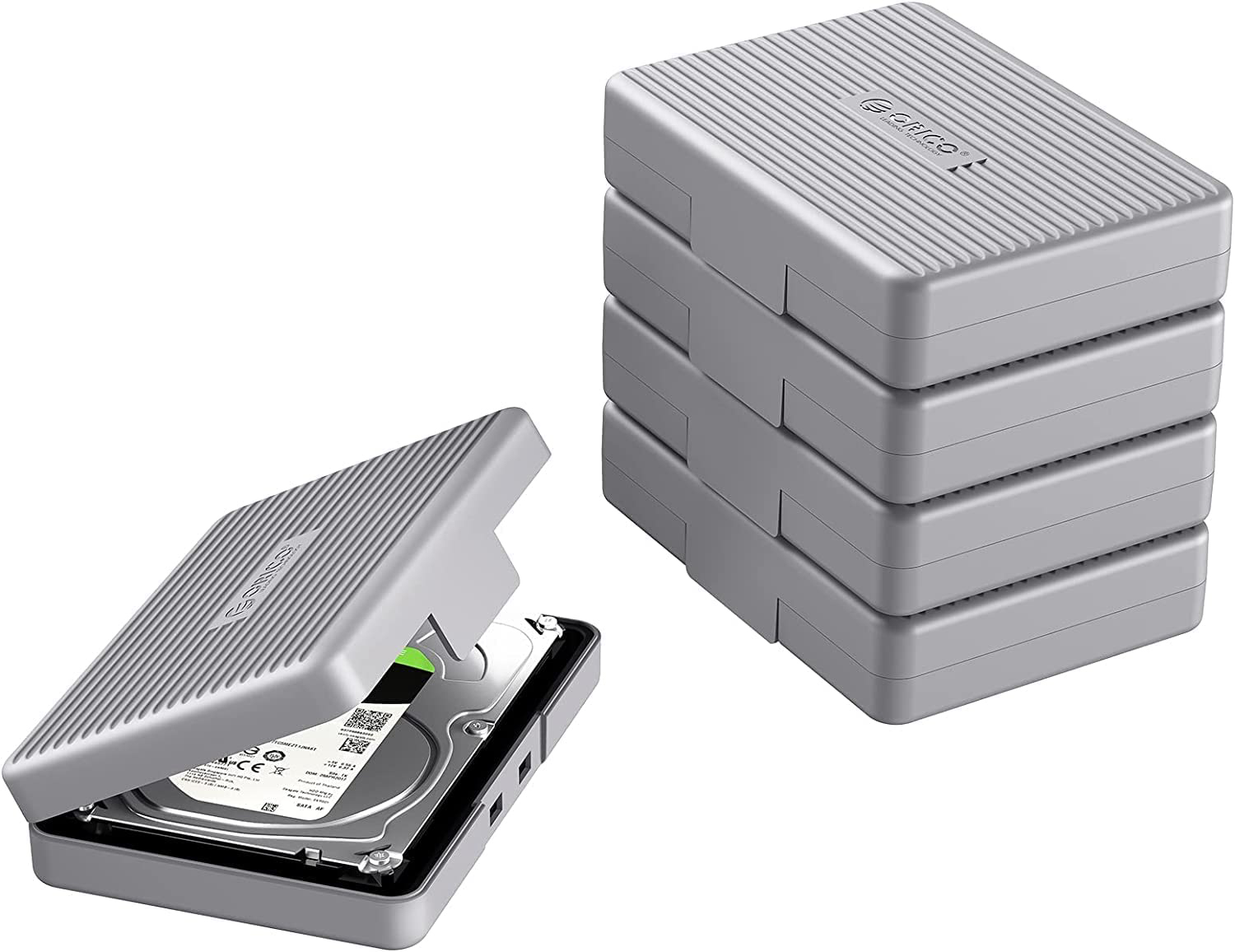
Step-by-Step Packing Guide
1. The Anti-Static Layer
- Action: Slide the hard drive or SSD into a dedicated anti-static bag (ESD shield).
- Why it matters: Electronic components are highly vulnerable to Electrostatic Discharge (ESD). A simple static shock from standard plastic or blankets can permanently fry the drive's logic board or firmware chip before it even arrives at our lab. If you do not have an anti-static bag, place the drive inside a clean paper envelope as a temporary alternative.
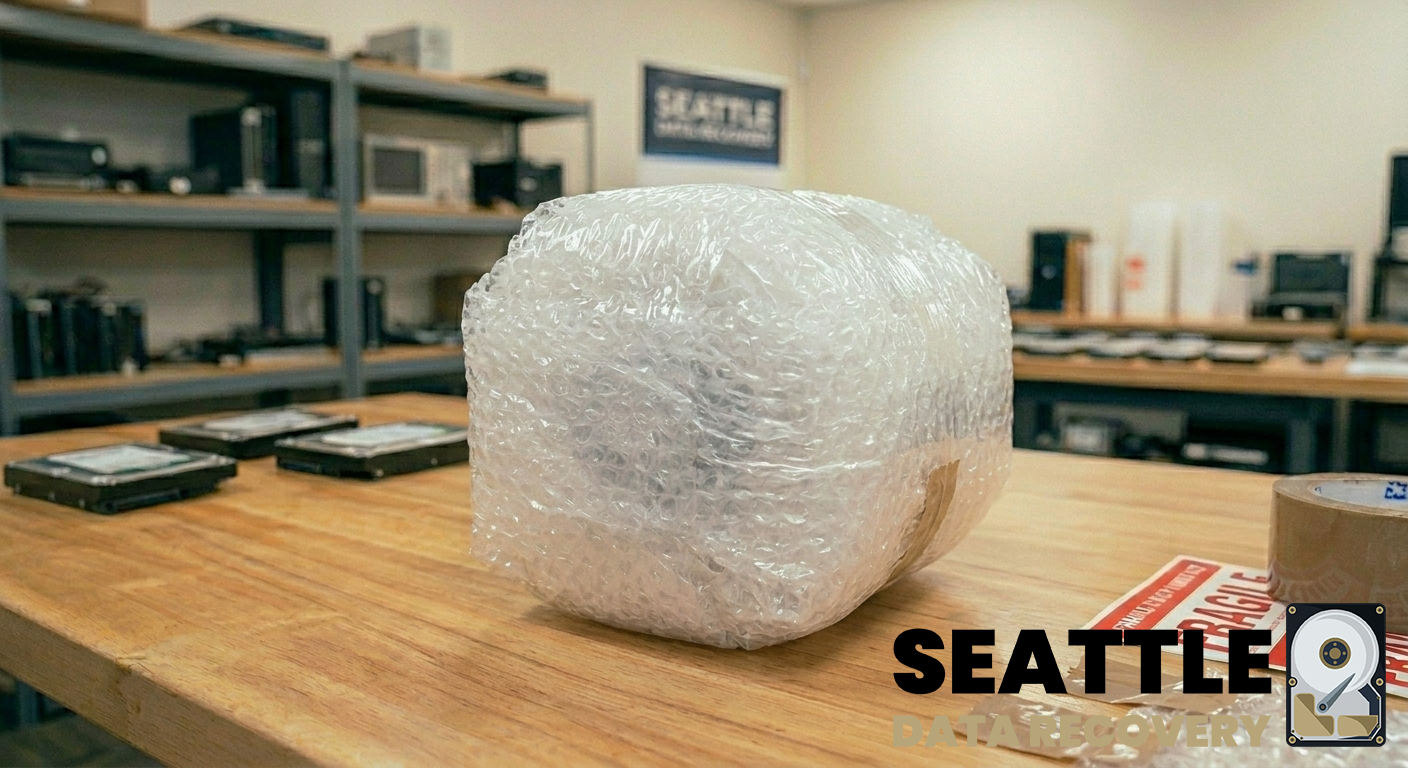
2. The Shock-Absorption Roll
- Action: Wrap the drive tightly in a minimum of 2 to 3 inches of industrial bubble wrap. Secure the wrap with packing tape.
- Why it matters: Ensure that all six sides of the drive are completely covered, paid special attention to the corners. Mechanical drives cannot withstand harsh drops or constant shipping vibrations. Wrapping all sides ensures the internal platters and delicate motor spindles remain aligned.
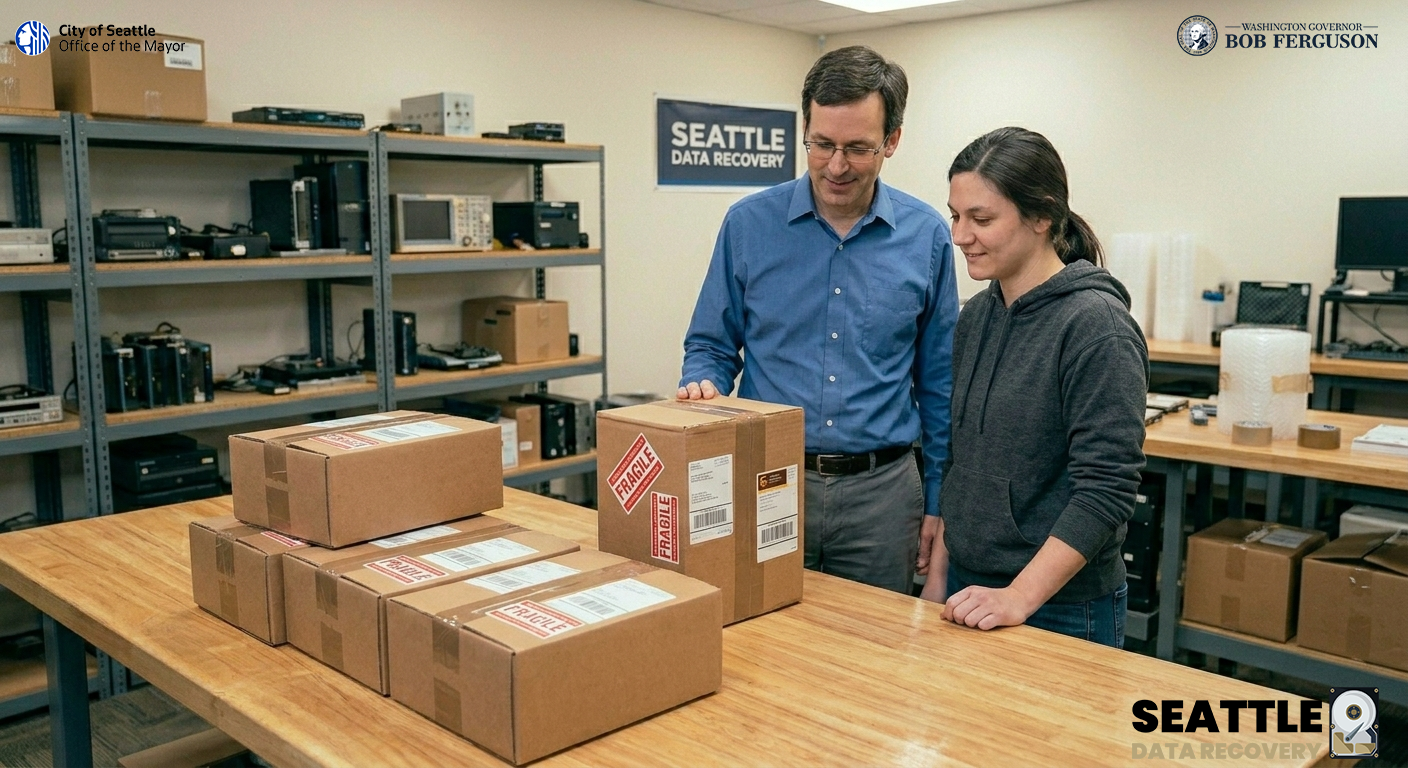
3. The Rigid Box Enclosure
- Action: Place the wrapped drive into a sturdy cardboard box. Fill any remaining empty space with packing peanuts, crumpled paper, or extra bubble wrap so the drive cannot slide or shift when the box is shaken.
- Why it matters: Securely seal all edges of the box using heavy-duty packing tape. Clearly label the exterior of the package as "FRAGILE: SENSITIVE ELECTRONICS".
Find a Shipping Drop-Off Location Near You
- FedEx Office & Drop-Off Locations: Find a FedEx Location
- United States Postal Service (USPS) Post Offices: Find a USPS Post Office
- The UPS Store & Customer Centers: Find a UPS Location
Secure Laboratory Delivery and Intake Instructions
Seattle Data Recovery
1455 NW Leary Way, Suite 400
Seattle, WA 98107
Emergency Data Recovery Services

Emergency Data Recovery: 24/7 Priority Lab Intervention for Critical Outages
Priority Support for Seattle’s Vital Industry Sectors
- Healthcare & Medical Facilities: Critical recovery of PACS/DICOM medical imaging servers, encrypted Electronic Health Record (EHR) databases, and internal diagnostic hardware storage. All emergency procedures are executed under strict HIPAA-compliant data privacy controls.
- Aerospace & Defense Contractors: Rapid extraction of complex CAD blueprints, flight telemetry logs, software repositories, and testing data from high-capacity enterprise SAS/SATA drives or fiber channel SAN storage architectures.
- Production, Media, & Post-Production Houses: Immediate retrieval of uncompressed cinematic footage (
.R3D,.MOV,.MXF) from damaged field drives, unreadable high-speed memory cards, or production RAID arrays to prevent missing high-dollar delivery windows. [13] - Legal & Corporate Enterprise: High-priority extraction of active corporate transaction databases, virtual machines (
.VMDK,.VHDX), and email communication archives (.PST,.EDB) required for time-critical court submittals or active forensic investigations.
Emergency Remote Triage via TeamViewer
High-Stakes Cleanroom & Micro-Soldering Capabilities
- ISO 5 Cleanroom Interventions: Immediate physical read/write head assembly replacements and spindle motor stabilization for clicking or dropped mechanical server drives.
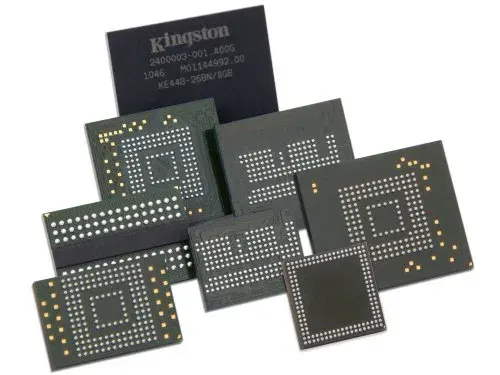
- Advanced Chip-Off Data Recovery: For dead solid-state storage, we bypass the burned components entirely. Technicians desolder raw NAND flash memory chips under high-power microscopes, reading the raw silicon storage blocks directly.
- Apple Silicon Logic Board Restorations: Emergency micro-soldering and logic board transplants for water-damaged or short-circuited MacBook Pros and iMacs, bypassing hardware-level encryption keys to extract trapped local user data.
Secure 24/7 Courier & Walk-In Intake Instructions
- Location: UW Medicine Building, NW Leary Way, Ballard, Seattle, WA.
- Emergency Drop-Off Hours: Available 24 hours a day, 7 days a week, 365 days a year (advance phone authorization required for after-hours building entry).
- Arrival & Free Designated Parking: Drive vehicles onto Level 2 of the facility parking deck. Regus-managed customer parking spaces (Spaces 40–45) are specifically reserved for our clients.
- Secure Building Access: Proceed inside the main lobby doors. Take the building elevator directly up to Level 4 (please note that the building stairwells are locked for security and do not access the secure office suites).
- Regus Corporate Suite Intake: Turn right out of the elevator cab to enter our executive corporate suite, managed in partnership with Regus. Regus front-desk professionals maintain an elite, confidential corporate workspace, ensuring your emergency hardware is logged securely and routed straight to our cleanroom engineers.
Server Data Recovery: Restoring Your Business Operations
Enterprise Server Data Recovery: Restoring Mission-Critical Data Center Architecture
Comprehensive Architecture Support for Data Center Environments
- High-Throughput Enterprise SAS and Fibre Channel (FC) Media: Advanced mechanical head replacement and electronic board diagnostic reconstruction for enterprise-class drives. This includes helium-filled storage units (such as Seagate Exos and Western Digital Ultrastar series) and legacy Fibre Channel disks used in legacy SAN architectures.
- Massive Multi-Drive RAID Arrays: Emergency reconstruction of collapsed RAID 0, 1, 5, 6, 10, 50, and 60 configurations. We focus on bypassing corrupted hardware controllers and manually calculating layout parameters, stripe sizes, and drive offsets.
- Virtualization Hypervisors & Containers: Structural extraction and file system repair for corrupted virtual machines, including VMware vSphere ESXi (
.VMDK), Microsoft Hyper-V (.VHDX), and Proxmox container volumes impacted by physical failures or ransomware events. - Distributed Network File Systems: Advanced logical parsing of enterprise storage pools running complex file systems such as ZFS, Linux-based ext4, Btrfs, and specialized network-attached storage architectures (Synology, QNAP, TrueNAS).
Popular Data Center Failure Scenarios & Lab Interventions
1. Multi-Drive Redundancy Collapse (Simultaneous Array Failures)
- The Scenario: While a RAID 6 array can survive two concurrent drive dropouts, a sudden electrical power grid spike during a severe storm or a localized rack power supply malfunction pushes three or more enterprise drives offline instantly. The parity structure collapses, rendering the entire database or server cluster completely unreadable.
- The Lab Solution: Every drive in the array is placed onto a dedicated hardware write-blocker to secure sector-by-sector binary clones. If individual drives are physically clicking, they enter our ISO 5 Cleanroom for physical read/write head assembly transplants. Once all drives are stabilized, our engineers use software emulators to virtually re-stitch the raw data blocks, correcting corrupt metadata blocks to safely pull the live operational volumes.
2. Power-Loss Protection (PLP) Circuit Failures on Enterprise NVMe SSDs
- The Scenario: Data centers rely on heavy arrays of enterprise U.2, U.3, or E1.S solid-state drives (such as Intel/Solidigm D7 or Samsung enterprise lines) to log high-write database operations. During an unscheduled facility power drop, the drive's internal Power-Loss Protection capacitors fail to discharge properly, causing translation layer firmware corruption and "bricking" the drive into a dead state.
- The Lab Solution: Our micro-soldering specialists perform advanced component-level diagnostics on the SSD circuit board. We test, isolate, and replace failed surface-mount capacitors and power-management chips. If the internal controller chip itself is fried, we perform advanced chip-off memory extraction, desoldering the raw NAND flash chips to reconstruct the wear-leveling algorithms manually using hardware emulators.
3. Catastrophic Logical Volume and File System Corruption
- The Scenario: A botched data center firmware update, database crash, or forced volume unmounting causes severe logical file system fragmentation across a massive corporate storage array. The server fails to remount the shares, threatening the loss of critical source code repositories, transaction histories, or clinical records.
- The Lab Solution: We bypass standard operating system drivers entirely to avoid accidental background automated writes. Using low-level forensic analyzers, we trace the raw hexadecimal partition allocations, manually rebuild broken Master File Tables, and extract uncorrupted corporate file systems with their original metadata and directory paths intact.
Elite Security Protocols & Secure Ballard Intake
- ** HIPAA and SOC-Compliant Data Pipelines:** Every stage of our recovery process—from initial intake to final extraction—is safeguarded by strict data privacy barriers, secure offline engineering workstations, and automated verification tools.
- Forensic Write-Blocked Handling: No data modification ever occurs on source media. All reconstruction work is executed on bit-stream master clones, retaining original timestamps for compliance verification.
- Streamlined Regus Intake Workflow: Managed in partnership with Regus, our executive corporate reception suite on the 4th floor of the UW Medicine Building provides a seamless, confidential, and premium drop-off environment.
Logistics, Transit, and Arrival Directions:
- Address: UW Medicine Building, NW Leary Way, Ballard, Seattle, WA
- Walk-in / Courier Hours: Monday through Friday, 9:00 AM – 5:00 PM. (24/7 Emergency dispatch available with advance telephone authorization).
- Designated Free Parking: To transport heavy 2U/4U rackmount server chassis, enterprise SAN enclosures, or multiple drive caddies safely, pull vehicles directly onto Level 2 of the facility deck. Regus-assigned customer parking spaces (Spaces 40–45) are explicitly reserved for Seattle Data Recovery clients.
- Elevator Route: Enter through the primary lobby doors and take the building elevator straight up to Level 4 (building stairwells are locked for security and do not connect to the commercial office suites). Exit the elevator cab and turn right to step into our professional reception lobby.
Laptop Data Recovery
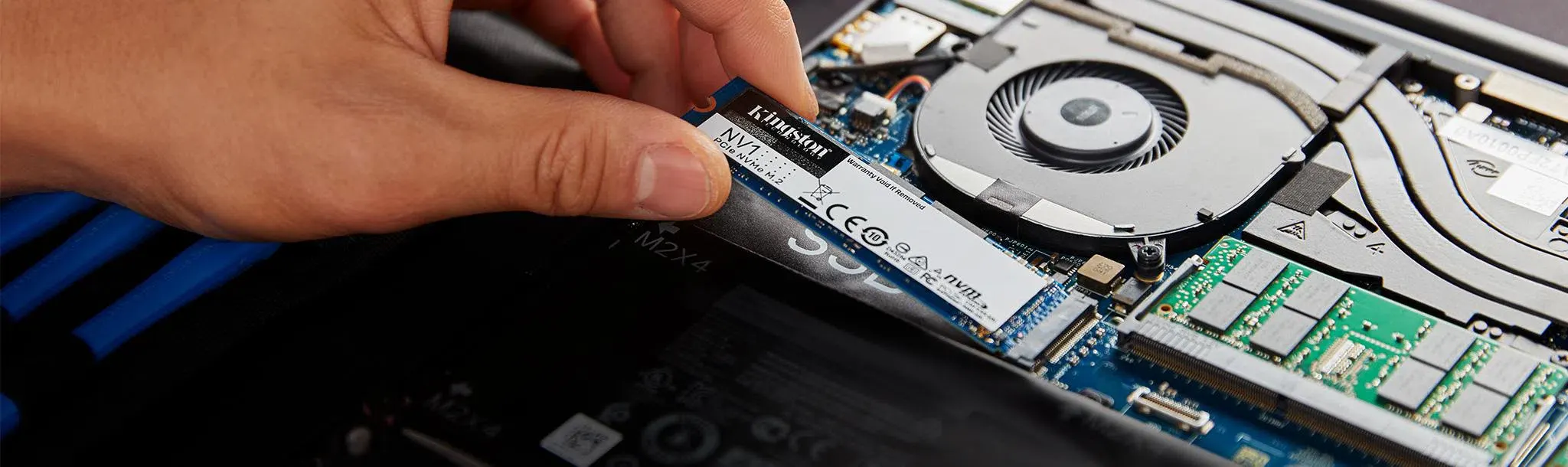
1. External Drive Drops on Seattle Commutes
- The Scenario: A LaCie Rugged, Western Digital Passport, or Seagate external drive is accidentally dropped onto concrete at a transit station or knocked off a desk at a local coffee shop. The drive immediately starts clicking, beeping, or scraping.
- The Lab Solution: Mechanical noises indicate a physical head crash or a seized motor spindle. Clients bring these drives straight to our Ballard cleanroom, where engineers open the chassis in an ISO 5 cleanroom environment, replace the damaged read/write heads with precise donor parts, and safely image the raw sectors.
2. Apple MacBook Liquid Spills in Local Coffee Shops
- The Scenario: A cup of coffee spills directly across a MacBook Pro keyboard, causing an immediate short circuit. Because modern Apple Silicon MacBooks (M1, M2, M3, M4) have their storage chips permanently soldered to the main logic board, a dead board means the data is completely trapped [6a7e13c3].
- The Lab Solution: Our engineers are micro-soldering specialists. We place the damaged logic board under an industrial microscope, isolate shorted capacitors, clean corrosion using specialized ultrasonic tanks, and perform advanced chip-off procedures or donor-board transplants to safely extract hardware-encrypted files.
3. Server Overheats and Multi-Drive RAID Failures for Local Tech Firms
- The Scenario: A corporate server room experiences a sudden cooling failure, or a Synology/QNAP NAS unit suffers an electrical surge. Two drives in a RAID 5 array fail simultaneously, or a high-performance striping RAID 0 network drops completely offline, threatening total loss of corporate databases or software source code.
- The Lab Solution: We prioritize corporate data emergencies. Our engineers manually bypass broken physical controllers, image each failing drive at the block level using hardware emulators, virtually reconstruct the original striping parameters, and safely rebuild uncorrupted SQL databases, virtual machines, and network shares.
4. Severe Weather Power Surges & Desktop SSD Failures
- The Scenario: A sudden power outage or lightning surge strikes a residential home or home-office setup. While the desktop computer might turn back on once power is restored, the internal Samsung NVMe SSD or Crucial boot drive is completely dead, showing a capacity of 0MB or refusing to be recognized by the system.
- The Lab Solution: Sudden power loss frequently causes firmware corruption or catastrophic failure of the SSD's power management circuitry. We bypass the dead controller entirely with hardware emulators, patch the corrupted translation-layer microcode, and clone the data directly from the raw flash storage blocks.
5. Accidental File Deletion & Formatting on Film Sets
- The Scenario: During a chaotic wrap on a film set, an SD card or high-speed CFexpress card used in a cinematic camera is accidentally formatted before the files are verified. In other cases, a critical directory containing raw
.R3Dor.MOVfootage is permanently deleted from an editor's scratch disk. - The Lab Solution: We use advanced logical reconstruction tools to perform deep card scans. As long as the card hasn't been heavily overwritten with new footage, our software and hardware tools can bypass the altered file allocation tables, re-link fragmented video blocks, and restore the uncompressed media files with their original metadata intact.
6. HIPAA-Compliant Medical Records Recovery
- The Scenario: A local medical clinic's legacy server running patient charting software or a specialized workstation housing diagnostic imaging (such as MRIs or X-rays) suffers a catastrophic hardware crash, risking a violation of patient care continuity and data access laws.
- The Lab Solution: Our laboratory operates under strict, audited security controls. We provide fully HIPAA-compliant data recovery workflows, ensuring a locked chain of custody from the moment the medical-grade hardware arrives at our Regus reception desk until we securely hand the encrypted, recovered data back to the clinic's authorized IT administrator.
File Recovery
1. Enterprise Databases & Financial Records
- Database Formats:
.MDF/.LDF(Microsoft SQL Server),.DBF(Oracle),.IBD/.FRM(MySQL), and.NSF(Lotus Notes). - Accounting & ERP Data:
.QBW/.QBB(QuickBooks Company files),.MYO(MYOB), and complex SAP database backups.
2. High-End Creative Assets & Post-Production Video
- Raw Video Formats:
.R3D(RED Digital Cinema Raw),.ARI(Arri Raw),.MXF(Material Exchange Format),.MOV(ProRes 4444 / DNxHR), and.MP4(High-bitrate cinematic profiles). - Audio Project Files:
.PRPROJ(Adobe Premiere),.SESX(Audition),.PTX(Pro Tools), and.CPR(Cubase).
3. Engineering, Architecture & 3D Modeling
- CAD & Building Information Modeling (BIM):
.DWG/.DXF(AutoCAD),.RVT(Autodesk Revit), and.PLN(ArchiCAD). - 3D Renderings & Manufacturing Data:
.MAX(3ds Max),.STP/.STEP(Standard for Exchange of Product Data),.IGS/.IGES, and.SLDPRT/.SLDASM(SolidWorks).
4. Legal Discovery, Forensics & Virtual Environments
- Virtual Machine Disks:
.VMDK(VMware Virtual Disk),.VHD/.VHDX(Hyper-V), and.OVA/.OVF(Open Virtualization Format). - Legal & Email Containers:
.PST/.OST(Microsoft Outlook data files),.EDB(Exchange Server Database), and.E01/.DD(Expert Witness Forensic Images).
5. Proprietary Software Code & Technical Research
- Source Code Repositories:
.GIT(Git history configuration),.ZIP/.TAR.GZ(Compressed development build archives),.PY(Python scripts), and.CPP(C++ source files). - Mathematical & Scientific Data:
.MAT(MATLAB data files),.H5/.HDF5(Hierarchical Data Format), and complex geospatial.SHP(Shapefiles).
Data Recovery for Microsoft Office
Forensic Reconstruction of Lost and Corrupted Microsoft Office Files
Tier 1: Logical File System Reconstruction & Corrupted Repairs
- Accidental Format or Deletion: When a folder containing
.docxor.xlsxfiles is emptied from the trash, the operating system doesn't immediately erase the data—it merely deletes the file's index pointer. Our specialized equipment performs deep carving protocols to match the unique hexadecimal file signatures (headers and footers) distinct to Microsoft Office documents. This allows us to reconstruct the files cleanly, even if the original folder structure was completely wiped. - Deep XML Document Repair: Modern Microsoft Office files (
.docx,.xlsx,.pptx) are actually compressed XML archive containers. If a computer loses power or an external drive is pulled out mid-save, the internal XML structure fractures, causing the application to crash upon opening. Our lab technicians manually open the document's raw hex code, realign the broken XML tags, extract the text and embedded media elements, and rebuild the container so the file opens cleanly without data gaps. - Autosave & Shadow Copy Extraction: If an office document was overwritten by accident, we can often deploy deep forensic sector scanning to locate hidden, temporary
~$template files, Microsoft AutoRecovery cache volumes, or operating system Volume Shadow Copies that retain historical snapshots of your data prior to the overwrite.
Tier 2: Physical Hardware Extraction (When the Drive Fails)
- Our laboratory technicians move the storage media directly into our ISO 5 Cleanroom or micro-soldering stations.
- We physically repair failing drive components (such as a hard drive's broken read/write heads or shorted logic board power rails) and immediately clone the entire storage volume sector-by-sector using hardware tools like the PC-3000.
- Once a secure bit-for-bit digital copy is created on our servers, we systematically extract your original Microsoft files without risking further mechanical degradation.
- Stop Writing New Data Instantly: Every email you open, web page you visit, or new file you save writes temporary data to your drive. If your lost Office files are currently sitting in "unallocated" storage space, saving anything new can instantly overwrite those sectors, rendering the old files permanently unrecoverable.
- Do Not Click "Repair" Repeatedly in Microsoft Office: If Excel or Word prompts you with an automated box asking to "Repair the damaged file," trying it repeatedly on an already unstable external drive or corrupted partition can permanently mangle the remaining internal XML strings.
- Avoid Automated Retail File-Scraping Tools: Free or cheap downloaded recovery apps run blindly through your operating system. If the files were lost because the underlying hard drive or SSD is developing bad sectors, forcing a generic app to rigorously scan the media will overheat the drive, permanently killing the remaining read heads.
The Two Fronts of Microsoft Office Recovery
Critical Protocol to Protect Lost Office Files
Data Recovery for Media Files

Forensic Extraction & Reconstruction of Creative Media Assets
The Complex Mechanics of Media Data Loss
1. Reassembling Fragmented Video & Audio (File Carving)
- The Problem: Standard data recovery software only looks for the file's "header" and "footer." When it attempts to recover a fragmented video clip, the resulting file is usually broken, plays for only a few seconds, or throws an "Unsupported Format" error.
- The Seattle Data Recovery Solution: We utilize advanced Video Block Reassembly algorithms. Our hardware imagers scan the raw hex code of the storage media, map out the corresponding camera brand parameters (such as RED, ARRI, Sony, or Canon), and manually restitch the fragmented data streams back together, matching audio tracks and video frames exactly.
2. Bypassing Mass Corruptions on Production Media (CFexpress, SD, & RED MAGs)
- The Problem: When plugged into a card reader, the media states "Card Cannot Be Read" or prompts you to format it.
- The Seattle Data Recovery Solution: We place unstable flash media onto hardware-level diagnostic imagers like the PC-3000 Flash system. We isolate degrading NAND flash cells, bypass unstable internal card controllers, and directly clone the raw storage sectors, allowing us to safely extract your raw footage without further stressing the delicate silicon.
3. Rebuilding Multi-Drive Production Arrays (RAID & G-Technology Units)
- The Problem: A single hard drive within the array starts clicking or dropping offline, causing the entire shared storage volume to vanish or report as uninitialized.
- The Seattle Data Recovery Solution: We pull every individual drive member from the production unit and evaluate them safely. Any drive experiencing mechanical clicking or beeping is immediately moved to our ISO 5 Cleanroom for physical head-stack or motor replacement. Once all individual members are safely cloned to our secure servers, our engineers manually calculate the block size and stripe layout, virtually rebuilding the array to export your project catalogs and timelines cleanly.
Critical Instructions for Production Teams Facing Data Loss
- Do Not Record New Data to the Card: If you accidentally deleted a clip or formatted a memory card, eject it from the camera immediately. Continual shooting writes new data over the deleted sectors, making previous clips permanently irretrievable.
- Avoid Automated "Repair" or Index Rebuilders: Forcing an editing program or video player to aggressively try to "fix" a broken file wrapper on an unstable drive can permanently overwrite the remaining underlying metadata strings.
- Kill Power to Noisy Enclosures Instantly: If an external editing drive begins clicking, buzzing, or ticking, cut the power. Keeping a mechanically failing 7200 RPM drive running can scratch the magnetic platters, permanently shaving your footage away into literal dust.
Data Recovery for Email Data Files
Forensic Extraction and Reconstruction of Corrupted Email Data Files
The Challenges of Email Database Recovery
- Monolithic File Size Restrictions: Files like Outlook
.pstor Exchange.ostdatabases frequently grow to 20GB, 50GB, or larger. When these files expand, they become heavily prone to internal indexing corruption. If a computer loses power or an external drive is disconnected while Outlook is actively indexing, the database container fractures, resulting in application crashes or errors like "The file is not an Outlook data file." - Deep Block-Level Hex Carving: When an email database is accidentally deleted or a partition is formatted, standard data recovery software often recovers a broken, unopenable file shell. At Seattle Data Recovery, we bypass standard operating system drivers to perform deep block carving. We scan the raw storage sectors for unique hexadecimal headers specific to email containers (such as
!BDNfor Microsoft Outlook files), allowing us to pull the raw database strings directly from the platters. - Bypassing Physical Sector Failures: If your email archives are trapped on a laptop, SSD, or external hard drive that is clicking, beeping, or freezing your computer, running software will permanently kill the media. Our technicians move the drive to our micro-soldering stations or ISO 5 Cleanroom to physically restore failing components. We create a bit-for-bit digital clone using hardware imagers like the PC-3000 before parsing and rebuilding your email file architectures safely.
Comprehensive Email Data Formats We Recover
- Microsoft Outlook / Exchange:
.pst(Personal Storage Table),.ost(Offline Storage Table), and.msgindividual message files. We specialize in converting corrupted, unmountable.ostfiles back into fully functional, accessible.pstarchives. - Apple Mail / macOS:
.mboxfolder containers and individual.emlxmessage files native to Apple environments. - Enterprise Servers: Microsoft Exchange Server databases (
.edb), including localized transaction logs. - Open-Source & Alternative Clients: Thunderbird, Lotus Notes (
.nsf), and generic.emlcross-platform structures.
Critical Protocol to Protect Lost Email Databases
- Do Not Continuous Power-Cycle an Unstable Drive: If your email files are on an external drive or laptop that is making unusual noises or causing your system to hang, disconnect power immediately. Email files require heavy, sustained read/write operations; forcing a physically failing drive to load a 40GB archive will quickly burn out its read heads.
- Avoid Automated Built-In "Repair" Tools (e.g., Scanpst.exe): Microsoft's built-in Inbox Repair Tool (
scanpst.exe) is designed strictly for minor logical file errors on 100% healthy hard drives. If the underlying storage media has bad sectors, running Scanpst will aggressively force write commands onto those unstable zones, frequently carving permanent gaps straight through your email folders. - Do Not Save New Data or Reinstall the App: Every new email downloaded or application reinstalled writes data to the drive. If your lost database file is currently marked as "unallocated" space, any new background activity can overwrite the ghost remains of your archive, rendering it permanently unrecoverable.
Database Recovery

Enterprise-Level Database Forensic Reconstruction
The Two Core Fronts of Database Recovery
Tier 1: Logical Database Schema & Pointer Reconstruction
- Bypassing the Transact-SQL / Engine Lock: When a database experiences an improper shutdown, it can get stuck in a permanent "In Recovery" or "Suspect" state. Our technicians bypass standard database engine restrictions, using specialized hex editors to manually patch corrupted page headers, re-index broken data pages, and force the database back into a stable state.
- Transaction Log (.ldf / .log) Reconstruction: Relational databases rely heavily on active transaction logs to ensure data consistency. If a log file becomes mismatched or missing, the primary data file will lock out. We perform direct sector carving to reconstruct the missing log structures or modify the primary database boot sector to safely attach the raw table files without log dependencies.
- Accidental Table Drop or Row Deletion: When a database administrator accidentally executes an erroneous
DROP TABLEorDELETEquery, the data rows are not immediately wiped—their pointers are simply marked as available space. Our forensic systems perform deep byte-level carving across the raw storage space, matching the specific data types, variable constraints, and schema signatures to completely recover deleted entries.
Tier 2: Physical Hardware Intervention (Multi-Disk Arrays & SANs)
- Our laboratory technicians pull every individual hard drive or solid-state drive member from the host server array. Any drive presenting mechanical failures is immediately processed inside our certified ISO 5 Cleanroom for precision component replacement.
- We utilize advanced hardware imagers like the PC-3000 to create bit-for-bit digital clones of each drive while bypassing unstable firmware zones.
- Once all drive members are safely cloned to our secure servers, our engineers manually calculate the array’s block size, parity rotation, and stripe order—virtually rebuilding the underlying storage environment so we can smoothly extract the pristine, uncorrupted database files.
Comprehensive Database Platforms We Recover
- Microsoft SQL Server: Primary Data Files (
.mdf), Secondary Data Files (.ndf), and Transaction Log Files (.ldf). - Oracle Database: Data files (
.dbf), Control Files (.ctl), and Redo Log files. - Open-Source Relational Systems: MySQL (
.ibd/.frm), MariaDB, and PostgreSQL environments. - NoSQL & Distributed Frameworks: MongoDB, Cassandra, and complex structured JSON databases.
- Legacy Formats: FileMaker Pro, Microsoft Access (
.mdb/.accdb), and FoxPro environments.
Emergency Guidelines for Corporate IT Managers Facing Database Failure
- Do Not Continuous Power-Cycle the Host Node: Relational databases perform intense, high-speed read/write transactions. If a drive inside your storage array is physically failing, forcing it to try and boot or initialize an automated file consistency scan will rapidly destroy the read/write heads and scratch the underlying platters.
- Avoid Automated Built-In "Repair" Switches (e.g., REPAIR_ALLOW_DATA_LOSS): Command-line switches like SQL’s
REPAIR_ALLOW_DATA_LOSSare designed as a last resort for 100% healthy storage hardware. This command resolves inconsistencies by aggressively deleting any corrupted pages or tables it encounters. On an unstable drive, this can permanently purge extensive blocks of completely healthy user data rows. - Do Not Attempt an Automated RAID Rebuild: If your database resides on a striped RAID array and drops offline due to a drive failure, do not initiate an automated array rebuild. The mechanical and thermal stress of a rebuild will frequently cause a secondary, aging drive in the array to fail, collapsing the volume structure permanently.
Financial Data Recovery
Key Financial Formats We Target for Recovery
1. Accounting Software & ERP Systems
- QuickBooks:
.QBW(Active Company file),.QBB(Backup file), and.QBM(Portable Company file). - Sage & Peachtree:
.SDA(Sage Data),.DAT(Relational files), and complex SQL configurations. - Enterprise ERP Databases:
.MDF/.LDF(Microsoft SQL Server) and.DBF(Oracle) structures that anchor large-scale corporate transaction ledgers.
2. Local Financial Spreadsheets & Models
- Microsoft Excel:
.XLS,.XLSX, and.XLSM(Macro-enabled workbooks containing complex calculation strings). - Historical Archives: Legacy
.CSVtransaction exports and.TSVraw ledger outputs.
3. Bank Logins, Digital Wallets, and Cryptographic Keys
- Browser-Stored Credentials: Local encryption databases used by Google Chrome, Microsoft Edge, and Safari to store corporate bank portal logins and automated access tokens.
- Cryptocurrency Ledger Keys:
.DAT(Bitcoin core wallet files), local hardware wallet seed phrases stored in plain text or encrypted blocks, and cold-storage software keys (UTC--...). - Password Managers: Local backup containers from platforms like 1Password, Bitwarden, or KeePass (
.KDBX).
The Most Common Reasons Financial Files Disappear
- Sudden Power Loss During Writing: If a winter storm knocks out power across Seattle while a QuickBooks file is saving, the database header splits, resulting in a "QuickBooks cannot open this file" error.
- Solid-State Controller Failures: NVMe SSDs frequently fail instantly without warning, locking up vital tax history files behind a dead hardware controller [6a7e13c3].
- Accidental File Overwrites: System updates or automated local scripts can accidentally format or overwrite historical accounting directories.
Our Absolute Security, Privacy, and Confidentiality Protocols
- Forensic Write-Blocked Clones: We never interact with your original source hardware. All extraction work is executed on a sector-by-sector binary master image, ensuring zero file modifications.
- Air-Gapped Isolation Workstations: Our recovery engineering network is completely offline. Your financial spreadsheets, bank tokens, and keys are never connected to the internet during the recovery process.
- HIPAA & SOC-Compliant Handling: We utilize the same locked, audited chain of custody required by major medical facilities and corporate legal departments.
Secure Walk-In and Drop-Off Instructions
- Location: UW Medicine Building, NW Leary Way, Ballard, Seattle, WA.
- Walk-in Hours: Monday through Friday, 9:00 AM – 5:00 PM.
- Arrival & Free Designated Parking: Drive directly onto Level 2 of the facility deck. Regus-assigned customer parking spaces (Spaces 40–45) are reserved for Seattle Data Recovery clients.
- Elevator Route: Enter through the lobby doors and take the building elevator up to Level 4 (the stairwells are locked for building safety).
- Regus Executive Intake: Turn right out of the elevator cab to step into our corporate reception area, managed in exclusive partnership with Regus. A polished corporate administrative professional will instantly log your media into our secure custody tracking system.
Forensic Data Recovery
Digital Forensics: Supporting Seattle Law Enforcement Investigations
- Preserving the Legal Chain of Custody: For data to stand up in court, it must remain untainted. Investigators and law firms depend on hardware-level, write-blocked imaging to clone compromised media. This process reads past physical sector errors to extract pristine master forensic images, such as
.E01(EnCase) or.DDfiles, without altering a single bit of the original evidence. - Recovering Deleted or Obfuscated Evidence: Suspects frequently attempt to cover their tracks by wiping smartphones, smashing storage cards, or formatting computer drives. Utilizing cleanroom diagnostics and micro-soldering, laboratory technicians can recover deleted file structures, chat logs, and timestamps, retaining critical last-access and modification metadata essential to timeline verification.
- Rescuing Damaged Security & Surveillance Footage: Critical crimes are often solved using video evidence. When a business or city closed-circuit television (CCTV) system or Digital Video Recorder (DVR) is physically smashed, water-damaged, or suffers a hard drive crash during an incident, forensic engineers work inside an ISO 5 cleanroom to repair the damaged internal components and piece together fragmented video sectors.
- Integrating with High-Tech Crime Units: These physical recovery capabilities directly feed into modern local initiatives. The data salvaged from failed hardware helps feed highly sophisticated data-driven mapping and investigation tools—such as the SPD’s Real Time Crime Center dashboard. This platform aggregates real-time data feeds, digital evidence, and crime analytics, helping detectives draw structural connections between criminal events in minutes rather than days.
Data Recovery to Dropbox
- Drop Off Locally: Bring your damaged storage device to any Regus office worldwide. We accept hard drives, solid-state drives (SSDs), and USB flash drives at every location.
- Expert Recovery: Our technicians securely retrieve your lost files, photos, and databases from the damaged hardware in a cleanroom environment.
- Direct to Dropbox: Instead of mailing a new physical drive back, we securely upload and restore your recovered data straight to your company's Dropbox account for instant access.
- Hard Disk Drives (HDDs): Internal and external drives with mechanical or logical damage.
- Solid State Drives (SSDs): All major brands and flash-based storage media.
- USB Flash Drives: Corrupted, physically snapped, or unreadable thumb drives. [1]
- Global Convenience: Utilize thousands of Regus business lounges for safe, local drop-offs.
- Cloud Delivery: Access your recovered files immediately through Dropbox without waiting for return shipping.
- Secure Handling: Strict chain-of-custody protocols protect your sensitive company data from intake to cloud restoration.
Hard Drive Data Recovery
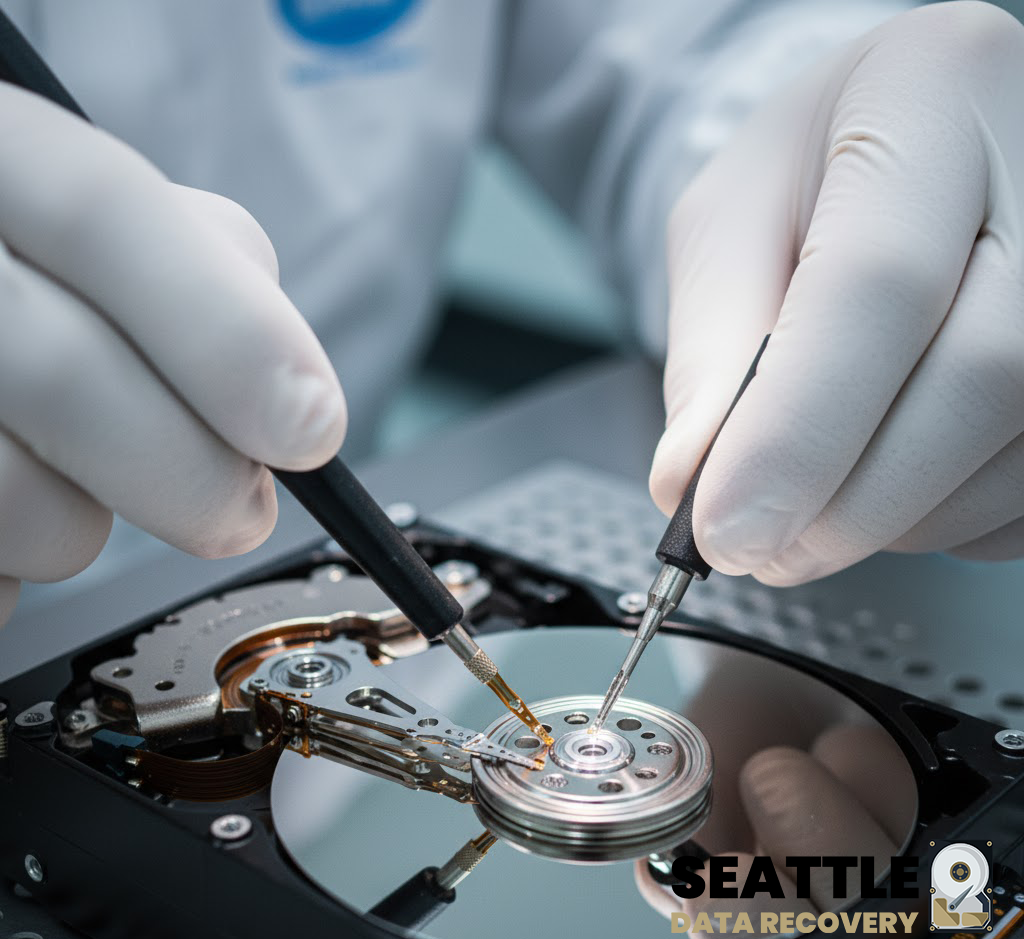
1. Enterprise Storage & High-Availability RAID Drives
- Seagate Exos Series: Premium enterprise SATA and SAS helium-filled drives (Exos X16, X18, X24) used in massive corporate data centers.
- Western Digital Ultrastar: High-density enterprise drives (DC HC550, DC HC570, DC HC680) featuring OptiNAND technology and complex actuator architectures.
- Fiber Channel (FC) Hard Drives: Legacy and modern high-speed storage interfaces used in complex Storage Area Networks (SAN).
- Dell EMC & HPE Server Drives: Proprietary firmware-locked enterprise SAS drives engineered explicitly for high-end server blades and storage enclosures.
2. Professional & Production-Grade Portable Drives
- LaCie Rugged & d2 Professional: The entertainment industry standard for on-set filming, frequently suffering from dropped damage, water exposure, or interface bridge failure.
- SanDisk Professional (G-Technology): Premium multi-drive desktop arrays (G-RAID Shuttle, G-DRIVE) used for commercial audio and high-bitrate video post-production.
- OWC (Other World Computing) ThunderBay: High-speed Thunderbolt RAID enclosures favored by video editors and digital asset managers.
- Glyph Production Technologies: High-reliability production drives (Studio, Atom) engineered specifically for commercial music studios and live performance audio tracking.
3. Healthcare & Medical-Grade Data Storage
- DICOM/PACS Server Arrays: High-capacity enterprise networks running customized storage pools explicitly for handling high-resolution medical imaging (MRIs, CT scans, X-rays).
- Modality Hardware Hard Drives: Internal storage units integrated directly into specialized medical diagnostic hardware (GE Healthcare, Siemens Healthineers, Philips Medical systems).
- Medical Cart SSDs: Secure, encrypted mobile storage drives used on point-of-care hospital carts for real-time patient charts and Electronic Health Record (EHR) updates.
4. Antique, Legacy & Industrial Storage Devices
- SCSI & Ultra-SCSI Hard Drives: Legacy small computer system interface drives used in 1990s server architecture, legacy telecommunication nodes, and vintage print manufacturing equipment.
- IDE / PATA Desktop Drives: Older parallel ATA drives (Western Digital Caviar, Maxtor DiamondMax, Quantum Fireball) requiring physical hardware head swaps with rare donor parts.
- Industrial CompactFlash (CF) & PCMCIA Cards: Solid-state flash storage running proprietary operating systems inside legacy CNC manufacturing machines, aviation navigation units, and early automated manufacturing lines.
- MicroDrives: Miniature rotating magnetic hard drives inside a CompactFlash form factor, popular in early digital cameras and legacy industrial logging tools.
Data Recovery for Encryption

Technical Operations Report: Encrypted Data Recovery & Hardware Remediation
This report outlines the specialized methodologies, safety protocols, and operational costs associated with our advanced data recovery services. It explicitly clarifies that our facility does not engage in password cracking or cryptographic bypass operations. Instead, we leverage a proprietary infrastructure of encryption keys, tokens, donor components, and forensic hardware to migrate encrypted volumes from compromised media to functional host environments. This process enables the logical repair and extraction of corrupted data to new storage media (SSD/HDD).
Our recovery process is strictly founded on hardware-level remediation and logical volume reconstruction. We do not decrypt data without authorized credentials; rather, we restore the physical and digital integrity of the storage medium to facilitate access.
-
2.1 Hardware Migration & Volume Mounting
The core of our operation involves the extraction of encrypted volumes from physically damaged devices. This is achieved by utilizing an extensive internal library of:-
Encryption Keys & Tokens: Verified cryptographic artifacts required for volume authentication.
-
Donor Hardware: A vast inventory of circuit boards (PCBs), controller chips, and donor drives matching specific firmware revisions.
-
Forensic Tools & Software: Proprietary algorithms designed to stabilize unstable read/write heads and correct error-correcting code (ECC) discrepancies.
Once the physical substrate is stabilized, the encrypted volume is mounted within a controlled, functional hardware environment. -
-
2.2 Data Integrity Restoration
Following successful mounting, we employ advanced logical recovery techniques to address file system corruption. This includes repairing broken partition tables, patching corrupted sector chains, and rebuilding directory structures. The final deliverable is a verified, bit-perfect copy of the recovered data transferred to a new, high-reliability SSD or HDD.
The physical manipulation of micro-circuitry and storage components introduces significant environmental and health hazards. Our facility adheres to strict safety standards to mitigate risks associated with:
-
Thermal & Chemical Exposure: The removal and replacement of surface-mount components (chip-off recovery) require the use of high-temperature reflow stations and aggressive chemical solvents for flux removal and board cleaning.
-
Toxic Materials: Technicians are routinely exposed to lead (from solder) and hazardous fumes generated during the heating of substrates and coatings.
-
Mitigation Strategies: Operations are conducted using industrial-grade fume extraction systems, lead-safe handling procedures, and personal protective equipment (PPE) to ensure technician safety.
maintaining a certified cleanroom environment is critical for preventing catastrophic data loss due to particulate contamination. This requirement imposes substantial operational overhead.
-
Environmental Controls: The facility utilizes HEPA-filtered air systems to maintain ISO-standard air quality, preventing microscopic dust and static discharge from damaging exposed platters and silicon dies.
-
Consumables & Garments: To maintain sterility, technicians must utilize single-use, anti-static protective uniforms (bunny suits), gloves, and face masks for every entry into the cleanroom. The cumulative cost of these disposable materials is a significant factor in the overall pricing structure.
-
Specialized Circuitry: The precise removal and re-soldering of memory chips and controllers require capital-intensive optical inspection systems and micro-soldering workstations.
Our data recovery services represent a complex intersection of electrical engineering, digital forensics, and hazardous material handling. The costs associated with our services directly reflect the investment in specialized equipment, the consumption of single-use safety gear, and the inherent risks involved in physical hardware remediation. We remain committed to providing the highest standard of recovery success while maintaining rigorous safety and ethical standards.
Reference Section: Regulatory Compliance & Technical Standards
Our "chip-off" and hardware migration techniques adhere to the digital forensic standards established by federal bodies for the recovery of data from damaged or encrypted media.
NIST (National Institute of Standards and Technology)
- Standard: Computer Forensics Tool Testing (CFTT)
- Relevance: Validates the methodology for digital data acquisition from damaged devices, including "chip-off" extraction where flash memory is physically removed from the circuit board to bypass failed controllers.
- Source: NIST Computer Forensics Tool Testing Program | Chip-Off Data Analysis (NIST Presentation)
FEMA (Federal Emergency Management Agency)
- Standard: Digital Forensics Basics (AWR-139-W)
- Relevance: Recognizes the necessity of advanced recovery techniques to retrieve data that has been "intentionally hidden or encrypted," confirming that physical extraction is a validated recovery path when standard access fails.
- Source: FEMA National Preparedness Course Catalog
- State of Indiana Digital Forensic Unit Procedures
- Standard: Chip-Off Extraction Protocols
- Relevance: Official government procedure manuals explicitly classify "chip-off" as an advanced data extraction technique required when devices are damaged or locked, validating it as a recognized forensic process rather than an illicit activity.
- Source: Digital Forensic Unit Procedures Manual (IN.gov)
Our facility strictly follows military and federal guidelines for handling the toxic materials involved in micro-circuitry repair and chemical cleaning.
- DOD (Department of Defense)
- Standard: Hazardous Materials Information Resource System (HMIRS)
- Relevance: The authoritative source for Safety Data Sheets (SDS) used by the US Military. Our lab utilizes these standards to manage the risks of chemical solvents and flux residues used during the cleaning of sensitive electronics.
- Source: DLA Hazardous Materials Information Resource System
- OSHA (Occupational Safety and Health Administration) / NIOSH
- Standard: Chemical Hazards & Lead Exposure
- Relevance: Defines the permissible exposure limits (PEL) for lead fumes (from soldering) and chemical solvents. Compliance with these standards necessitates the high-cost ventilation systems and personal protective equipment (PPE) utilized in our lab.
- Source: NIOSH Pocket Guide to Chemical Hazards
- ISO (International Organization for Standardization)
- Standard: ISO 14644-1 (Cleanroom Standards)
- Relevance: Defines the air cleanliness classes required for handling exposed storage media. Our facility adheres to strict particle count limits (e.g., ISO Class 5) to prevent microscopic contaminants from destroying data during physical recovery.
Hard Drive Repairs
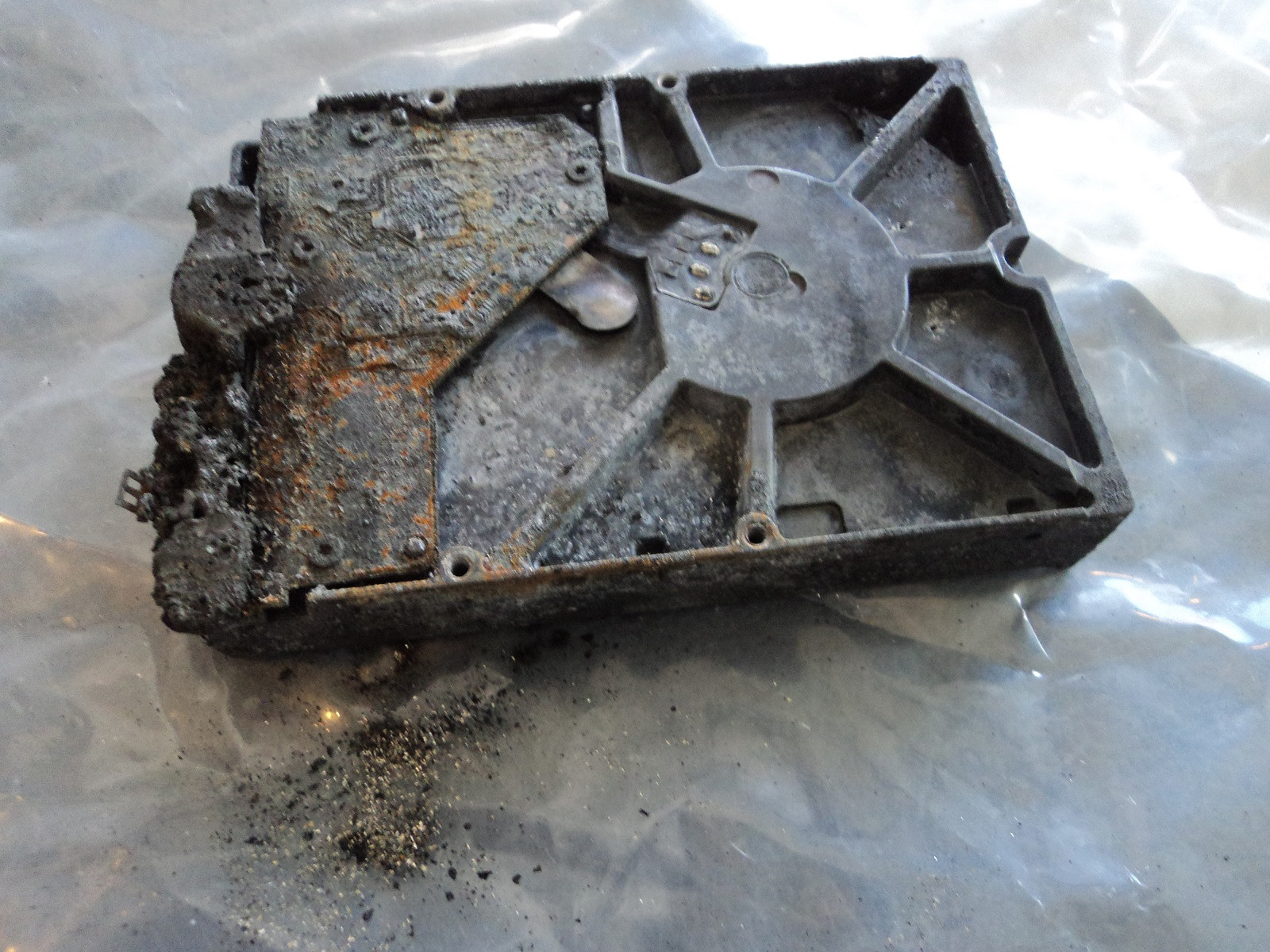
Hardware-Level Hard Drive Repair for All Brands by Seattle Data Recovery
Universal Failure Tiers & Brand-Specific Engineering Protocols
Western Digital (WD): Bypassing Integrated USB & Encryption
- The Hardware Hurdle: Most portable WD drives (like the My Passport series) do not feature a standard SATA connector. Instead, the USB port and a hardware encryption chip are soldered directly to the main Printed Circuit Board (PCB).
- Our Repair Protocol: If the board suffers a short circuit or the USB port breaks, our technicians perform precision micro-soldering. Under magnification, we tap directly into the drive’s core SATA transmission lines on the board, routing them out to our diagnostic hardware while keeping the encryption chip active to prevent data scrambling.
Seagate: Resolving Seized Spindles & Firmware Loops
- The Hardware Hurdle: Seagate drives feature a compact mechanical design that makes them prone to a "seized spindle motor" or stuck heads if dropped. Additionally, their Media Cache architecture can get trapped in a permanent firmware lock loop when it hits corrupted data sectors.
- Our Repair Protocol: For stuck components, the drive is moved to our dust-free cleanroom where engineers use specialized mechanical tools to safely unstick the head assembly or cleanly migrate the platters to a matching donor chassis. For firmware loops, we link directly to the drive’s system terminal to patch its internal code via RAM commands.
Toshiba: Clearing G-Sensor Lockouts
- The Hardware Hurdle: Toshiba external lines (Canvio series) feature built-in hardware accelerometers (G-Sensors) designed to instantly lock the drive if motion is detected. A sudden drop can trap the drive in a defensive, non-responsive firmware loop.
- Our Repair Protocol: Much like WD, modern Toshiba portable drives utilize integrated USB boards. We convert the native board to a raw SATA path, allowing us to transmit low-level commands that clear out the persistent error logs trapped in the drive’s system memory, stabilizing the controller for data mirroring.
HGST / SanDisk Professional: Enterprise Multi-Platter Alignment
- The Hardware Hurdle: HGST and G-Technology drives spin at higher RPMs (7200 RPM) and often feature tight, multi-platter stacks. They use highly unique NVRAM chips on their PCBs containing custom adaptive alignment data for that specific drive's internal read/write heads.
- Our Repair Protocol: If the PCB fails due to power surges, a simple board swap will fail. Our technicians desolder the original microscopic NVRAM chip and cleanly transplant it onto a perfectly matched donor PCB. Mechanical repairs are performed with absolute precision to maintain the alignment of the multi-platter stack.
The Seattle Data Recovery Hardware Repair Process
- The Cleanroom Inquest: If a drive is clicking, grinding, or beeping, it is never powered on in a standard room. It is opened strictly inside an ISO 5 Cleanroom environment where airborne particles are filtered down to microscopic levels. This prevents dust from landing on the platters and permanently scratching away data.
- Donor Part Matching: Physical part replacements require an incredibly precise match. We maintain an extensive inventory of donor drives, matching not just the model number, but also manufacturing dates, site codes, and internal pre-amplifier revisions.
- Forensic Cloned Imaging: Repaired hard drives are highly unstable and are never meant to be returned to normal use. Once the drive spins up smoothly, it is immediately attached to a hardware imager to create a bit-for-bit digital clone. We extract your data safely from this healthy clone.
Emergency Guidelines: Protect Your Media from Permanent Loss
- Disconnect Power Immediately: If the drive is making unusual sounds (clicking, beeping, buzzing), pull the plug. Keeping it powered on can cause a broken read head to physically dig into the spinning platter, shredding your data into unrecoverable dust.
- Say No to DIY Software: File recovery programs are designed for healthy drives with deleted files. Forcing software to scan a drive with a physical head or firmware failure will rapidly overheat and permanently destroy the unit.
- Do Not Open the Drive Casing: Cracking open a hard drive cover outside of a certified cleanroom immediately ruins the drive's internal environment, exposing the platters to millions of microscopic airborne contaminants.
Platters
- What it is: Flat, circular metal or glass discs coated in a magnetic material that physically store all digital data.
- Common failures: Head crashes (where read/write heads scratch or gouge the magnetic surface), bad sectors (unreadable data blocks), and physical warping from severe heat or drops.
Read/Write Heads
- What it is: Tiny sensors mounted on the tip of the actuator arm that float a microscopic distance above the spinning platters to read and write data.
- Common failures: Head crash (contact with platters), head stiction (heads getting permanently glued or stuck to the platter surface), and actuator/head degradation causing clicking or beeping noises.
Actuator Arm & Voice Coil Actuator
- What it is: A mechanical arm that sweeps the read/write heads rapidly and precisely across the surface of the platters, controlled by a magnet and coil assembly.
- Common failures: Failed actuator motor/assembly, mechanical binding, or inability to track and position the heads accurately.
Spindle Motor
- What it is: The motor located beneath the platters that spins them at high speeds (typically 5,400 to 7,200 RPM).
- Common failures: Seized motor (failure to spin up, often making a faint ticking, beeping, or humming sound) or worn bearings that cause grinding noises and wobbling platters.
Printed Circuit Board (PCB / Controller Board)
- What it is: The external green or black circuit board attached to the bottom of the drive that translates signals, controls the motor, and manages data flow.
- Common failures: Electrical short circuits or component burn-out caused by power surges, static discharge, or a faulty power supply, which can render the drive completely dead ("no power/no spin").
Firmware (System Area)
- What it is: Low-level internal software stored on a reserved portion of the platters and PCB that boots the drive and tells the heads how to operate.
- Common failures: Firmware corruption from bugs, improper updates, or unexpected power loss, which causes the drive to spin up but fail to be recognized by the computer.
Cache Memory (DRAM)
- What it is: A small, high-speed volatile memory chip on the PCB that temporarily holds frequently accessed data.
- Common failures: Data corruption or chip failure due to voltage spikes or overheating.
Air/Breather Filter
- What it is: A tiny internal filter that equalizes internal air pressure with the outside while trapping microscopic dust particles.
- Common failures: Clogging or seal failure that lets dust and moisture inside, leading to platter contamination and corrosion.
Data and Power Connectors
- What it is: The physical pins/ports that plug the drive into the computer's motherboard and power supply.
- Common failures: Bent or broken pins, loose cable connections, or corroded contact pads.
External USB Hard Drive Recovery
1. Terms for Finding Professional Help (Physical Damage)
- "Cleanroom data recovery": Essential for open-drive repairs. It ensures dust doesn't destroy the sensitive platters inside the drive.
- "Head swap service": Specific repair for when the read/write heads are damaged (often causes clicking sounds).
- "Platter restoration" or "scratch damage recovery": For severe damage where the data storage surface is physically scratched.
- "PCB repair" or "firmware repair": For when the drive's circuit board or internal coding fails (drive might seem dead or show wrong capacity).
- "No data no fee recovery": A pricing model where you pay nothing if they cannot recover your files.
2. Terms for DIY Software (Logical Errors)
- "Partition recovery software": If the drive shows up as "unallocated" or asks to be formatted.
- "Undelete tool" or "File recovery utility": If you accidentally deleted files or emptied the trash/recycle bin.
- "Corrupted file system repair": If the drive is visible but you can't open folders.
3. Industry "Slang" to Know
- "Click of death": The rhythmic clicking sound indicating mechanical failure.
- "Donor drive": A matching hard drive that professionals buy to harvest parts (like heads) to repair yours.
- "Cloning": The process of creating a bit-by-bit copy of your failing drive to a healthy one before attempting recovery.
Cost Expectations
- Logical Recovery (Software/Firmware): Typically $500+.
- Physical Recovery (Cleanroom/Mechanical): Typically $600 – $2,500+ depending on if you need donor parts.
Portable Hard Drive Data Recovery
Integrated USB External Drives (non-shuckable)
The Engineering Challenge: Recovering Integrated, Non-Shuckable External Drives
Why Integrated USB Drives Fail Differently
- No Native SATA Direct Access: Data recovery hardware tools (like the industry-standard PC-3000) rely on low-level SATA commands to handle bad sectors, bypass firmware locks, and force unstable hard drives to read data. The USB interface acts as a "translator" that inherently blocks these diagnostic commands.
- The USB Bridge Failure Protocol: If an integrated drive encounters even a minor physical issue (like a few unreadable sectors), the onboard USB bridge chip often panics, freezes, and completely drops its connection to the computer.
How Specialized Labs Bypass Non-Shuckable Failure Tiers
Phase 1: Hardware SATA Modification (Solder-Level Wire Tapping)
- Locating the Transmit/Receive Lines: Technicians use microscopic schematics of the PCB to identify the four tiny differential data lines (Tx+, Tx-, Rx+, Rx-) leading directly from the drive's main controller chip before they reach the USB chip.
- The Solder Bridge: Under a microscope, an engineer will manually solder microscopic wires directly onto these traces, effectively creating a makeshift SATA port. They then isolate and disable the power to the native USB chip to prevent signal interference. This allows the hardware to communicate directly with the drive at the core firmware level.
Phase 2: Complete PCB Swapping & ROM Transplants
- The Donor Match: Engineers must source an identical "donor" PCB. Crucially, modern hard drives store unique, factory-calibrated alignment data inside a specific ROM chip on the board.
- The ROM De-Solder: Simply putting a new board on the drive will fail because it lacks the original calibration codes. The engineer must physically de-solder the microscopic ROM chip from the broken integrated USB board and solder it cleanly onto the healthy donor board.
Phase 3: ISO Cleanroom Mechanical Recovery
- Once the electronic modifications from Phase 1 or 2 are completed, the drive must be moved into a certified ISO 5 Cleanroom environment.
- Technicians manually swap out damaged read/write head assemblies or deal with platter scratches, using the newly modified SATA connection to safely mirror the data onto a healthy server.
What Affected Users Should Do
- Stop Power Cycles: Do not keep plugging the drive into different computers. If a drive has weak read heads, forcing it to try and boot over a restrictive USB interface can scratch the magnetic platters, leading to permanent, irreversible data loss.
- Avoid DIY Software: Standard file-scraping software cannot navigate a failing USB bridge controller. If the hardware is freezing, software will only accelerate the physical death of the drive.
Full System & Bootable Drive Recovery
Complete Full System & Bootable Drive Recovery: Restoring Operational Continuity
Understanding the Full System Recovery Architecture
- The Boot Sector (MBR/GPT/UEFI): The critical first layer that tells your computer hardware how to initialize and locate the operating system. If this tiny block of code is corrupted by a power surge or bad sectors, the machine will display black-screen errors like "Operating System Not Found" or "No Bootable Device Detected."
- The Operating System Kernel: The core directory hosting Windows, macOS, or Linux system files.
- The Registry and Application Layer: The localized databases that remember your software licenses, user profiles, specific network paths, and custom enterprise tools.
Popular Full System Failure Scenarios & Lab Solutions
1. Severe Physical Damage to Core Boot Media
- The Scenario: A workstation or production laptop is dropped, or a server drive suffers an internal mechanical head failure. The drive begins clicking or grinding, and the machine crashes into a blue-screen loop or a blank screen.
- The Lab Solution: We open the failing hard drive inside our ISO 5 Cleanroom to replace damaged read/write head assemblies with exact matching donor components. For dead solid-state boot drives, we perform advanced chip-off recovery and controller bypassing to access the underlying flash memory blocks directly.
- The Bootable Result: Rather than just extracting files, we generate an absolute, sector-by-sector binary clone of the entire drive surface, preserving the precise partition geometry and alignment.
2. Corrupted Apple Silicon Logic Boards and M-Series Mac OS Environments
- The Scenario: A modern MacBook Pro or iMac suffers an electrical short, liquid spill, or power spike. Because Apple Silicon M1/M2/M3/M4 storage chips are permanently soldered to the main circuit board, a dead board means your entire system and local user profiles are completely trapped.
- The Lab Solution: Our micro-soldering specialists perform advanced logic board diagnostics and component-level donor transplants. We migrate the encrypted NAND storage silicon and matching secure processor keys together onto a stable donor board, allowing the Mac OS environment to safely boot into a hardware-unlocked extraction state.
3. Catastrophic Operating System and Firmware Corruption
- The Scenario: A sudden power grid drop during a winter storm interrupts a critical system update or firmware flash. The operating system files become deeply corrupted, or the drive's internal translation layer microcode locks up, making the system completely unresponsive.
- The Lab Solution: We connect the drive to hardware emulators (such as the PC-3000) to bypass standard operating system drivers. We safely patch the drive's internal firmware tracking tables, repair broken Master Boot Record (MBR) layouts, and correct underlying Master File Table (MFT) errors.
Post-Recovery Options: Hardware Clones vs. Virtual Containers
- Bare-Metal Hardware Clone: We flash the entire recovered image directly onto a brand-new, high-speed solid-state drive (SSD). You simply slide the new drive back into your original computer, press the power button, and watch your original operating system boot up instantly with all your files and settings intact.
- Physical-to-Virtual (P2V) Conversion: We convert your entire system image into a standalone virtual disk container (such as a
.VMDKor.VHDXfile). This allows you to run your complete legacy workstation or server inside a virtualized sandbox on a brand-new computer or deploy it instantly to cloud infrastructures like AWS or Microsoft Azure.
Secure B2B Walk-In and Drop-Off Instructions
- Arrival & Free Designated Parking: To safely transport rackmount server arrays, enterprise towers, or multiple workstations, pull vehicles directly onto Level 2 of our facility structure. We provide dedicated free client parking spaces (Spaces 40–45) explicitly reserved for Seattle Data Recovery clients.
- Secure Elevator Access: Proceed inside the primary lobby doors and take the building elevator directly up to Level 4 (please note that building stairwells are locked for security and do not connect to the commercial office suites).
- Regus Reception Experience: Turn right out of the elevator cab to step into our executive corporate suite, managed in exclusive partnership with Regus. Regus front-desk reception teams are globally recognized for elite administrative hospitality, absolute data privacy controls, and a polished corporate environment. Your high-priority hardware will be instantly logged into our secure tracking system before entering our engineering workspace.
Partition Recovery Services
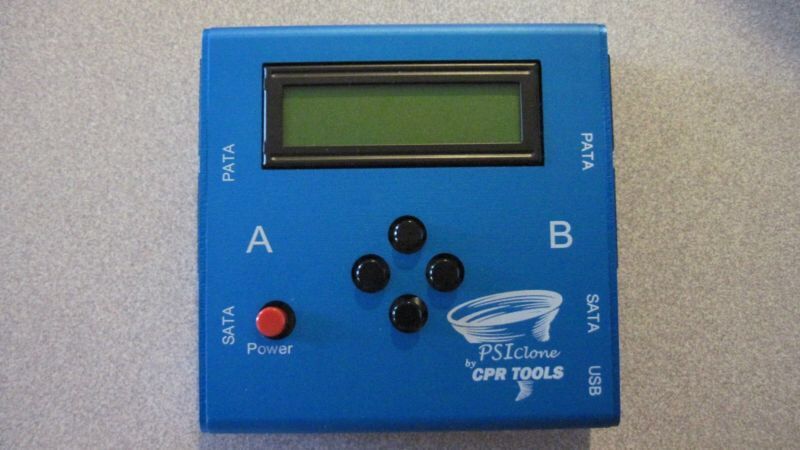
Advanced Partition Recovery Engineering at Seattle Data Recovery
The Anatomy of a Lost Partition: What Actually Happens?
- Partition Tables (MBR / GPT): The very first sectors of a drive contain the map of all volumes. If a power surge, improper disconnection, or firmware bug corrupts this table, the operating system views the entire drive as empty, "unallocated," or "RAW."
- The File System Boot Sector: Each individual partition has its own boot sector containing critical parameters (like cluster size and the location of the file metadata tables). If this sector is wiped, the partition becomes unreadable.
- Metadata Tables (MFT / HFS Catalog / APFS Containers): For Windows (NTFS), Mac (APFS/HFS+), or Linux (EXT4), these tables act as the drive's master index. If the index is fractured, the files remain on the platters, but their names, folder structures, and directory paths are lost.
Our Tiered Partition Recovery Protocols
Phase 1: Sector-by-Sector Diagnostic Imaging
- We mount the drive onto a hardware imager that bypasses the computer’s operating system.
- We create a bit-for-bit, exact digital clone of the drive, handling unstable or dropping heads safely. All subsequent partition repairs are performed strictly on this secure digital image.
Phase 2: Forensic Geometry Reconstruction
- Locating Backup Superblocks: Operating systems automatically create hidden, backup copies of partition headers and boot sectors at the very end of a drive's boundary.
- Our engineers manually calculate the drive geometry to locate these hidden backups, parsing the raw hex signatures to inject the original volume parameters back into the primary partition table.
Phase 3: Parsing Fractured File Systems
- Our systems perform a highly specialized process called Intelligent File System Parsing. Rather than randomly searching for files, our equipment maps out the ghost remains of the old Master File Table (MFT) or Catalog Tree.
- This allows Seattle Data Recovery to extract the data while fully preserving the original file names, date timestamps, and nested folder hierarchies exactly as they existed before the collapse.
Critical Instructions for Partition Loss Situations
- Strictly Avoid "Chkdsk", "First Aid", or Defrag Utilities: If a partition table is corrupted, built-in operating system repair tools will aggressively attempt to "fix" it by writing new data over the old file system indexes. This can permanently slice through and destroy the remaining structural fragments of your files.
- Do Not Initialize or Format the Volume: If your operating system pops up a window saying "You must format the disk in drive X: before you can use it," click Cancel immediately. Formatting creates a brand-new file system structure that can overwrite the original metadata blocks.
- Keep the Drive Powered Down: If the partition dropped because of background physical media degradation (bad sectors), leaving the drive plugged in allows the internal drive logic to keep retrying those dead zones, which can physically burn out the read/write heads.
Internal Hard Drive Data Recovery Services
Professional Cleanroom Recovery for Laptop & Desktop HDDs
Supported Drive Interfaces & Form Factors
- 2.5-Inch Laptop Drives: Standard SATA, Slim SATA, and legacy IDE/PATA drives pulled from laptops, MacBooks, and portable enclosures.
- 3.5-Inch Desktop Drives: High-capacity SATA, enterprise SAS (Serial Attached SCSI), and legacy IDE drives pulled from Mac Pros, gaming rigs, workstations, and home towers.
- Solid-State Hybrid Drives (SSHD): Complex dual-architecture drives (such as Seagate FireCuda) that utilize a mechanical platter stack paired with an integrated NAND flash caching chip.
Direct Comparisons: Common Internal Failure Modes
| Attribute | 💻 Laptop Hard Drives (2.5") | 🖥️ Desktop Hard Drives (3.5") |
|---|---|---|
| Primary Failure Catalyst | Physical trauma (drops, jars, liquid spills) and thermal choking in tight chassis spaces. | Power surges, prolonged runtime wear, and sudden power loss (OS crashes). |
| Mechanical Symptom | Head Stiction (heads stuck to platters) or snapped actuator arms due to impact. | Seized Spindle Motors or worn-out bearings emitting grinding/buzzing noises. |
| Electronic Failure | Corrupted firmware modules caused by abrupt battery depletion mid-write cycle. | Blown TVS Diodes and shorted PCBs caused by faulty desktop power supplies (PSUs). |
| Recovery Approach | Precision head isolation, manual parking ramp disengagement, and chassis stabilization. | Microscopic PCB component replacement, ROM transplants, or full cleanroom chassis swaps. |
Our ISO 5 Cleanroom Recovery Process
- Non-Destructive Diagnostic Assessment: We safely isolate your drive's Printed Circuit Board (PCB) to test the electrical rails. If the board is functional, we connect the drive to advanced diagnostic hardware (such as ACELab PC-3000) to read the drive's microcode through its terminal interface without initializing the unstable data sectors.
- Class 100 / ISO 5 Cleanroom Intervention: If your drive is clicking or failing to spin, it is transferred to our certified cleanroom. Our technicians use proprietary tools to perform mechanical adjustments:
- Head Stack Assembly (HSA) Transplants: Swapping out broken read/write heads using precise donor matches.
- Multi-Platter Alignment Transfers: Moving a locked platter stack to a functional donor chassis when a motor fails.
- Firmware and Translator Repair: Once the mechanics are stabilized, we repair internal system area structures, rebuild collapsed data translators, and modify head maps to isolate severely scratched platter zones.
- Bit-by-Bit Sector Imaging: The drive is cloned using specialized imaging hardware that controls read timeouts and head voltage. We target your most critical files first, ensuring that if the drive degrades completely during processing, your highest-priority data is already safe.
Solid State Drive (SSD) Repairs
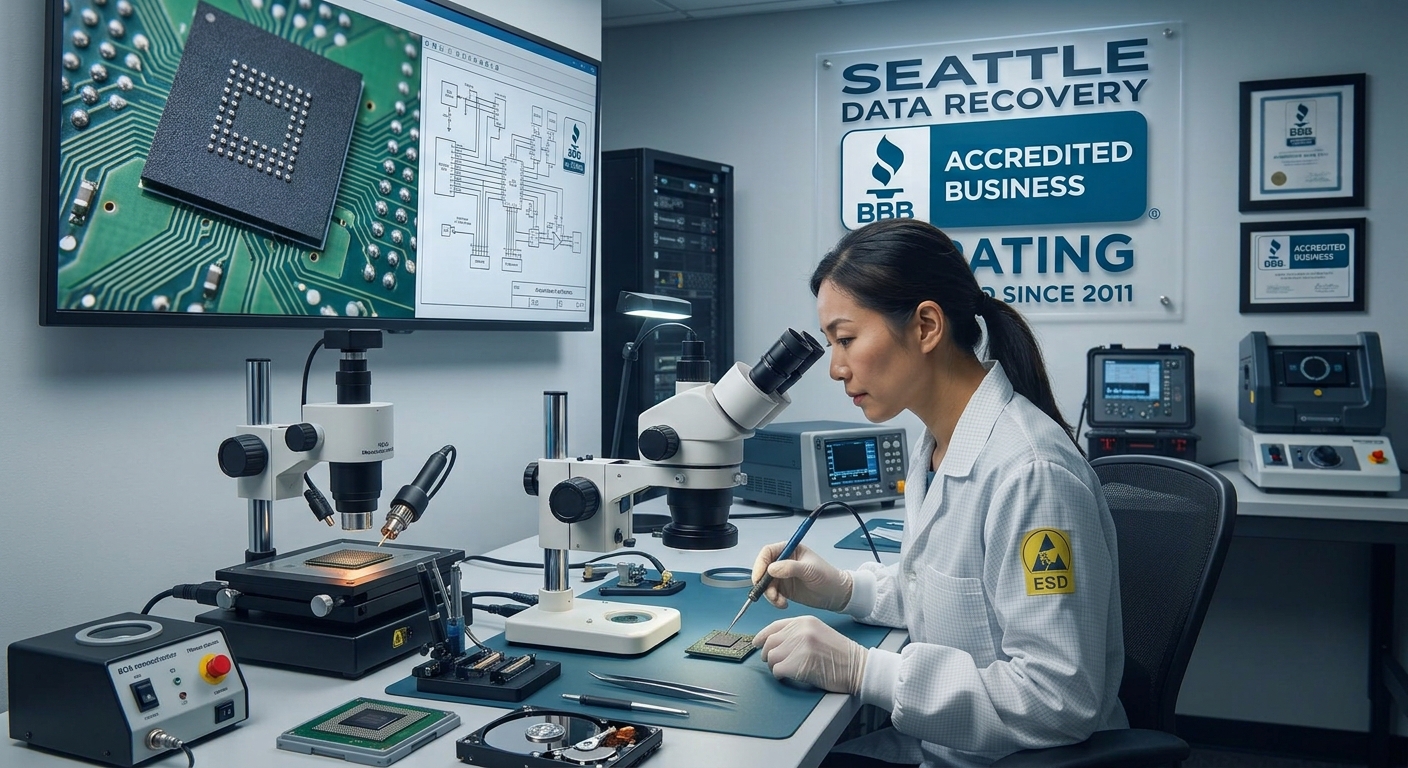
Understanding the Chip-Off Method
The Laboratory Workflow:
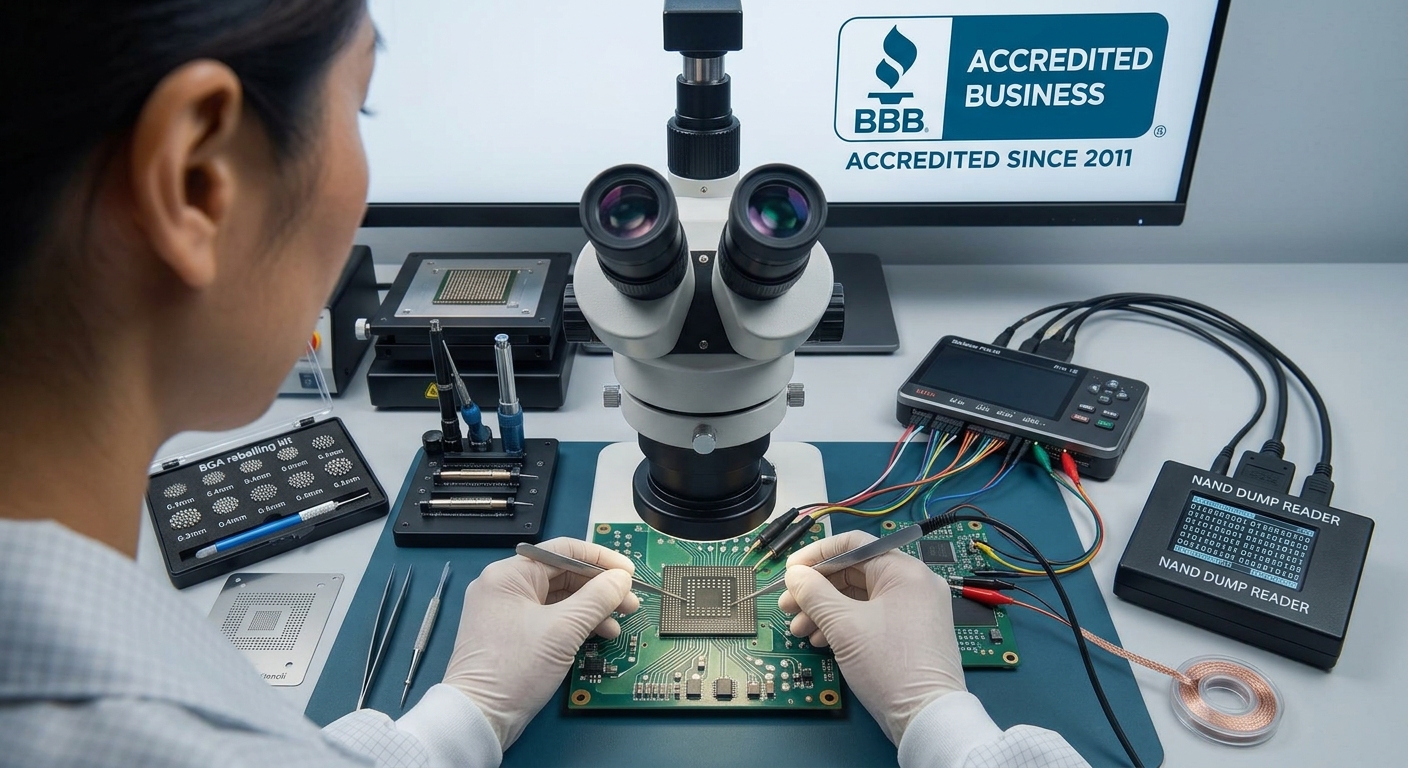
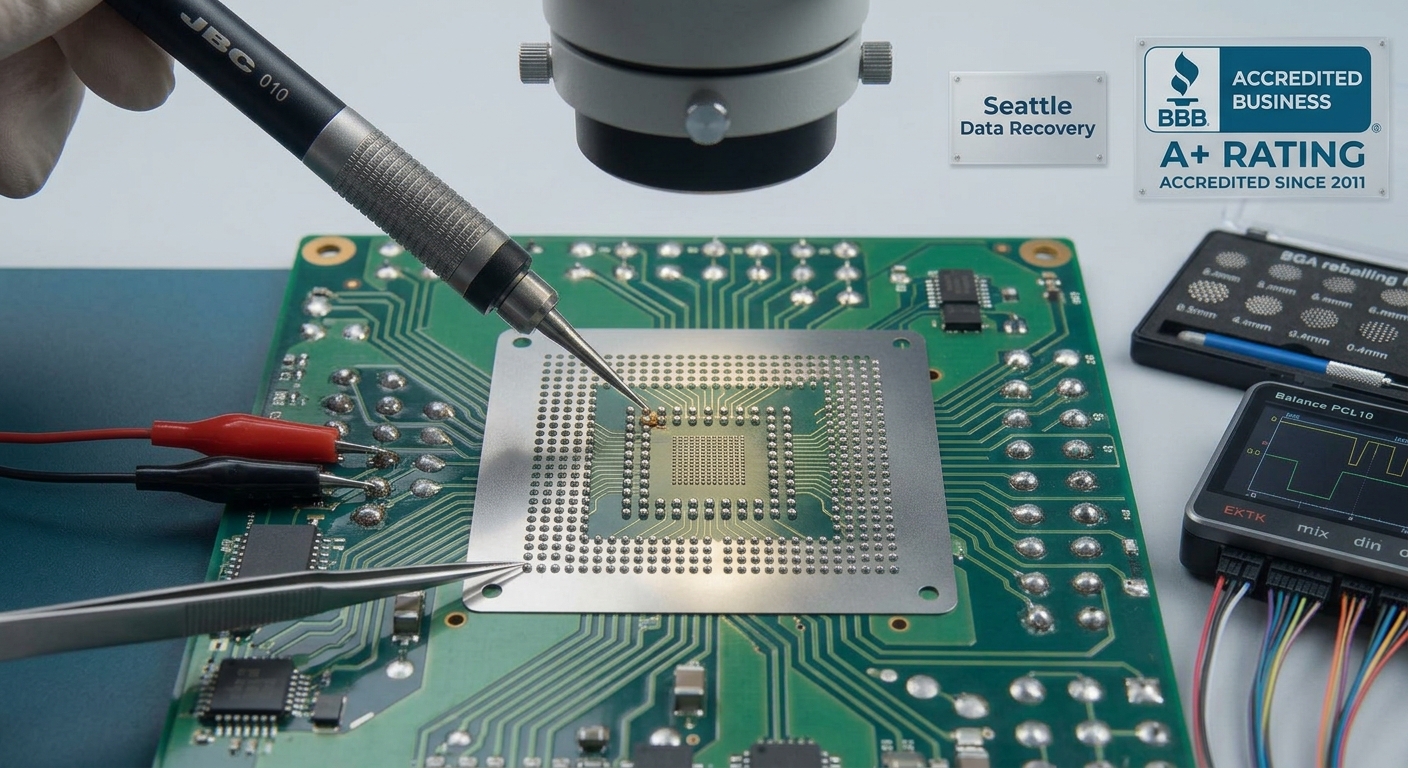
- Precision Desoldering: The damaged board is mounted under an industrial microscope. Using infrared BGA (Ball Grid Array) rework stations or high-end hot-air tools, the engineer heats the board to the exact solder melting point without overheating the sensitive silicon inside the memory chip.
- Safe Extraction: Using specialized micro-prying tools, the engineer lifts the NAND flash chip away from the dead circuit board.
- Chemical Cleaning & Reballing: Residual factory adhesive and oxidized solder are meticulously cleaned from the chip's microscopic contact pads using chemical solvents. If necessary, the chip is "reballed" with fresh solder spheres to ensure perfect electrical connectivity.
- Direct Hardware Reading: The isolated NAND chip is placed into a specialized physical socket adapter connected to a raw memory reader, completely bypassing the original device architecture.
The Art of Bypassing the Controller
- Bypassing XOR Scrambling: To protect the memory and ensure high performance, controllers "scramble" data using unique mathematical XOR patterns. The recovery specialist must identify the exact algorithm used by that specific controller brand (e.g., Silicon Motion, Phison, Marvell) and apply a reverse pattern to unscramble the data.
- Reconstructing Bad Block Management: Flash memory naturally degrades. The controller constantly moves data out of failing blocks and hides them from the operating system. Engineers must manually reconstruct these map tables so files don't end up with random, corrupted gaps.
- Emulating Wear Leveling (The Page Allocation Table): Controllers do not save files in a straight line; they scatter pieces of a single file across multiple physical chips to prolong the drive's lifespan. Bypassing the controller means manually calculating the "logical block address" (LBA) to stitch the scattered pieces of your databases, videos, or records back into their original, perfect file structures.
The Hardware Encryption Challenge: Apple Silicon & Modern NVMe
Solid State Drive (SSD) Data Recovery
1. Consumer & Prosumer NVMe M.2 SSDs
- Samsung 980 Pro / 990 Pro Series: The most prevalent high-end NVMe drives on the market. Popular in labs due to sudden controller lockouts (often caused by critical firmware bugs or translation layer corruption) where the drive identifies by its internal factory alias rather than its true capacity.
- Crucial P-Series (P3, P5 Plus) & T-Series (T700 Gen5): Widely used for storage expansion. High-speed Gen5 drives generate immense heat, which can lead to premature component degradation, requiring specialized thermal reflow work or controller-bypass protocols.
- Western Digital Blue/Black NVMe (SN570, SN770, SN850X): Standard equipment across thousands of commercial and residential systems. Labs frequently treat these for translation layer (translator) allocation failures, where the drive loses track of how files are distributed across the physical flash blocks.
2. Apple Silicon & Board-Soldered NAND Flash
- Apple M-Series Integrated Storage (M1, M2, M3, M4 MacBooks): Because the NAND flash storage chips are permanently soldered directly onto the main logic board, standard extraction is impossible. If the logic board suffers a catastrophic electrical short, physical damage, or liquid spill, labs must perform advanced chip-off recovery [6a7e13c3].
- The Technical Process: Engineers carefully desolder the raw NAND chips using precise infrared or hot-air rework stations [6a7e13c3]. Because the data is hardware-encrypted by the Apple Secure Enclave processor, the chips must either be read via a donor board or reconstructed through raw hardware chip readers [6a7e13c3], making this one of the most technical and sought-after services.
3. Professional Portable & Creative Production SSDs
- SanDisk Extreme Portable / Pro SSDs: Extremely popular among photographers and videographers. These drives are frequently seen in labs due to hardware design vulnerabilities, such as fractured solder joints on internal components or complete controller shorts that require meticulous trace repair under a microscope.
- Samsung T-Series (T7, T7 Shield, T9): The standard field drive for content creators. While physically ruggedized, they frequently experience physical port shear (broken USB-C interfaces) or internal encryption controller lockouts.
- LaCie Rugged SSD & Rugged Pro: Built for extreme environments, but still vulnerable to sudden electrical surges or file system corruption over Thunderbolt connections, requiring internal bridge-board bypass procedures.
4. Enterprise, Datacenter & Server-Grade SSDs
- Intel / Solidigm D7 & D5 Series (e.g., P5510, P5316): Heavy-duty PCIe NVMe drives used in enterprise data centers for cloud storage and massive database logging. They feature complex power-loss protection (PLP) circuitry that can fail during sudden facility power drops, requiring micro-level capacitor replacement.
- Samsung Enterprise Series (PM9A3, PM1733): High-density U.2/U.3 and E1.S form-factor drives designed for enterprise server blades. Recovery involves navigating deeply proprietary enterprise firmware layouts and complex multi-channel controller configurations.
- Micron 7450 / 9400 Series: Heavily deployed in corporate network environments. These drives are brought to specialized laboratories when their internal wear-leveling algorithms or block-management structures become corrupted under massive, non-stop read/write loads.
NAND Flash Memory
Non-volatile memory chips (arranged in SLC, MLC, TLC, or QLC cells) that retain digital data even when the power is turned off.
SSD Controller
The "brain" or management unit that oversees data processing, reads and writes, error correction code (ECC), wear leveling, garbage collection, and host interface coordination.
DRAM Cache
Temporary volatile memory used for caching file tables, mapping data (Flash Translation Layer), and speeding up random read and write operations (though some budget drives are DRAM-less).
Firmware
Embedded software running on the controller that dictates how the drive manages data blocks, garbage collection, and lifespan optimization.
Interface / Connector
The physical and logical standard that connects the SSD to the host system—such as SATA, PCIe, or NVMe.
Power Management Modules
Integrated circuits that regulate and distribute clean, stable power to the internal components.
Temperature Sensors / Thermal Controllers
Hardware parts that monitor heat generation and throttle performance or run cooling elements to prevent overheating
Encryption Engines
Dedicated hardware circuitry that handles real-time data encryption and security features.
Printed Circuit Board (PCB)
The main circuit board that houses and electrically connects all of the individual chips and components.
RAID Array Data Recovery
High-Stakes RAID Recovery Scenarios in the Seattle Tech Corridor
- Multi-Drive Failures in Redundant Arrays (RAID 5 / RAID 6): While RAID 5 can tolerate a single disk failure, massive electrical surges—such as those caused by winter windstorm power grid drops in Seattle—frequently force two or more drives offline simultaneously, causing the entire logical volume to collapse.
- NAS Controller and Enclosure Failures: In many business environments, the physical disks remain entirely healthy, but the underlying hardware controller or internal Linux-based file system metadata (
mdadmconfigurations, ext4, or Btrfs) becomes severely corrupted, rendering the network shares completely unreadable. - RAID 0 Striping Failures: Because RAID 0 focuses entirely on speed by striping data across multiple drives without any built-in parity or redundancy, the failure of just one single drive instantly destroys the entire file structure.
Institutional Case Study: RAID 0 Emergency Recovery for the Catholic Church in Washington State
The Technical Challenges & Risks
The Laboratory Intervention Workflow
- Hardware-Level Diagnostic Isolation: The failed physical drive was isolated inside our ISO 5 cleanroom. Engineers bypassed the broken hardware controller entirely, using advanced hardware emulators to stabilize the drive's microcode and read the unstable sectors safely.
- Bit-Stream Raw Cloning: Write-blocked, sector-by-sector clones were generated for every single drive in the array. This process ensured that the original parish school drives remained completely unaltered, preserving a strict evidentiary forensic standard.
- Virtual Block Realignment & Re-Stitching: Utilizing proprietary software emulation tools, our specialists calculated the original controller's block size, drive ordering, and offset parameters. This allowed us to virtually reconstruct the striped data architecture without needing the original broken server hardware.
- 100% File System Extraction: By successfully rebuilding the virtual parameters, the laboratory bypassed the corruption and extracted 100% of the uncorrupted files, safely exporting the school’s entire historical and operational infrastructure onto modern, secure solid-state storage.
Secure B2B Intake at Our Ballard Laboratory
RAID Performance
Data Recovery and Seamless Migration to New High-Performance RAID Systems
The Recovery-to-High-Performance RAID Pipeline
Phase 1: Forensic Extraction and Structural Alignment
- Any failing drive members from your old system (whether clicking hard drives, dead SSDs, or a degraded multi-disk RAID) are stabilized inside our ISO 5 Cleanroom or micro-soldering stations.
- We utilize hardware imagers like the PC-3000 to create a bit-for-bit digital clone of your data layers.
- If your original file structure was fractured, our engineers manually recalculate block sizes, parity rotations, and stripe patterns to virtually reconstruct your original databases, virtual machines, or media catalogs onto our secure laboratory servers.
Phase 2: Building Your New High-Performance Storage Array
- All-Flash NVMe RAID Arrays: For hyper-speed video editing bays (4K/8K production) or heavy SQL database environments, we build all-flash arrays that deliver massive input/output operations per second (IOPS) and eliminate mechanical bottlenecks entirely.
- Resilient Enterprise RAID Topologies: Depending on whether your organization prioritizes absolute write speeds or total fault tolerance, we configure new enterprise hardware enclosures into optimized RAID 5, RAID 6, or RAID 10 environments.
- Next-Generation File Systems: We structure the new arrays using cutting-edge, self-healing file systems like ZFS, Btrfs, or modern APFS Containers to ensure maximum data integrity and automatic block-level error checking.
Phase 3: High-Speed Direct-Attached Bitstream Migration
- At Seattle Data Recovery, we bridge our forensic imaging servers directly to your new high-performance RAID enclosure using high-bandwidth pipelines, such as 10GbE/40GbE network interfaces or Thunderbolt 4 / PCIe Direct-Attached Storage (DAS) buses.
- This allows us to pipe your recovered data onto the new drives at maximum hardware line speed, fully verifying every block with cryptographic checksums to guarantee that original file names, date timestamps, and complex directory hierarchies remain 100% intact and uncorrupted.
Enterprise-Grade Compliance and Total Physical Security
- Strict HIPAA & SOC 2 Compliance: We maintain an ironclad internal chain of custody to protect financial ledgers, legal assets, and Protected Health Information (PHI) throughout both the extraction and migration workflows.
- Exclusive Physical Security: Our laboratory is located inside a secure professional medical building with strictly monitored perimeters, minimizing outside traffic and protecting high-value business storage assets.
- Secure Hardware Decommissioning: Old, failed drives that are replaced during the recovery process undergo verified physical destruction, ensuring no data residue ever leaves our laboratory.
Operational Checklist for IT Managers Facing Array Collapse
- Sever Power to Noisy Enclosures: If a drive inside your old array begins clicking or beeping, shut the unit down instantly. Forcing an unstable mechanical drive to keep spinning can physically score the platters, making recovery impossible.
- Do Not Attempt an Automatic "Rebuild" on Failing Hardware: Forcing a degraded RAID to try and rebuild itself with a failing disk puts immense strain on the remaining healthy drives. This thermal and mechanical stress frequently triggers a secondary drive failure, collapsing the volume permanently.
- Deploy Clean Target Media: Never attempt to patch data back onto a drive that has previously failed or shown bad sectors. Temporary software fixes will inevitably drop out again, risking secondary data loss.
Enterprise Storage Data
+------------------------+---------------------------------------+---------------------------------------+

| Feature                | Standard Desktop/Laptop HDD           | Enterprise HDD                        |
+------------------------+---------------------------------------+---------------------------------------+

| Workload Rating        | ~55 TB / year (Intermittent use)      | 550+ TB / year (24/7/365 Continuous)  |
| MTBF (Reliability)     | ~1 Million Hours                      | 2.0 to 2.5 Million Hours              |
| Vibration Tolerance    | Low (Prone to failure in multi-drive) | High (RV Sensors stabilize multi-drive)|
| Warranty & Quality     | 2–3 Years (Standard components)       | 5 Years (Premium, heavy-duty parts)   |
+------------------------+---------------------------------------+---------------------------------------+
- Standard HDDs are designed for typical 8-hour workdays. If placed into a multi-drive server or network-attached storage (NAS) environment, the combined rotational vibration of surrounding disks will quickly degrade and destroy standard consumer drives.
- Enterprise HDDs feature Rotational Vibration (RV) sensors and robust mechanical parts. They are engineered to spin constantly in dense, high-vibration rackmount chassis without losing data integrity.
The Scenario: A client brought us a failing 8-Drive HDD RAID 6 array from a corporate file server.Our Solution: After successfully cloning and recovering 100% of the data in our lab, we didn’t just dump the files onto standard external drives. To ensure business continuity, we rebuilt and transferred the data onto a brand-new Enterprise HDD RAID array utilizing premium enterprise disks. For clients looking to future-proof their operations, we frequently use this opportunity to upgrade them to an Enterprise SSD RAID array, cutting data access times from milliseconds to microseconds.
+------------------------+---------------------------------------+---------------------------------------+

| Feature                | Standard Laptop/Desktop SSD           | Enterprise SSD                        |
+------------------------+---------------------------------------+---------------------------------------+

| Power Loss Protection  | None (Data in transit can be lost)    | Hardware PLP (Capacitors save data)   |
| Write Endurance (TBW)  | Low (Designed for casual usage)       | Extremely High (Constant write cycles)|
| Performance Stability  | High burst, throttles under heavy load| Consistent, sustained peak IOPS       |
+------------------------+---------------------------------------+---------------------------------------+
- Standard SSDs excel at quick bursts of speed—like opening a laptop application or booting up a PC. However, during prolonged business workloads, they quickly overheat, exhaust their cache, and experience severe performance drops. Crucially, they lack protection against sudden power outages.
- Enterprise SSDs feature Power Loss Protection (PLP) via onboard capacitors. If the power cuts out, the drive has enough temporary hardware power to safely flush data from its volatile cache into safe storage. They also boast massively superior Terabytes Written (TBW) endurance ratings.
The Scenario: We recently recovered a premium G-RAID PRO 2 dual-drive hardware array—a high-performance enterprise enclosure relied upon by creative professionals and businesses.Our Solution: To match the exact enterprise-grade quality, speed, and hardware-encrypted reliability of the original system, we transferred the recovered data onto a top-tier SanDisk Professional PRO-G40 ultra-rugged dual-mode drive, ensuring the client's workflow didn't miss a beat.
- High Density: We can fit 4 ultra-fast NVMe M.2 SSDs per single PCIe slot.
- Unmatched Speed: By configuring these in a RAID array, we strip away standard bottleneck limitations, allowing your server to process heavy database workloads, virtual machines, and local applications simultaneously.
- We build massive, hot-swappable arrays using Enterprise 2.5" SSDs.
- These arrays provide the sustained IOPS, hardware-level Power Loss Protection, and structural reliability needed to keep data centers running 24/7/365 without degradation.
RAID 0 (Striping)
Splits data evenly across two or more drives without redundancy or parity. It offers high read and write speeds, but a failure of any single drive destroys the entire array. Requires a minimum of 2 drives.
RAID 1 (Mirroring)
Writes identical data to all drives in the set. It provides high reliability and read performance, but usable storage is cut in half (50% capacity). Requires an even number, with a minimum of 2 drives.
RAID 5 (Striping with distributed parity)
Stripes data and rotates parity information across all drives. It tolerates the failure of a single drive while maintaining good read speeds. Requires a minimum of 3 drives.
RAID 6 (Striping with dual distributed parity)
Similar to RAID 5, but calculates two sets of parity data instead of one. It can survive the simultaneous failure of up to two drives. Requires a minimum of 4 drives.
RAID 10 (RAID 1+0 - Striping of mirrors)
Combines mirroring and striping by creating mirrored pairs and striping data across them. It delivers high performance and strong fault tolerance (tolerating one drive failure per mirrored pair), using 50% of total capacity. Requires a minimum of 4 drives.
RAID 50 (RAID 5+0)
Combines data striping (RAID 0) across multiple RAID 5 sub-arrays. It improves performance and can survive the loss of one drive in each RAID 5 sub-array. Requires a minimum of 6 drives.
RAID 60 (RAID 6+0)
Combines data striping (RAID 0) across multiple RAID 6 sub-arrays. It tolerates up to two drive failures in each RAID 6 sub-array. Requires a minimum of 8 drives.
SD Card Data Recovery
High-Stakes SD Card Recovery Scenarios in the Pacific Northwest
1. Accidental Formatting on Active Film Sets
- The Scenario: A camera assistant or field producer accidentally hits "Format Card" inside a Sony, RED, or Blackmagic camera before verifying that the files were successfully offloaded to a backup scratch disk. In an instant, hundreds of gigabytes of high-bitrate cinematic footage appear lost. [13]
- The Lab Solution: As long as new footage hasn't been shot over the old files, the raw data blocks remain intact. We utilize advanced logical block reconstruction tools to scan the media. We map past the newly overwritten file allocation tables, re-link fragmented raw video streams (
.R3D,.MOV,.MXF), and extract the files with their original metadata and timecodes completely intact.
2. Sudden File System Corruption and "Card Cannot Be Read" Errors
- The Scenario: Upon inserting a SanDisk Extreme Pro, ProGrade, or Lexar SD card into a MacBook or camera, the device displays a critical error message: "Card error," "Card cannot be read," or prompts the user to format the drive. The files become completely inaccessible.
- The Lab Solution: This error usually points to a corrupted Master Boot Record (MBR) or file allocation table caused by an un-isolated voltage spike or sudden card removal while writing data. Our technicians use hardware-level write-blockers to isolate the card, patch the logical directory errors in a safe mode environment, and safely pull a perfect clone of the underlying file structure.
3. Physical Cracking and Snapped MicroSD Cards
- The Scenario: A drone suffers a hard landing in a Seattle park, or a photographer accidentally steps on a standard SD card while swapping media in the field, causing a visible crack in the outer plastic housing.
- The Lab Solution: If the internal silicon wafer containing the actual memory architecture remains un-cracked, the data can be saved. We perform a Monolithic Chip-Off Recovery under an industrial microscope. Engineers gently scrape away the protective outer epoxy layer of the card to expose the microscopic copper circuit traces beneath. We then micro-solder hair-thin wires directly onto these internal test points, soldering them onto a custom adapter board to read the raw data blocks while completely bypassing the broken card casing.
4. Controller Failure and Complete Device Dead State
- The Scenario: The SD card or USB thumb drive shows absolutely no signs of life. When plugged into a computer, no lights flash, the operating system doesn’t register that any device has been inserted, and it reads as completely dead.
- The Lab Solution: When an internal controller dies, standard software utilities are completely useless. Our laboratory specializes in Advanced Controller Bypassing [6a7e13c3]. We place the card into specialized diagnostic hardware, access the raw NAND flash chips directly, and apply custom software emulators to manually unscramble the XOR patterns and rebuild the logical block address map [6a7e13c3], completely reconstructing the lost photos and data sheets [6a7e13c3].
Secure Walk-In Intake at Our Ballard Lab
Industrial Data Recovery
Advanced Industrial Data Recovery: Restoring Legacy Control and Automation Infrastructure
The Most Popular Industrial Machine Failures and Storage Challenges
1. Corrupted CNC Machine Logic on Industrial CompactFlash & PCMCIA Cards [8]
- The Failure Mode: Due to non-stop read/write cycles or a sudden electrical power surge on the factory floor, the industrial flash card suffers complete controller corruption. The CNC machine fails to boot, displaying critical boot-loop errors or failing to read the toolpath programming.
- Our Lab Solution: Standard operating systems cannot read these cards because they run highly proprietary industrial file structures. We perform Advanced Controller Bypassing. By desoldering the raw NAND flash chips under an industrial microscope and placing them into specialized hardware readers, we bypass the dead controller entirely [6a7e13c3]. We then manually reverse-engineer the raw blocks to reconstruct the vital parameter files, avoiding weeks of machine re-calibration.
2. Physical Head Crashes on Legacy IDE/PATA Drives inside Aging PLC Systems
- The Failure Mode: Relentless physical vibration from factory machinery causes the drive's mechanical read/write heads to slam into the spinning magnetic platters (a physical head crash). The drive begins making a rhythmic clicking or grinding sound, locking up the machine's control terminal.
- Our Lab Solution: Because these legacy drives are long obsolete, finding matching parts requires an extensive global donor library. Inside our ISO 5 cleanroom, our engineers carefully open the drive chassis, transplant the damaged mechanical head assembly with precise donor matches, and stabilize the mechanical drive architecture. We then extract a sector-by-sector bit-stream clone of the legacy environment.
3. Broken Proprietary File Systems on Legacy Unix, QNX, and OS/2 Control Servers
- The Failure Mode: The physical hard drive or early solid-state drive encounters bad sectors or metadata corruption. Traditional IT departments are completely unable to assist because modern file recovery utilities cannot parse or recognize these vintage, proprietary file allocations.
- Our Lab Solution: Our engineers specialize in low-level digital forensics. We map the raw hexadecimal data blocks of the drive, bypass the corrupted directory tables, and manually trace the original raw partitions. This allows us to safely extract the original machine programs and configurations, which are then delivered back to the client on modern, reliable media configured to mimic the exact geometry of the original legacy drive.
4. Solid-State Wear-Out and Electrical Spikes on HMI Touchscreens
- The Failure Mode: Heavy electrical surges across factory power grids can burn out the HMI’s internal Power Management Integrated Circuits (PMICs). Furthermore, non-stop data logging over years of operation can cause the underlying solid-state flash cells to completely degrade, locking the screen into a bricked state.
- Our Lab Solution: Our engineers perform Advanced Chip-Off Data Recovery [6a7e13c3]. Using precision hot-air or infrared rework stations under specialized microscopes, we carefully desolder the integrated flash chips from the dead HMI board. Once isolated, the chips are placed into hardware emulators to reconstruct the underlying operating profile and custom graphic interfaces designed for that specific machine line.
Secure B2B Industrial Intake at Our Ballard Facility
- Arrival & Free Dedicated Parking: To drop off heavy or sensitive industrial drive enclosures, drive directly to Level 2 of our facility structure. We have designated free customer parking spaces (Spaces 40–45) specifically reserved for our clients.
- Secure Elevator Access: Once parked on Level 2, head inside the main lobby doors and take the building elevator straight up to Level 4 (please note the stairs are locked for building security and do not connect to the office floors).
- Regus Reception Intake: Upon exiting the elevator on the 4th floor, turn right to enter our executive corporate suite, managed in partnership with Regus. Regus front-desk professionals are renowned for exceptional administrative support, strict data privacy controls, and a secure corporate environment. Your hardware will be instantly logged into our secure chain-of-custody tracking system before entering our engineering workspace.
Tape Data Recovery
The Most Popular Tape Formats Handled in the Lab
- LTO (Linear Tape-Open) Series: The undisputed enterprise standard. Recovery requests scale from early generations like LTO-3 and LTO-4 up to modern high-capacity formats like LTO-8 and LTO-9. LTO drives feature highly complex physical tracking mechanisms and hardware-level encryption. [10, 11, 12, 13, 14]
- DAT / DDS (Digital Audio Tape / Digital Data Storage): Widely used by small-to-medium businesses throughout the 1990s and 2000s for server backups. These helical-scan tapes are highly susceptible to mechanical wear and age-related magnetic degradation.
- DLT / SDLT (Digital Linear Tape): Heavy-duty legacy enterprise formats favored by corporate data centers for high-capacity server imaging before the widespread adoption of LTO media.
- IBM 3592 / Enterprise Tape Series: High-density proprietary tape cartridges engineered for massive mainframe computer systems, banking data centers, and global financial archives.
Popular Tape Failure Scenarios & Laboratory Solutions
1. Sticky Shed Syndrome & Thermal Degradation
- The Scenario: Tapes stored in unconditioned environments for years absorb moisture from the surrounding air. The chemical binder holding the magnetic oxide to the plastic backing layer begins to break down. When loaded into a standard drive, the tape becomes sticky, squeals, leaves residue on the read heads, and jams the mechanism.
- The Lab Solution: Thermal Laboratory Treatment (Tape Baking). The degraded tape is placed inside a highly precise, laboratory-grade convection chamber. By applying a controlled, low-temperature, ultra-low-humidity environment for 24 to 48 hours, the moisture is safely extracted, temporarily restoring the chemical stability of the binder so the tape can be imaged.
2. Physical Snaps, Tears, and Shell Malfunctions
- The Scenario: A mechanical malfunction inside an active tape drive causes a sudden tension spike, snapping the fragile tape ribbon cleanly in half. In other cases, dropping a cartridge cracks the protective plastic shell, shattering the internal take-up reels or seizing the internal brake mechanism.
- The Lab Solution: Micro-Splicing and Shell Transplants. Working under an industrial microscope, cleanroom technicians carefully repair the ribbon using specialized, residue-free splicing tape designed explicitly for digital storage media. Broken cartridges undergo complete shell transplants, migrating the delicate internal magnetic spools into a pristine, functional donor housing.
3. Overwritten Tape Headers & Erased Backups
- The Scenario: An automated backup script or an untrained operator loads a historical archive tape into an active drive and accidentally initiates a new backup sequence. The new data begins writing over the tape header, making the thousands of gigabytes of data deeper on the tape completely invisible to standard software utilities.
- The Lab Solution: Raw Magnetic Block Extraction. Tapes do not have traditional file allocation tables like hard drives. Instead, they write data in linear blocks separated by filemarks. When a header is overwritten, our engineers utilize specialized drive emulators to bypass the altered index. We manually force the drive head to track past the overwritten data block, scanning the remaining tape surface to capture raw data streams and piece the original archives back together block-by-block.
4. Legacy Tape Software & Archive Alignment Failures
- The Scenario: A corporation possesses an archive of perfectly healthy LTO tapes from 15 years ago, but the original backup software (such as vintage versions of Arcserve, Veritas Backup Exec, or NetBackup) has long been decommissioned. Modern operating systems cannot read the raw data blocks, leaving the archive completely locked.
- The Lab Solution: Multi-Platform Logical Reconstruction. Our laboratory maintains an extensive library of legacy operating systems, tape controllers, and archive extraction software. We clone the raw block-level image of the tape and utilize proprietary decoding scripts to parse legacy Unix
tar,cpio, or specific enterprise backup formats, extracting the target database or financial records into universal modern formats.
Secure Enterprise Intake at Our Ballard Lab
- Drop-off & Free Parking: Couriers or IT professionals can park securely on Level 2 (Spaces 40–45) in our designated client parking spaces.
- Secure Access: Proceed through the main lobby and take the elevator directly up to Level 4 (stairs are restricted for building security).
- Regus Executive Reception: Upon exiting the elevator on the 4th floor, turn right to enter our executive corporate suite, managed in partnership with Regus. Regus front-desk professionals provide exceptional administrative support, strict customer confidentiality, and an elite corporate environment. Your media will be logged immediately into our secure system before passing to our engineering cleanroom.
LTO Tape Data Recovery
Expert LTO Tape Data Recovery Solutions in Seattle
The Most Critical LTO Tape Failure Tiers We Recover
1. Mechanical Cartridge Failure & Tape Snaps
- The Problem: Over time, or due to a malfunctioning tape drive, an LTO cartridge can experience leader pin displacement, internal brake lockups, or a catastrophic physical tape snap or tear mid-cycle.
- The Recovery Protocol: Broken cartridges are never loaded back into standard production drives, as this will instantly destroy the tape drive's delicate heads. Inside our certified ISO 5 Cleanroom, our micro-engineering technicians manually open the cartridge casing, safely repair or replace fractured internal mechanisms, splice snapped tape tracking under high-power magnification, and cleanly migrate the magnetic media into a stable donor shell.
2. Environmental & Media Degradation (Sticky-Shed & Mold)
- The Problem: High humidity or temperature fluctuations in storage vaults can cause magnetic tape to suffer from hydrolysis (sticky-shed syndrome), where the chemical binders absorbing water break down and become sticky. Alternatively, poor ventilation can introduce mold spores along the edges of the tape wound.
- The Recovery Protocol: Attempting to read a sticky or moldy tape will instantly gum up the drive heads and physically rip the magnetic coating clean off the plastic backing. Our laboratory deploys specialized thermal tape-baking chambers to carefully dry and restabilize the binder material over a multi-day cycle. Mold is safely neutralized using chemical decontamination sweeps inside our cleanroom, ensuring the tape can smoothly pass over a forensic read head without shedding data.
3. Overwritten Headers & Backup Catalog Corruption
- The Problem: Logical failures occur when a backup application accidentally overwrites the initial Volume Error Table or Tape Header, or when the master backup catalog (such as Veritas NetBackup, Commvault, or Veeam) becomes completely lost. The drive reads the tape as blank or uninitialized, despite the underlying data remaining perfectly intact down the line.
- The Recovery Protocol: Our engineers utilize specialized low-level SCSI commands and custom firmware to bypass the standard operating system drivers. We stream the raw, unparsed magnetic bitstream straight from the tape block-by-block, performing deep file carving to reconstruct the original tar, cpio, LTFS, or proprietary backup block structures.
Comprehensive LTO Generation & Format Support
- LTO Generations: LTO-1 through LTO-9, including both standard read-write and WORM (Write Once, Read Many) cartridges.
- File Systems & Software Formats: Linear Tape File System (LTFS), IBM Spectrum Archive, Tar/Cpio dumps, backup containers from Commvault, Backup Exec, Veeam, NetBackup, and specialized UNIX/Linux custom volumes.
Enterprise-Grade Compliance and Physical Security
- Guaranteed HIPAA & Privacy Compliance: Our tape recovery workflows adhere strictly to federal privacy guidelines. We maintain an ironclad internal chain of custody to protect financial archives, employee records, and Protected Health Information (PHI).
- Secure Professional Building Environment: Our laboratory is located within an exclusive medical and professional perimeter that strictly restricts random foot traffic, ensuring absolute physical security for high-value corporate media.
- Secure Hardware Disposal: Scrap donor components and unrecoverable tape housings undergo secure physical destruction, ensuring no corporate data residue leaves our facility intact.
Catastrophic Emergency Protocol for Tape Archive Managers
- Do Not Keep Re-inserting the Failed Tape: If a tape drive rejects a cartridge or throws a persistent error code, do not force it into a second or third drive. If the tape drive's internal head is dirty or misaligned, or if the tape itself has shifted internally, repeatedly trying to mount it can permanently scratch or stretch the magnetic ribbon.
- Never Attempt to Manually Rewind the Tape: If the tape ribbon is loose or tangled inside the cartridge casing, do not attempt to use a tool to wind it back up manually. Improper manual tensioning can stretch the tape backing, permanently distorting the micro-tracks where data is encoded.
- Isolate the Host Tape Drive: If an LTO drive snaps a tape, take that specific drive offline immediately. A drive that destroys media must be inspected for physical head damage or roller alignment errors to prevent it from ruining subsequent tapes.
Imaging, Cloning, & Virtualization
Advanced Data Migration & Recovery: Systems Imaging, Cloning, Virtualization, and Cloud Modernization
Understanding the Core Methodologies
- Systems Imaging (Sector-Level Backup): Unlike a file-copy backup, a system image creates a perfect, bit-stream replica of an entire storage drive. This includes the master boot record (MBR/GPT), operating system kernels, hidden system partitions, local encryption keys, and registry configurations.
- Bare-Metal Cloning (Hardware Migration): Cloning maps data directly from a source drive to a target drive block-by-block. This is primarily used for immediate physical hardware swaps—such as upgrading a failing mechanical hard drive to an enterprise solid-state drive (SSD)—ensuring the target machine remains instantly bootable without requiring software re-installation.
- Virtualization (Hardware Decoupling): Virtualization converts a physical machine image into a standalone virtual disk container (such as a
.VMDKor.VHDXfile). This allows legacy operating systems and proprietary software applications to run smoothly inside a modern virtualized hypervisor environment (like VMware ESXi or Microsoft Hyper-V), completely independent of physical hardware failures.
The Most Popular Imaging & Virtualization Scenarios
1. Rescuing Proprietary Automation Logic from Failing Legacy PLCs
- The Scenario: The mechanical drive inside an essential machine terminal begins showing signs of imminent head crash or bad sector degradation. Because the original software vendor is long out of business, losing the operating environment means bricking a million-dollar production line.
- The Workflow: We isolate the drive using hardware write-blockers to extract a flawless sector-level image. If the drive is physically clicking, we replace the mechanical head assembly inside our ISO 5 cleanroom first. Once the raw bit-stream is secured, we rebuild the system geometry onto an industrial-grade solid-state drive or virtualize it entirely, allowing it to boot on modern, reliable hardware.
2. Virtualizing Legacy Database Servers for Compliance and Auditing
- The Scenario: An outdated corporate server running Windows Server 2008 or legacy Unix file systems is on the verge of total component failure. The internal hardware controller or multi-disk RAID array is unstable, and modern IT departments lack the legacy tools to safely port the databases.
- The Workflow: Our engineers execute a full physical-to-virtual (P2V) migration. We bypass the unstable hardware controller, read the individual disks at the raw sector level, virtually reconstruct the original striping parameters, and export the entire environment as a secure virtual machine container (
.VMDK). The business can then boot the entire legacy operating system inside a safe, isolated sandbox on their modern network whenever an audit is required.
B2B Case Study: Migrating Local Legacy Infrastructure to the Cloud
The Client Challenge:
The Technical Solution:
- Cleanroom Imaging: The failing mechanical disks were stabilized inside our ISO 5 cleanroom. Using advanced hardware emulators, we mapped past thousands of bad sectors to extract an exact raw block-level clone of each drive.
- RAID Parity Reconstruction: Our engineers calculated the block sizes and drive rotation offsets to virtually re-stitch the server's data volumes, completely correcting the underlying file system metadata corruption.
- Virtual Machine Conversion: Instead of returning the data on standard external hard drives—which would require the clinic to source a matching physical server and rebuild their network from scratch—we converted the recovered file systems directly into an optimized cloud-ready virtual hard disk configuration (
.VHDX). - Cloud Deployment Handoff: The virtualized server image was securely uploaded directly into a private, highly secure Microsoft Azure instance. We mapped the local storage paths and database connections inside the cloud hypervisor. Within hours, the clinic's workstations safely re-connected to their complete operational environment via a secure cloud pipeline, completely eliminating local hardware dependencies and ensuring absolute business continuity.
🏢 Secure Executive Corporate Intake at Our Ballard Lab
- Arrival & Free Designated Parking: To safely transport sensitive rackmount server enclosures or multiple enterprise drives, pull directly onto Level 2 of our facility structure. We provide dedicated free client parking spaces (Spaces 40–45) explicitly reserved for Seattle Data Recovery clients.
- Secure Elevator Access: Enter through the primary lobby doors and take the building elevator directly up to Level 4. For structural building security, the stairwells do not connect to the commercial office suites.
- Regus Reception Experience: Upon exiting the elevator on the 4th floor, turn right to step into our corporate reception area, managed in exclusive partnership with Regus. Regus front-desk reception teams are globally recognized for elite administrative support, strict data privacy safeguards, and a polished corporate environment. Your high-priority migration hardware will be instantly logged into our secure chain-of-custody tracking system before entering our engineering engineering workspace.
Recovering Data from Damaged Phones
Advanced Phone Data Recovery: Restoring Lost Assets Through Micro-Soldering and Chip-Off Engineering
Understanding the Mobile Chip-Off Methodology
The Surgical Laboratory Workflow:
- Microscope Diagnostic Isolation: The phone is carefully disassembled inside our cleanroom. The logic board is extracted and mounted under an industrial microscope to evaluate the extent of physical or chemical destruction.
- Precision Infrared Desoldering: Utilizing specialized infrared or hot-air BGA (Ball Grid Array) rework stations, our engineers heat the logic board to the precise melting point of the underlying solder [6a7e13c3]. The temperature must be strictly controlled to prevent thermal degradation of the delicate internal storage gates.
- Physical Memory Extraction: Using microscopic prying tools, the engineer lifts the isolated NAND flash chip away from the dead circuit board.
- Chemical Milling & Reballing: Residual factory underfill adhesives and oxidized solder are meticulously cleaned from the chip's contact pads using specialized chemical solvents. The chip is then "reballed" with microscopic spheres of fresh solder to prepare it for reading.
- Direct Hardware Emulation: The isolated chip is placed into a specialized physical socket adapter connected to a raw memory reader, completely bypassing the damaged phone frame, dead battery, and broken screen.
Popular Mobile Chip-Off & Logic Board Recovery Scenarios
1. Severe Saltwater and Liquid Immersion
- The Scenario: A smartphone slips out of a pocket during a ferry commute across the Puget Sound, falls into a lake during a weekend trip, or is subjected to a severe liquid spill at a local coffee shop. The device is instantly shorted out, and within hours, aggressive mineral corrosion begins eating through the copper circuit pathways on the logic board.
- The Lab Solution: Standard rice or heating tricks do nothing to stop microscopic corrosion. Our engineers submerge the logic board in specialized ultrasonic cleaning tanks filled with electronic-safe solvents to halt the oxidation process. If the internal circuit traces are too heavily corroded to deliver electricity to the memory, we skip trace-repair entirely and perform an emergency chip-off extraction to isolate the raw NAND storage.
2. Severe Kinetic Trauma & Crushed Airframes
- The Scenario: A smartphone falls from a high balcony, gets dropped under heavy industrial machinery on a factory floor, or is run over by traffic on a busy Seattle corridor. The physical body of the phone is completely bent, the screen is obliterated, and the logic board inside is physically cracked or fractured in half.
- The Lab Solution: If a logic board is physically cracked, electricity can no longer travel across its internal layers. Because the physical pathways are severed, the phone cannot be turned on by simply replacing the screen or battery. As long as the physical NAND flash memory chip itself hasn't been cracked down the middle, our technicians can desolder the intact memory chip from the broken board and read the data directly using raw hardware sockets [6a7e13c3].
3. Bypassing Hardware Encryption: The Apple Silicon Donor Transplant
- The Challenge: On modern smartphones—most notably Apple iPhones (utilizing A-series and M-series processors with Secure Enclave encryption)—the stored files are tied directly to the main processor chip via a unique, hardware-encrypted mathematical key. If you desolder the NAND chip and read it raw, the data looks like total, unreadable chaos because the decryption key lives inside the separate processor chip.
- The Lab Solution: To bypass this encryption lockout, our engineers must perform a Logic Board Donor Transplant. Instead of just reading the isolated storage chip, we source an identical, perfectly functional "donor" logic board of the exact same phone model. Under an industrial microscope, our micro-soldering specialists carefully desolder both the encrypted NAND memory chip and the matching encrypted primary processor from the broken board, migrating them together onto the functional donor board. This meticulous alignment allows the donor system to boot into a temporary diagnostic safe mode, giving us the ability to input the user's original PIN code, unlock the hardware encryption, and extract 100% of the original files.
Secure Walk-In and Courier Intake at Our Ballard Lab
- Arrival & Free Designated Parking: To drop off a damaged mobile device safely, pull directly onto Level 2 of our facility parking structure. We provide dedicated free client parking spaces (Spaces 40–45) explicitly reserved for Seattle Data Recovery clients.
- Secure Elevator Access: Walk inside the main lobby doors and take the building elevator directly up to Level 4. For structural building security, the stairwells do not connect to the commercial office suites.
- Regus Reception Experience: Turn right out of the elevator cab to enter our executive corporate suite, managed in exclusive partnership with Regus. Regus front-desk reception teams are globally renowned for exceptional administrative support, strict data privacy safeguards, and a polished corporate environment. Your device will be instantly logged into our secure tracking system before entering our engineering workspace.
Optical Disk Data Recovery
The Most Popular Optical Disc Formats Handled in the Lab
- CD-ROM / CD-R / CD-RW: The foundational standard for digital audio and early software distribution. These discs utilize a infra-red laser (780 nm) and are highly susceptible to reflective layer oxidation.
- DVD-ROM / DVD±R / DVD±RW / DVD-RAM: The dominant standard for video distribution and secondary server backups throughout the 2000s. DVDs utilize a narrower red laser (650 nm) and pack data at a much higher density than CDs.
- Blu-ray Disc (BD / BD-R / BD-RE): Used for modern high-definition cinematic media, gaming archives, and cold-tier enterprise storage arrays. Blu-ray utilizes a microscopic blue-violet laser (405 nm), making it highly sensitive to minor physical track misalignments.
Popular Optical Recovery Scenarios & Laboratory Solutions
1. Circular Scratches and Polycarbonate Abrasion
- The Scenario: A disc is dragged across a rough surface or improperly ejected from a spinning drive, causing deep scratches. Circular scratches that follow the exact path of the data tracks are devastating, as they continuously block the drive's laser from tracking a specific section of files.
- The Lab Solution: Precision Mechanical Optical Polishing. If the scratch is confined to the clear bottom plastic layer and has not penetrated the top metallic foil, the disc can be resurfaced. Engineers use automated, micro-abrasive polishing machines to delicately remove microscopic layers of the polycarbonate plastic, restoring a perfectly smooth, flat surface so the laser can pass through un-deflected.
2. Disc Rot and Reflective Layer Oxidation
- The Scenario: Over time, poor manufacturing or high-humidity storage causes moisture to seep through a disc's protective lacquer coating. This oxidizes the internal aluminum reflective layer, creating microscopic pinholes or dark patches. The laser light can no longer bounce back to the drive's sensor, rendering the data invisible.
- The Lab Solution: Refractive Index Correction & Hardware Splitting. While oxidized foil cannot be chemically reversed, our technicians use specialized optical matching gels and fluid prisms to alter the light's refractive index. This maximizes the sensor's sensitivity, allowing it to collect scattered laser reflections from the edges of the damaged foil zones.
3. Broken Session Links and Unfinalized Discs
- The Scenario: A user records critical surveillance footage or legal archives onto a standalone DVD recorder, but the machine suffers a power drop or is turned off before the recording session is officially "finalized." When placed into a standard computer, the drive reports the disc as completely blank because the final table of contents (TOC) was never written.
- The Lab Solution: Raw Session Mapping. Standard operating systems rely exclusively on a finalized table of contents to see files. Our technicians bypass standard system drivers entirely, using low-level hardware imaging controllers (like specialized forensic optical drives). We force the laser to scan the raw organic dye layer block-by-block, extracting the raw data streams and manually reconstructing the unlinked ISO-9660 or UDF file systems.
4. Cracked Polycarbonate and Hub Fractures
- The Scenario: Removing a disc from a tight jewel case or handling a brittle, aging archive results in a physical crack spreading outward from the center hub or splitting the disc edge. Spinning a cracked disc inside a standard drive at high speeds will cause it to shatter instantly, permanently destroying the media.
- The Lab Solution: Stabilized Static Imaging. Cracked discs are never spun in traditional high-speed drives. Instead, engineers structurally stabilize the fracture lines using specialized, optically clear resins. The disc is then loaded into custom, slow-speed, high-torque diagnostic drives that isolate read operations to fractions of a revolution per minute, safely mirroring the raw blocks without placing centrifugal stress on the fracture lines.
Secure Executive Corporate Intake at Our Ballard Lab
- Drop-off & Free Parking: Couriers or IT professionals can park securely on Level 2 (Spaces 40–45) in our designated client parking spaces.
- Secure Access: Proceed through the main lobby and take the elevator directly up to Level 4 (stairs are restricted for building security).
- Regus Executive Reception: Upon exiting the elevator on the 4th floor, turn right to enter our executive corporate suite, managed in partnership with Regus. Regus front-desk professionals provide exceptional administrative support, strict customer confidentiality, and an elite corporate environment. Your media will be logged immediately into our secure system before passing to our engineering cleanroom.
Network Attached Storage (NAS) Data Recovery
Popular NAS Brands
1. Synology (DiskStation, RackStation, & FlashStation Series)
- Common Scenarios: Failed DSM operating system updates, flashing blue light of death (motherboard/power supply failure), or broken Synology Hybrid RAID (SHR/SHR-2) volume metadata layouts.
- File Systems Handled: Btrfs and ext4.
2. QNAP (Turbo NAS, TVS, & Enterprise TS Series)
- Common Scenarios: Firmware update loops, localized electronic component burnout from power grid drops, or corrupted storage pools utilizing complex QXTR or thin/thick volume configurations.
- File Systems Handled: ext4 and QNAP’s proprietary enterprise ZFS variants.
3. TrueNAS / FreeNAS (Custom & Core/Enterprise Enclosures)
- Common Scenarios: Catastrophic kernel panics, damaged ZFS pool configurations (zpools), or missing disk layout mappings following sudden power drops.
- File Systems Handled: ZFS (including RAID-Z1, RAID-Z2, and RAID-Z3 pools).
4. Western Digital (My Cloud, My Cloud Home, & Pro Series)
- Common Scenarios: Internal drive head crashes (clicking sounds), broken external controller bridges, or corrupted local partitions that prevent the drive from being recognized on your network.
- File Systems Handled: ext4 and specialized internal Linux partitions.
5. Netgear ReadyNAS (Ultra, Pioneer, & Rackmount Business Series)
- Common Scenarios: Failed proprietary X-RAID/X-RAID2 automatic expansions, degraded file system blocks, or simultaneous multi-drive physical failures.
- File Systems Handled: ext4 and historical Btrfs configurations.
Bypassing Enclosure Failures: How Our Lab Safely Recovers NAS Data
- Block-Level Write-Blocked Clones: We remove every disk from your NAS unit and label its exact bay location. Each drive is connected to a hardware write-blocker to extract a perfect, sector-by-sector clone, ensuring your original source media remains untouched.
- Cleanroom Mechanical Interventions: If our initial diagnostics reveal that individual disks inside your array are clicking or physically dead, they enter our ISO 5 Cleanroom for physical read/write head assembly transplants or motor stabilization.
- Virtual Array Alignment: Rather than using your broken physical NAS box, our engineers import the sector clones into specialized virtualization software. We manually calculate the original stripe block sizes, disk ordering, and drive allocation offsets to virtually rebuild your RAID, SHR, or ZFS volume parameters, safely extracting 100% of your uncorrupted databases, videos, and source code.
Secure B2B Walk-In and Courier Drop-Off Instructions
- Arrival & Free Designated Parking: To safely transport a heavy multi-bay desktop tower or rackmount server unit, pull your vehicle directly onto Level 2 of our facility structure. We provide dedicated free customer parking spaces (Spaces 40–45) explicitly reserved for our clients.
- Secure Elevator Access: Head inside the main lobby glass doors and take the building elevator straight up to Level 4. For building safety, the stairwells do not connect to the commercial office floors.
- Regus Reception Experience: Turn right out of the elevator cab to step into our corporate reception area, managed in exclusive partnership with Regus. Regus front-desk reception teams are globally recognized for outstanding administrative support, absolute data privacy controls, and a secure corporate environment. Your NAS hardware will be instantly logged into our secure tracking system before entering our engineering workspace.
PLC & Legacy Univac Mainframe Data Recovery
Professional PLC & Legacy Univac Mainframe Data Recovery at Seattle Data Recovery
The Complex Architectural Eras of Industrial and Mainframe Storage
1. Legacy Mainframe Restoration Engineering (Univac, Sperry Rand, & IBM EBCDIC)
- The Hardware Hurdle: The data is often trapped on obsolete, degrading mediums such as 9-track magnetic tape reels, Uniservo enclosures, or magnetic drums. Standard computers physically cannot connect to these devices, let alone decode their raw sectors.
- Our Recovery Protocol: We isolate the physical media and connect it to legacy hardware bridges. Utilizing Numba-accelerated parallel computing clusters, our systems perform deep bit-stream carving over the raw image files. We translate ancient 36-bit mainframe structures natively into modern, readable text layers in milliseconds, completely preserving the underlying data integrity.
2. Tactical Signal & Protocol Interception (MIL-STD-1397 & SCADA)
- The Hardware Hurdle: A failing transceiver or an unmapped legacy hardware port can panic an automated network, freezing real-time terminal readouts.
- Our Recovery Protocol: Aligned with MIL-STD-1397 Type A/B/C/D/E parallel and serial protocol guidelines, our lab diagnostic core deploys automatic heuristic fingerprinting. We safely intercept the raw hardware signals, auto-load corrective emulator drivers, override bidirectional handshake blocks, and stream the recovered data directly to secure monitoring consoles.
3. Advanced Forensic Data Mapping and Visualization
- Our recovery architecture integrates directly with Microsoft Visio Data Visualizer templates.
- Once data is carved from legacy tape sectors or disk platters, our systems compile the infrastructure models into customized Visio-compliant data sheets. This instantly generates a clear, color-coded visual tracking layer showing exactly which nodes are restored, which remain in emergency traps, and where logical faults reside.
Emergency Guidelines for Mainframe & PLC Systems Managers
- Do Not Attempt a Hard Power-Cycle: If an ancient drive platter or a magnetic tape reel is struggling to read, forcing repetitive hard restarts can introduce sudden voltage surges. This can permanently burn out the drive's internal preamp or delaminate the fragile magnetic media ribbon.
- Avoid Standard Operating System Scans: Never plug an industrial PLC memory card or a raw legacy disk image into a standard Windows or Mac workstation. Modern operating systems will automatically write hidden indexing files to the media, instantly overwriting the fragile raw blocks of your legacy file system.
- Isolate the Device from the Network: If a legacy device begins broadcasting error hazard keywords (such as CRITICAL or BREAKDOWN), sever its external communications to prevent corrupt reverse-injection payloads from altering your backup system code layers.
PLC Data Recovery (Restoring the Physical Infrastructure)
PLC Data Recovery: Restoring Critical Physical Infrastructure
The Three Structural Levels of PLC Infrastructure Recovery
1. Microscopic Extraction from Exhausted Flash Media (CF, SD, & PCMCIA)
- The Hardware Bypass: Standard computers cannot read these cards when they panic and go dead. We place the unstable media onto dedicated hardware imagers like the PC-3000 Flash. Our engineers isolate the degrading silicon cells, completely bypass the broken internal card controller, and extract the raw binary logic blocks natively.
2. Board-Level Rework After High-Voltage Electrical Surges
- The Solder Transplant: Every industrial storage unit relies on proprietary firmware adaptives held within an onboard ROM or NVRAM chip. At Seattle Data Recovery, our technicians perform precise micro-soldering surgery under high-power magnification. We desolder this unique chip from the destroyed, charred automation board and transplant it cleanly onto an identical, healthy donor PCB to revive the machine's native communication path.
3. Heuristic Signal Profiling for Legacy Buses (MIL-STD-1397 & SCADA)
- The Automated Intercept: Utilizing the hardware protocols embedded in the Univac-IX diagnostic framework, we deploy automated heuristic fingerprinting. If an unmapped or failing hardware port freezes your automated network, our system intercepts the unknown physical bus signals, isolates the machine source, auto-loads corrective emulators, and overrides reverse-injection handshake blocks to safely stream data straight to secure terminal consoles.
Advanced Infrastructure Mapping and Visual Verification
Emergency Rules for Industrial Automation and Plant Managers
- Stop Continuous Power-Cycling: If a PLC card or internal drive is failing, repeatedly flipping the machine's breaker or power switch to "force a boot" introduces intense thermal strain and voltage spikes that can permanently fry the remaining storage blocks.
- Never Initialize a Format or Reload Fresh Firmware: If an HMI panel or controller states the media is unreadable, do not attempt to flash a generic firmware block or execute a format. This creates a brand-new file architecture that will aggressively overwrite the original calibration codes, historical logs, and custom machine recipes permanently.
- Isolate the Device from Corporate IT Scan Utilities: Do not plug an industrial flash card into a standard office laptop to run generic file-scraping programs. Consumer operating systems will automatically write background files (like spotlight indexes or recycle bin folders) to the media, which can instantly scramble the fragile raw data blocks of an embedded real-time operating system (RTOS).
Univac Mainframe Recovery (Restoring the Administrative Backbone)
Legacy Univac Mainframe Data Recovery: Restoring the Administrative Backbone
The Multi-Tiered Mainframe Recovery Architecture
1. Physical Tape and Drum Diagnostics (The Hardware Extraction)
- Our Protocol: In our certified dust-free ISO 5 Cleanroom, our technicians manually handle, clean, and restabilize the magnetic media. We utilize specialized legacy hardware drives and custom-built SCSI terminal bridges to safely stream the raw, unparsed magnetic bitstream from the media block-by-block, mapping around physical tape damage without dropping data sectors.
2. Parallel Hexadecimal Decoding (FIELDATA & EBCDIC Matrix Parsing)
- Our Protocol: Mainframes do not use standard modern text encoding. Instead, they encode records in ancient 6-bit UNIVAC FIELDATA or 8-bit EBCDIC decoding arrays. Standard text processors completely choke on these data streams. Utilizing Numba-accelerated parallel computing clusters, our systems process the file carving matrices natively across all available CPU and GPU execution threads simultaneously. We safely extract and translate raw 36-bit architectural layouts into pristine, modern text layers in a matter of milliseconds.
3. Overriding Handshake Locks & Firmware Loop Bypasses
- Our Protocol: We link our diagnostic systems directly to the mainframe's physical serial system terminal or multi-channel base station listener loops. Our architecture continuously monitors the data streams for critical system hazard keywords (e.g., CRITICAL, BREAKDOWN). The second a freeze is detected, our hardware instantly broadcasts a reverse-injection recovery payload down the lines, overriding the broken bidirectional handshakes and forcing the system into a safe kernel mode where data can be cleanly mirrored.
Infrastructure Mapping and Visual Compliance Management
Catastrophic Emergency Rules for Mainframe Administrators
- Do Not Attempt a Hard Power-Cycle: If an antique hard disk platter or a magnetic tape reel is struggling to mount, forcing repetitive hard restarts can introduce sudden, high-voltage surges. This can instantly burn out the drive's original internal preamp chip or permanently delaminate the fragile magnetic media ribbon.
- Say No to Automated Modern Recovery Tools: Never attempt to pipe a raw legacy mainframe sector image through generic, downloaded file-scraping utilities. These modern programs are entirely blind to 36-bit architecture and will misinterpret the data, corrupting the underlying text matrices permanently.
- Isolate the Device from Active Lines Immediately: If a failing mainframe node begins broadcasting critical system errors or locking up connected terminal consoles, physically disconnect its external communication links. This blocks corrupt handshake loops from spreading or rewriting active backup catalogs.
S.M.A.R.T. (Self-Monitoring, Analysis, and Reporting Technology) Errors
- ID 5 – Reallocated Sectors Count: The number of bad sectors that have been found and mapped to spare/reserved sectors on the disk. A steady increase signals physical media degradation and high failure risk.
- ID 12 – Power Cycle Count: The total number of full power-on/off cycles of the drive. High numbers can accelerate mechanical or electrical wear.
- ID 170 / 180 – Available Reserved Blocks (SSD): The number of spare blocks left for replacing worn-out or failed NAND flash blocks.
- ID 173 / 233 – Media Wearout / Wear Leveling Count (SSD): Tracks how much of the SSD's lifespan or write endurance has been consumed.
- ID 174 / 175 – Unexpected Power Loss Count: The number of times the drive lost power abruptly without a proper shutdown command.
- ID 187 – Reported Uncorrectable Errors: The number of read/write errors that could not be recovered using hardware Error Correction Code (ECC).
- ID 188 – Command Timeout: The number of operations aborted due to disk timeout issues.
- ID 189 – High Fly Writes (HDD): Detects when the recording head is flying outside its normal operational distance from the platter.
- ID 190 / 194 – Temperature / Airflow Temperature: The internal operating temperature of the drive or controller. Sustained high heat speeds up mechanical and component failure.
- ID 197 – Current Pending Sector Count: The count of unstable sectors "waiting" to be remapped because of unreadable read errors.
- ID 198 – Offline Uncorrectable Sector Count: Sectors that are unreadable or uncorrectable during offline background tests.
- ID 199 – UltraDMA CRC Error Count: Errors occurring in data transfer through the cable/interface between the drive and the host system.
- ID 200 – Multi-Zone Error Rate / Write Error Rate: The total frequency of errors when writing data to the disk surface.







