

Hard Drive Repairs
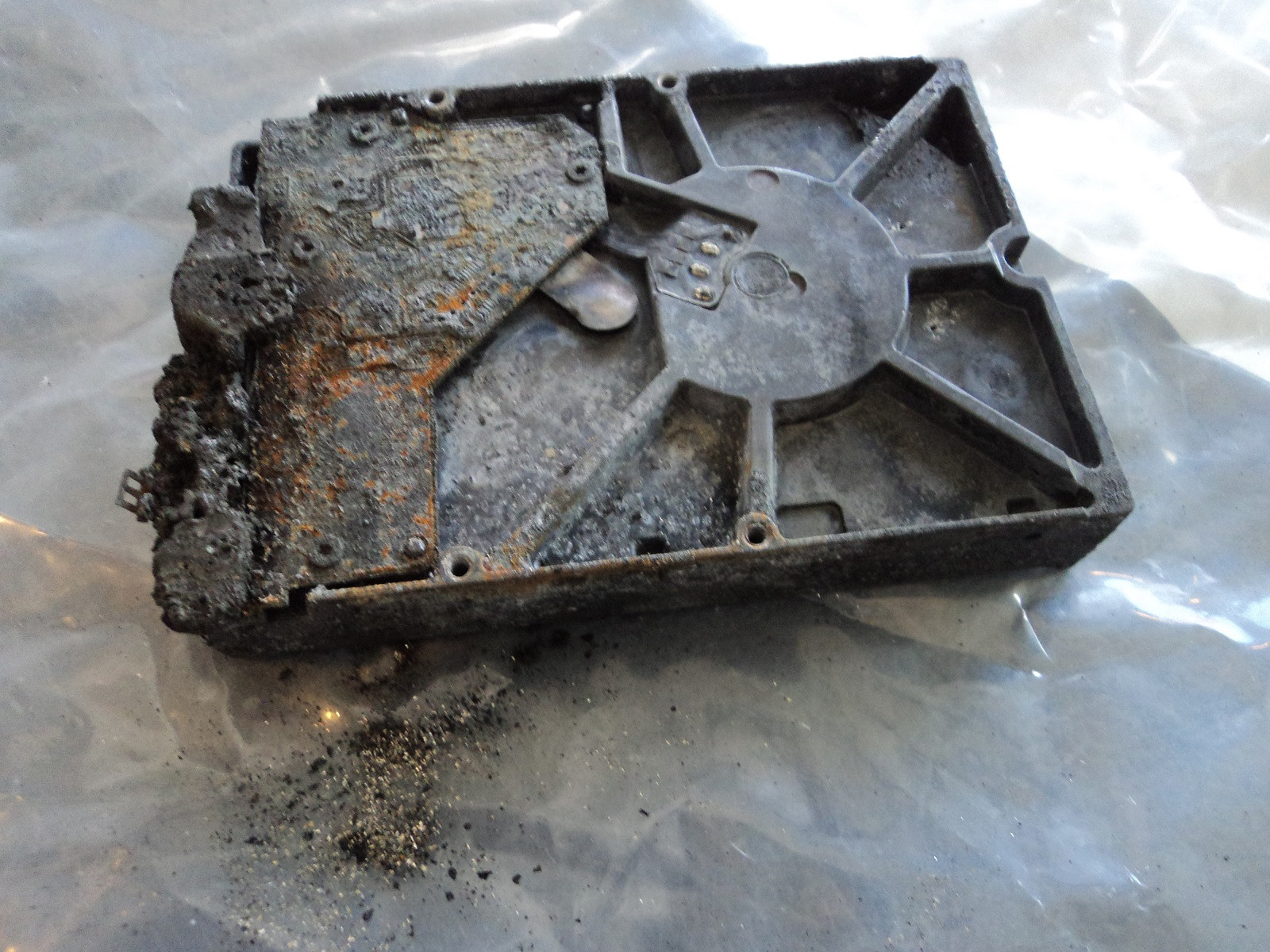
Hardware-Level Hard Drive Repair for All Brands by Seattle Data Recovery
At Seattle Data Recovery, we distinguish between basic data recovery and true hardware-level hard drive repair. When a storage device experiences a mechanical or electronic failure, running recovery software is completely useless—and highly dangerous. The drive must first be physically repaired inside a controlled environment so that it can stabilize long enough to safely extract its data.
Our dedicated laboratory is fully equipped with advanced micro-soldering stations, proprietary firmware terminal tools, and an ISO-certified cleanroom environment. This advanced infrastructure allows our engineers to perform component-level diagnostics and physical restoration across all major hard drive manufacturing brands.
Universal Failure Tiers & Brand-Specific Engineering Protocols
While all hard drives utilize magnetic platters to store data, individual manufacturers rely on wildly different firmware logic, mechanical tolerances, and internal architectures.
Our laboratory engineers deploy specific, brand-calibrated repair procedures to target these unique engineering behaviors:
Western Digital (WD): Bypassing Integrated USB & Encryption
- The Hardware Hurdle: Most portable WD drives (like the My Passport series) do not feature a standard SATA connector. Instead, the USB port and a hardware encryption chip are soldered directly to the main Printed Circuit Board (PCB).
- Our Repair Protocol: If the board suffers a short circuit or the USB port breaks, our technicians perform precision micro-soldering. Under magnification, we tap directly into the drive’s core SATA transmission lines on the board, routing them out to our diagnostic hardware while keeping the encryption chip active to prevent data scrambling.
Seagate: Resolving Seized Spindles & Firmware Loops
- The Hardware Hurdle: Seagate drives feature a compact mechanical design that makes them prone to a "seized spindle motor" or stuck heads if dropped. Additionally, their Media Cache architecture can get trapped in a permanent firmware lock loop when it hits corrupted data sectors.
- Our Repair Protocol: For stuck components, the drive is moved to our dust-free cleanroom where engineers use specialized mechanical tools to safely unstick the head assembly or cleanly migrate the platters to a matching donor chassis. For firmware loops, we link directly to the drive’s system terminal to patch its internal code via RAM commands.
Toshiba: Clearing G-Sensor Lockouts
- The Hardware Hurdle: Toshiba external lines (Canvio series) feature built-in hardware accelerometers (G-Sensors) designed to instantly lock the drive if motion is detected. A sudden drop can trap the drive in a defensive, non-responsive firmware loop.
- Our Repair Protocol: Much like WD, modern Toshiba portable drives utilize integrated USB boards. We convert the native board to a raw SATA path, allowing us to transmit low-level commands that clear out the persistent error logs trapped in the drive’s system memory, stabilizing the controller for data mirroring.
HGST / SanDisk Professional: Enterprise Multi-Platter Alignment
- The Hardware Hurdle: HGST and G-Technology drives spin at higher RPMs (7200 RPM) and often feature tight, multi-platter stacks. They use highly unique NVRAM chips on their PCBs containing custom adaptive alignment data for that specific drive's internal read/write heads.
- Our Repair Protocol: If the PCB fails due to power surges, a simple board swap will fail. Our technicians desolder the original microscopic NVRAM chip and cleanly transplant it onto a perfectly matched donor PCB. Mechanical repairs are performed with absolute precision to maintain the alignment of the multi-platter stack.
The Seattle Data Recovery Hardware Repair Process
Every physically damaged hard drive checked into our lab goes through a strict, controlled restoration pipeline:
- The Cleanroom Inquest: If a drive is clicking, grinding, or beeping, it is never powered on in a standard room. It is opened strictly inside an ISO 5 Cleanroom environment where airborne particles are filtered down to microscopic levels. This prevents dust from landing on the platters and permanently scratching away data.
- Donor Part Matching: Physical part replacements require an incredibly precise match. We maintain an extensive inventory of donor drives, matching not just the model number, but also manufacturing dates, site codes, and internal pre-amplifier revisions.
- Forensic Cloned Imaging: Repaired hard drives are highly unstable and are never meant to be returned to normal use. Once the drive spins up smoothly, it is immediately attached to a hardware imager to create a bit-for-bit digital clone. We extract your data safely from this healthy clone.
Emergency Guidelines: Protect Your Media from Permanent Loss
If your external or internal hard drive exhibits signs of physical failure, your very next action is critical to the survival of your files:
- Disconnect Power Immediately: If the drive is making unusual sounds (clicking, beeping, buzzing), pull the plug. Keeping it powered on can cause a broken read head to physically dig into the spinning platter, shredding your data into unrecoverable dust.
- Say No to DIY Software: File recovery programs are designed for healthy drives with deleted files. Forcing software to scan a drive with a physical head or firmware failure will rapidly overheat and permanently destroy the unit.
- Do Not Open the Drive Casing: Cracking open a hard drive cover outside of a certified cleanroom immediately ruins the drive's internal environment, exposing the platters to millions of microscopic airborne contaminants.
- Details
- Written by: Seattle Data Recovery
- Category: Read/Write Heads
Objective: To safely disengage read/write heads that have dropped onto the platter surface (stiction) and park them back on the landing zone or ramp.
Overview
When a hard drive is powered down abruptly or experiences a physical drop, the read/write heads can fail to park correctly. Instead, they land directly on the polished, magnetic data surface of the platter. Because the platter surface is perfectly flat, a molecular bond forms between the heads and the platter—a phenomenon known as stiction. Simply powering the drive on in this state will rip the heads off the actuator arm or permanently gouge the platters.
Operational Steps
- Secure the Chassis: Mount the drive securely into a specialized head repair jig to prevent any chassis flexing or sudden movement.
- Loosen the Actuator: Gently loosen the axis screw of the actuator arm slightly to give the assembly a micro-fraction of compliance, ensuring it doesn't bend during the release process.
- Manual Spindle Rotation: Insert a proprietary spindle-turning tool into the center motor hub. Technicians counter-rotate or rotate the spindle slowly and strictly in the drive's native spin direction.
- Simultaneous Actuator Guiding: While rotating the spindle, use a non-magnetic micro-hook to apply gentle, outward radial pressure on the actuator arm. This co-ordinated movement allows the heads to glide along the spinning air bearing toward the outer rim.
- Ramp Seating: Guide the slider assembly smoothly onto the plastic parking ramp or inner landing zone.
- Microscopic Inspection: Inspect the heads under a cleanroom microscope to ensure the sliders did not bend, snap, or retain debris from the platter.
Common Risks & Failures
- Head Detachment: If the spindle is turned without perfect synchronicity with the actuator arm, the stiction force will tear the slider cleanly off the suspension arm, leaving it permanently glued to the platter.
- Torn Suspensions: Applying too much radial force can bend the ultra-thin suspension metal, ruining the aerodynamic alignment.
- Details
- Written by: Seattle Data Recovery
- Category: Cache Memory (DRAM)
Objective: To bypass a defective or unstable DRAM chip in real-time using hardware emulation to capture data before the cache drops offline.
Overview
The DRAM chip acts as a high-speed buffer, caching data blocks before they are committed to the platters or sent to the host computer. If a DRAM chip suffers from thermal degradation or internal bit-flips, it will trigger sporadic hanging, drop connection mid-stream, or cause the drive to fail initialization. In critical recovery scenarios where the original PCB must remain active, a hardware emulation console (such as an ACELab PC-3000 system) can be used to stabilize the volatile buffer environment. [1, 2, 3]
Operational Steps
- Isolate and Intercept: Mount the hard drive onto a cleanroom diagnostics bench. Connect the drive to a data recovery hardware suite via the physical SATA link and a serial-TTL terminal link. [1]
- Safe-Mode Initialization: Power on the drive in a safe-mode state to prevent the drive's microcode from loading full cache allocations into the hardware DRAM.
- RAM Mirroring Configuration: Through the hardware utility terminal, issue Vendor Specific Commands (VSCs) to reallocate the internal processor's data streaming pathway.
- Buffer Redirection: Configure the data recovery software to bypass the physical onboard DRAM chip for sector-by-sector caching. Instruct the utility to stream data directly from the drive's read-channel chip straight into the hardware console's internal, virtualized RAM buffer.
- Targeted Sub-Imaging: Immediately begin low-speed, sector-by-sector imaging. Skip large file caching blocks entirely to minimize the electrical load on the failing onboard DRAM module. [1, 2]
Common Risks & Failures
- Firmware Assertions: If the drive's firmware detects that the hardware cache is completely unresponsive, it may trigger an internal fatal exception error, locking the drive into a persistent "Busy" state that requires a force-reboot.
- Thermal Avalanche: An unstable DRAM chip often overheats rapidly. If the extraction process is run too quickly, the chip can experience complete thermal failure, which can short out the adjacent main Microcontroller Unit (MCU).
- Details
- Written by: Seattle Data Recovery
- Category: Air/Breather Filter
Objective: To extract a saturated or structurally compromised breather filter assembly without releasing captured moisture or chemical vapor contaminants onto the platter surface.
Overview
Hard drives are not completely hermetically sealed; they require an internal air channel to equalize internal air pressure changes caused by altitude variations and thermal expansion. This channel is guarded by a recirculating air filter and a breather filter, which contain activated charcoal or desiccant elements designed to trap organic chemical vapors and moisture. If a hard drive has been exposed to floods, smoke, or severe atmospheric humidity, these filters become saturated. Left unchecked, the saturated filter will leach trapped moisture or particulates back onto the spinning platters, causing head corrosion or catastrophic head crashes.
Operational Steps
- Chassis Isolation: Secure the drive inside a cleanroom workstation. Remove the top enclosure cover using a torque-limiting driver to expose the internal perimeter.
- Microscopic Saturation Analysis: Position the drive chassis under a stereomicroscope. Inspect the edges of the white breather filter pad for structural discoloration, tearing, or microscopic bubbling, which indicates severe moisture absorption.
- Mechanical Extraction: Use ultra-fine, non-magnetic titanium tweezers to grasp the non-porous plastic border or mounting bracket of the filter assembly. Never pinch the porous filtration media itself, as doing so will squeeze trapped particulates or chemical oils directly into the drive enclosure.
- Adhesive Clean-up: Carefully scrape away any residual pressure-sensitive adhesive (PSA) left on the aluminum drive housing using a non-marring cleanroom plastic scalpel.
- Cavity Evacuation: Use an ESD-safe micro-vacuum equipped with a HEPA filter to sweep the empty filtration pocket, ensuring no loose charcoal dust or adhesive flakes remain behind.
Common Risks & Failures
- Charcoal Dust Rupture: If the delicate porous membrane of a degraded charcoal filter is punctured during extraction, it will release thousands of abrasive carbon particles across the platters, resulting in an unrecoverable secondary head crash upon spin-up.
- Adhesive Flaking: Allowing dried adhesive flakes to fall onto the platter surface will permanently block data tracks or strip the heads upon drive initialization.
- Details
- Written by: Seattle Data Recovery
- Category: Spindle Motor
Objective: To migrate the entire platter stack and HSA from a drive with an irreparably seized or shorted motor into a pristine donor chassis containing a functional motor.
Overview
When a spindle motor suffers a catastrophic mechanical failure—such as shattered internal ball bearings or an completely melted stator assembly—the motor itself cannot be safely repaired or separated from the chassis baseboard. In these extreme scenarios, the motor cannot be fixed in place. Technicians must perform a chassis swap, moving all data-containing elements into an identical donor structure without shifting the alignment of the platters.
Operational Steps
- Donor Preparation: Select a matching donor drive down to the same model number, country of origin, and manufacturing date. Strip the donor drive of its HSA and platter stack, leaving a bare, known-good chassis and working spindle motor.
- Patient Extraction: In the patient drive, secure the read/write heads with a head comb and remove the HSA. Attach a highly precise multi-platter exchange tool over the patient's platter stack. Lock the tool securely to freeze the vertical and rotational alignment of the discs.
- Unclamping the Stack: Carefully unscrew the center spindle clamp ring while ensuring the platter exchange tool holds the stack rigidly.
- Chassis Migration: Lift the locked platter stack completely off the patient's failed spindle motor. Carefully lower the stack down onto the center axis of the functional donor spindle motor.
- Calibrated Torque Seating: Thread the spindle clamp back on. Use a highly accurate, calibrated digital torque wrench to tighten the clamp to the exact micro-inch-pound specifications designated by the manufacturer.
- HSA Integration: Install a functional head stack assembly into the new chassis and complete the mechanical reconstruction.
Common Risks & Failures
- Z-Axis Centering Fault: If the platter stack sits even one-millionth of an inch off-center on the new spindle hub, the drive will develop a severe eccentric wobble at 7,200 RPM. This creates unrecoverable track-following errors.
- Inter-Platter Slippage: If the exchange tool slips during the physical transfer from one chassis to another, the relative track alignment between the individual layers is lost forever, rendering any multi-platter drive completely unreadable.
Subcategories
Platters
- What it is: Flat, circular metal or glass discs coated in a magnetic material that physically store all digital data.
- Common failures: Head crashes (where read/write heads scratch or gouge the magnetic surface), bad sectors (unreadable data blocks), and physical warping from severe heat or drops.
Read/Write Heads
- What it is: Tiny sensors mounted on the tip of the actuator arm that float a microscopic distance above the spinning platters to read and write data.
- Common failures: Head crash (contact with platters), head stiction (heads getting permanently glued or stuck to the platter surface), and actuator/head degradation causing clicking or beeping noises.
Actuator Arm & Voice Coil Actuator
- What it is: A mechanical arm that sweeps the read/write heads rapidly and precisely across the surface of the platters, controlled by a magnet and coil assembly.
- Common failures: Failed actuator motor/assembly, mechanical binding, or inability to track and position the heads accurately.
Spindle Motor
- What it is: The motor located beneath the platters that spins them at high speeds (typically 5,400 to 7,200 RPM).
- Common failures: Seized motor (failure to spin up, often making a faint ticking, beeping, or humming sound) or worn bearings that cause grinding noises and wobbling platters.
Printed Circuit Board (PCB / Controller Board)
- What it is: The external green or black circuit board attached to the bottom of the drive that translates signals, controls the motor, and manages data flow.
- Common failures: Electrical short circuits or component burn-out caused by power surges, static discharge, or a faulty power supply, which can render the drive completely dead ("no power/no spin").
Firmware (System Area)
- What it is: Low-level internal software stored on a reserved portion of the platters and PCB that boots the drive and tells the heads how to operate.
- Common failures: Firmware corruption from bugs, improper updates, or unexpected power loss, which causes the drive to spin up but fail to be recognized by the computer.
Cache Memory (DRAM)
- What it is: A small, high-speed volatile memory chip on the PCB that temporarily holds frequently accessed data.
- Common failures: Data corruption or chip failure due to voltage spikes or overheating.
Air/Breather Filter
- What it is: A tiny internal filter that equalizes internal air pressure with the outside while trapping microscopic dust particles.
- Common failures: Clogging or seal failure that lets dust and moisture inside, leading to platter contamination and corrosion.
Data and Power Connectors
- What it is: The physical pins/ports that plug the drive into the computer's motherboard and power supply.
- Common failures: Bent or broken pins, loose cable connections, or corroded contact pads.








